Renewing Connections
Download
Focus Mode
Font Size
To continue using normal security services, you can manually renew your Web Application Firewall (WAF) service before its expiration or configure automatic renewal upon expiration.
Renewal Reminder
To ensure continued access to normal security services, the system will notify you 7 days before your Web Application Firewall (WAF) service expires. Renewal reminders and related information will be sent via in-site messages, SMS, and email to the creator of the Tencent Cloud account and all collaborators. See notification settings for details.
When WAF is purchased, if you have selected and agreed to automatic renewal, the system will automatically deduct the renewal fee from your account balance upon instance expiration.
Renewal Method
WAF instance packages and extended resources
WAF instance package and extension resources include domain name package, QPS package, and BOT and business security extensions.
Note:
To renew WAF package instances, BOT and business security services, domain extension packages, or QPS expansion packages individually, please go to Billing Center to renew.
1. Log in to the WAF console, and in the left navigation, choose Connection Management > Instance Management.
2. On the Instance Management page, the following two renewal methods are supported:
Method 1: Select the desired instance, click Renew, and a renewal pop-up window will appear.

Method 2: Select the desired instance, click Instance ID, in the instance details page, click Renewal instance, and a renewal pop-up window will appear.
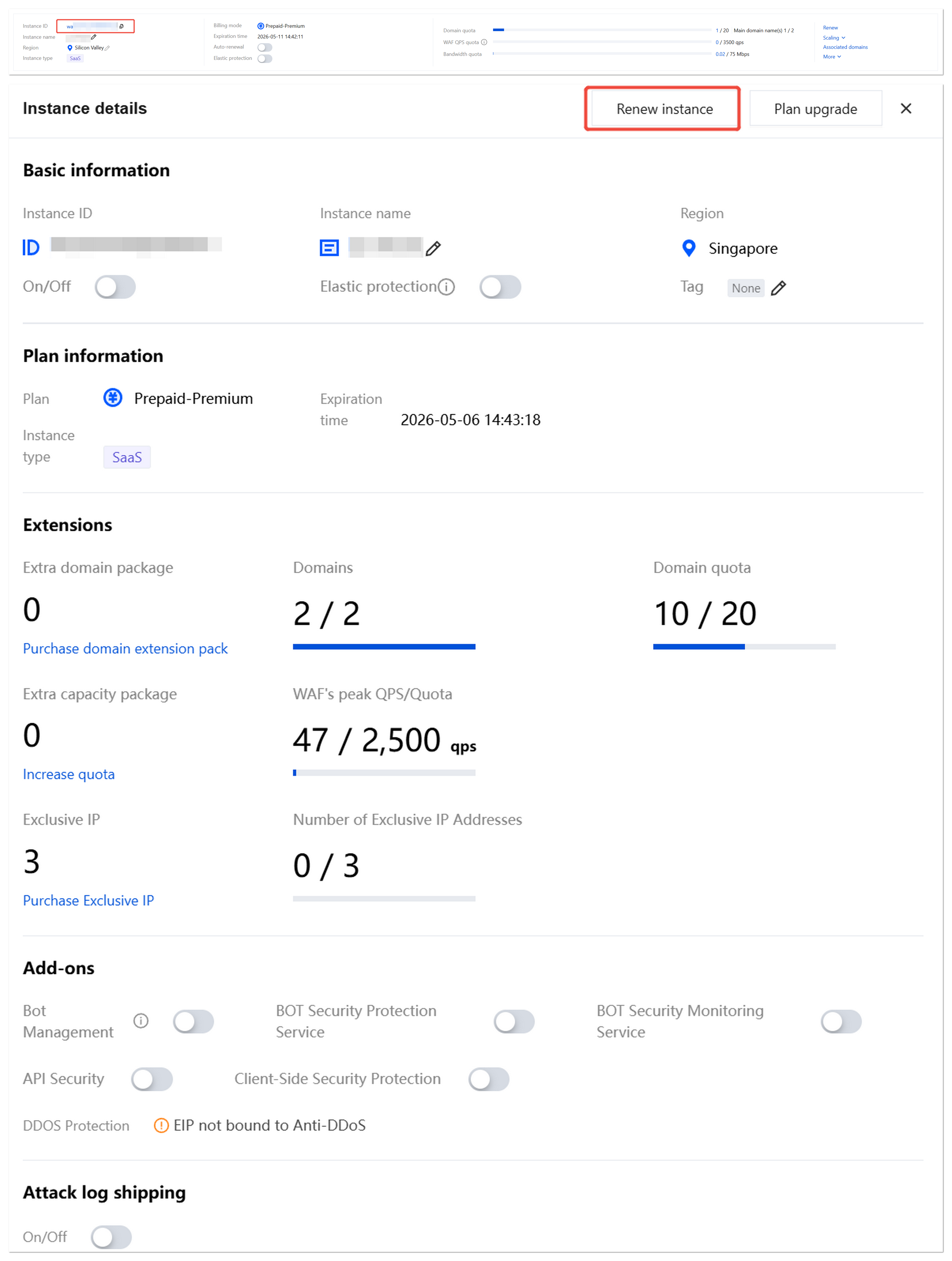
3. In the renewal pop-up window, select the payment duration and click Renew Now.
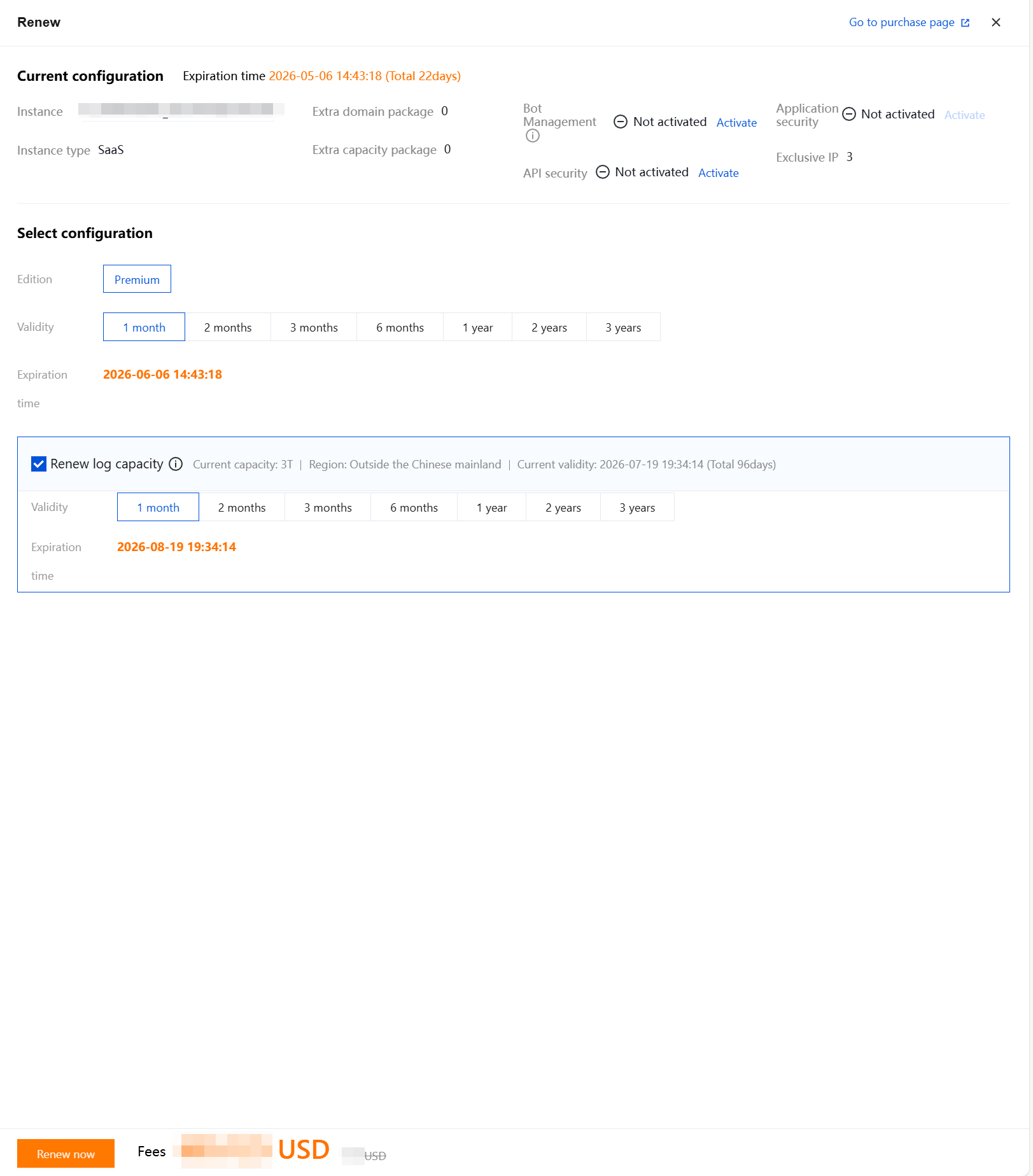
Renew security service log package only
1. Log in to the WAF console, and in the left navigation, choose Connection Management > Instance Management.
2. On the Instance Management page, in the Scale Overview module, click Renew log package.

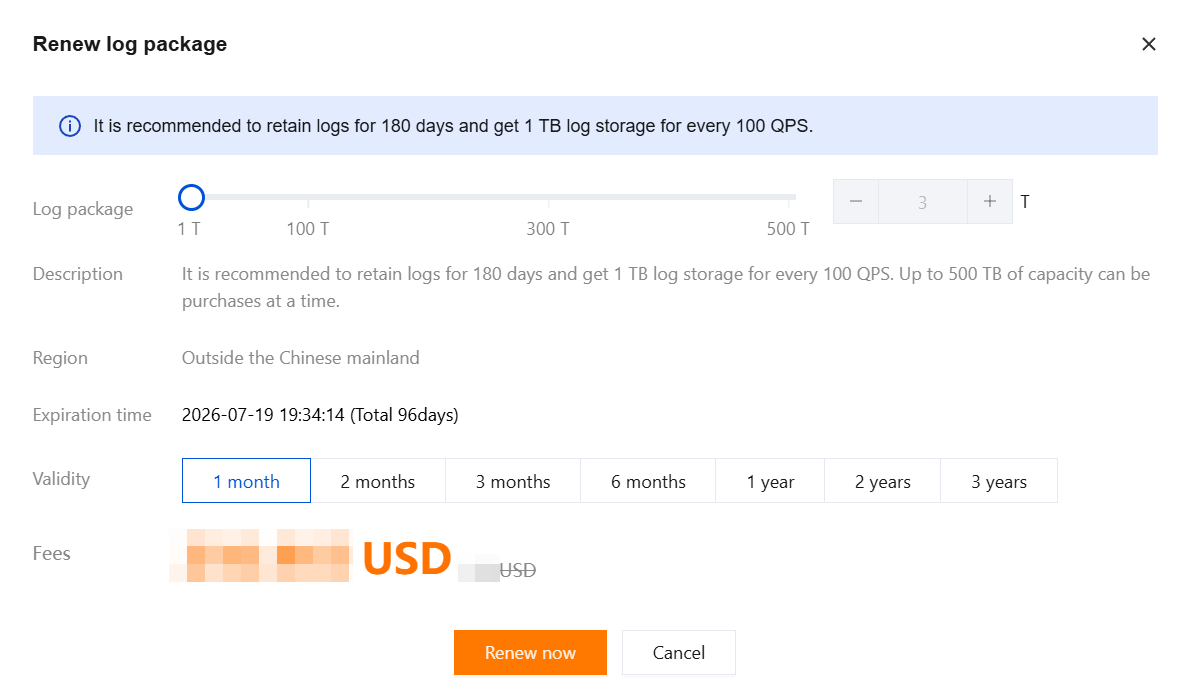
3. In the Renew Service Log Package pop-up window, select the payment duration and click Renew Now.
Note:
The renewal period for the Security Service Log Package corresponds to the instance expiration date, meaning it can only be renewed until the instance expiration date.
Renewal at Renewal Management Center
On the Renewal Management page, it provides features such as batch resource renewal, setting auto-renewal, setting unified expiration date, and canceling non-renewal for instances. See Renewal Management for details.
Help and Support
Was this page helpful?
You can also Contact sales or Submit a Ticket for help.
Help us improve! Rate your documentation experience in 5 mins.
Feedback