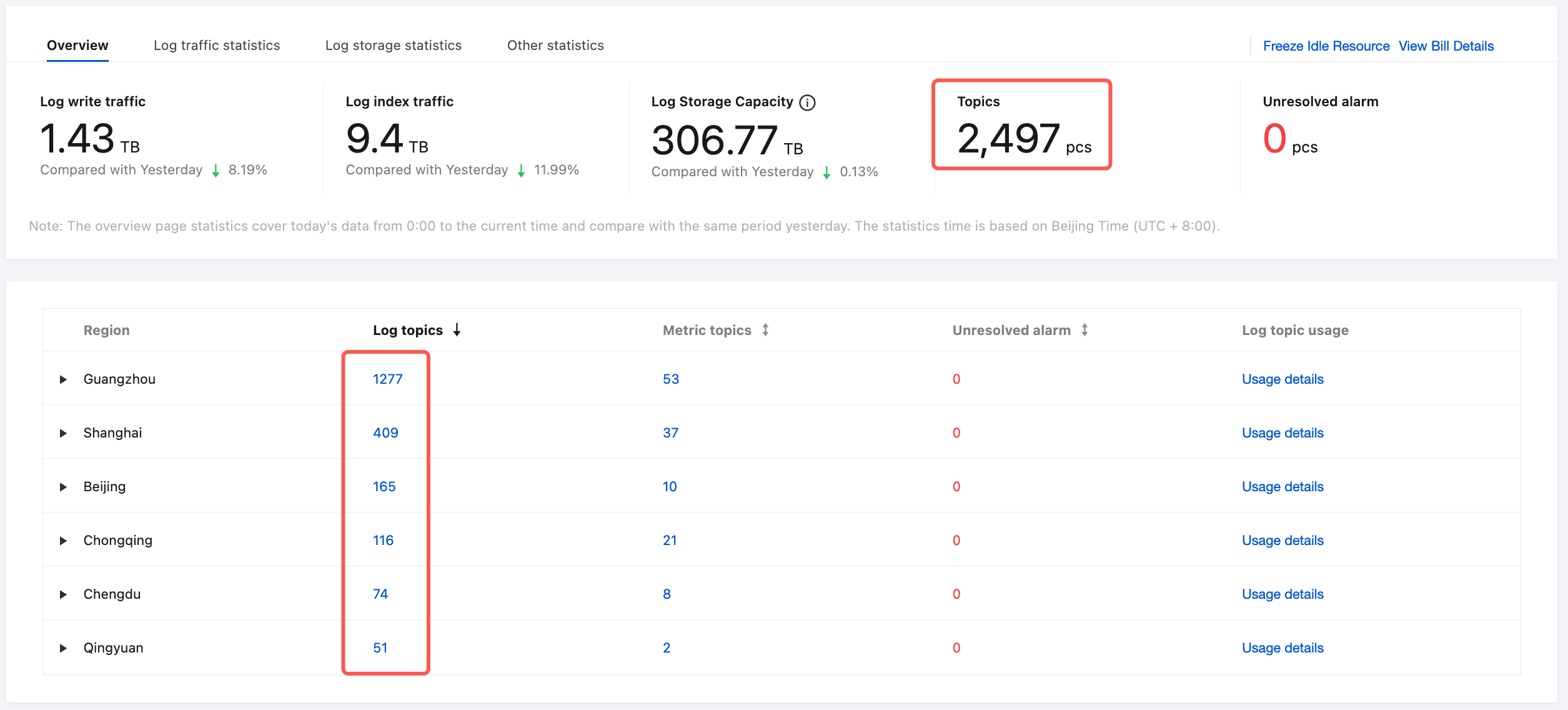
Cloud Log Service (CLS) does not have a one-click service disable feature. If you no longer use CLS, you can choose to delete your CLS resources. No fees will be incurred after all log topics are deleted (that is, the number of log topics becomes 0).
Note:
A logset is a class of log topics and metric topics, used for managing topics. It does not incur any fees.
If you use other Tencent Cloud services, you do not need to deactivate your account after deleting CLS resources. Deactivating your account will affect your other Tencent Cloud services.
CLS uses a postpaid billing model. You can only query the billing details for the previous day's resources on the following day. Therefore, the fees for the previous day are settled on the day after you delete the resources.
Deleting all log topics
Note:
Demo log topics will not incur fees, so you can experience them at ease.
1. Log in to the CLS console. On the Overview page, view the resource statistics by region, locate the region where log topics exist, and click the number of log topics to go to the log topic management page.
2. On the log topic management page, select a log topic, click More, and select Delete Log Topic. Repeat the deletion operation until all log topics in the region are deleted.
3. You can select the region in the upper-left corner, switch to other regions that have resources, and repeat the deletion operation until all log topics in all regions are deleted.
4. Return to the Overview page, check the number of log topics again, and confirm that all log topics have been deleted. A log topic count of 0 indicates that the log topic resources have been cleaned up and no related fees will be incurred.
Related documentation
For more information on policies about data retention/termination and billing, see Payment Overdue.
If you still have any questions about CLS billing, see FAQs.