Cloud Log Service (CLS) manages stored Log data via Log topics and logsets. A Log Topic is the basic unit for collecting, storing, retrieving, and analyzing Log data, while a logset serves as a classification of Log topics, making it convenient for users to manage Log topics.
This article introduces how to manage logsets via console. Before actual operation, it is advisable to read Log Topics and Logsets to further understand relevant concepts and usage recommendations for actual scenarios.
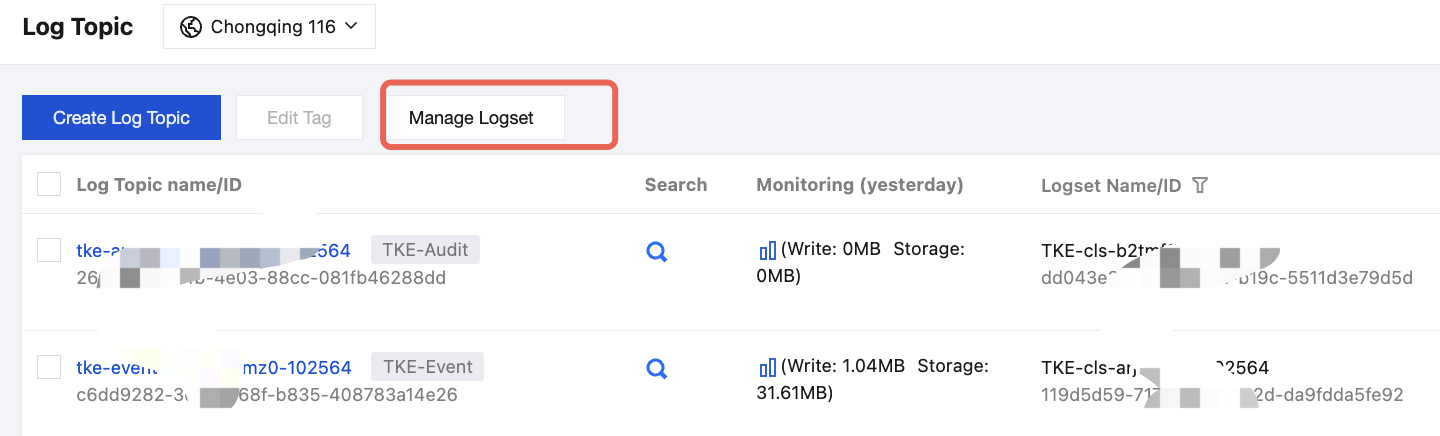
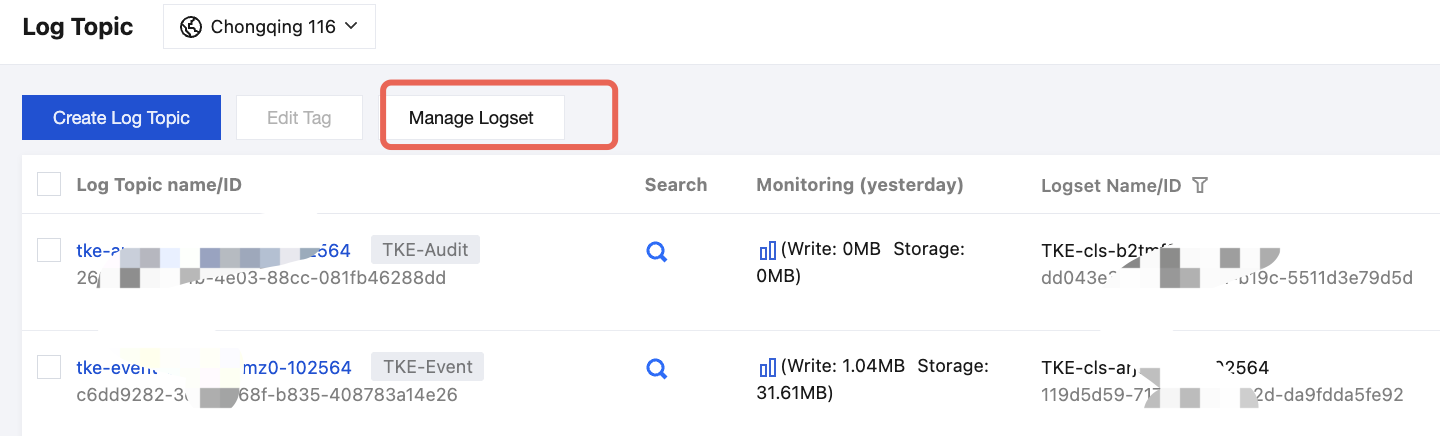
2. On the log topic management page, select a region and click Manage Logset.
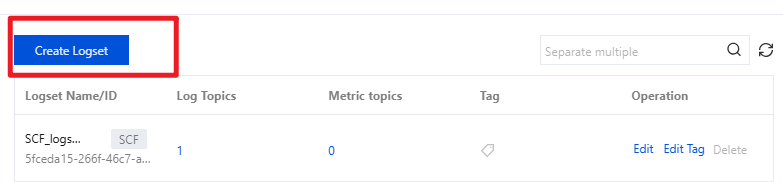
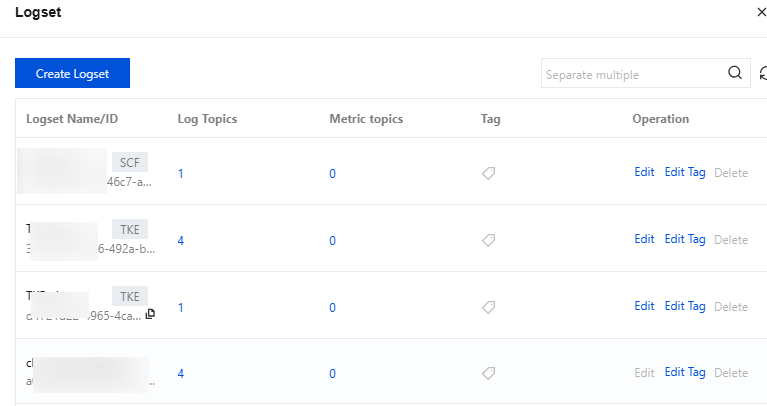
3. On the right, unfold the log set management page and click Create Logset.
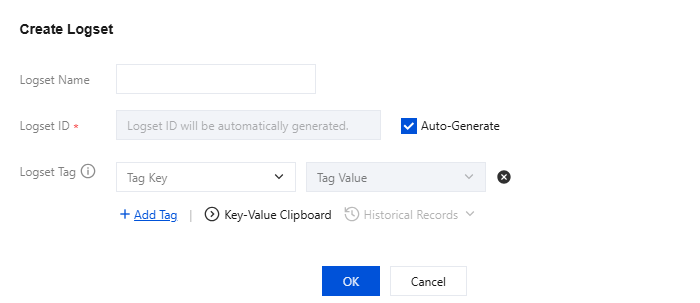
4. In the pop-up create log set window, fill in the logset name and tags.
5. Click OK to complete logset creation.
Viewing Logsets
1. In the left sidebar, click Log Topic.
2. On the log topic management page, select a region and click Manage Logset.
3. On the log set management page unfolded on the right, you can view log sets in the current region.
Editing Logset
1. In the left sidebar, click Log Topic.
2. On the log topic management page, select a region and click Manage Logset.
3. On the log set management page unfolded on the right, find the logset ID/name you need to edit and click Edit.
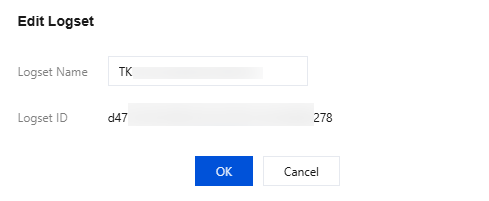
4. In the pop-up edit logset window, modify the logset name.
5. Click OK to save edits.
Delete Logset
1. In the left sidebar, click Log Topic.
2. On the log topic management page, select a region and click Manage Logset.
3. On the log set management page unfolded on the right, find the logset ID/name you need to delete and click Delete.
Note:
A logset can be deleted only when the number of log topics or metric topics is 0. If topics within the logset are not cleared, the logset cannot be deleted.
4. In the pop-up window, click OK to delete the current logset.