Viewing Migration Task Result
Overview
This document describes how to view the results of migration tasks.
Prerequisites
You have logged in to the CFS console.
Directions
Viewing results in the data migration service panel
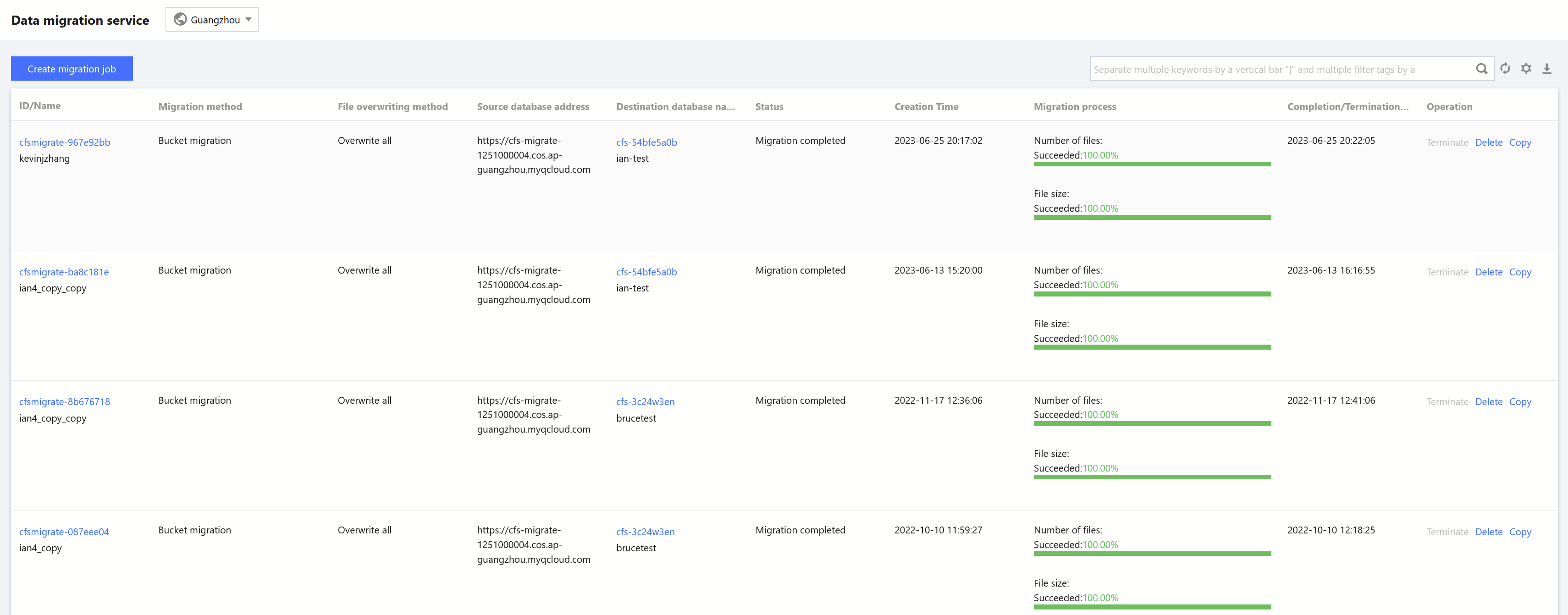
On the Data Migration Service page, select the target region and view the basic information of a migration task, such as migration settings and progress.
Viewing detailed information
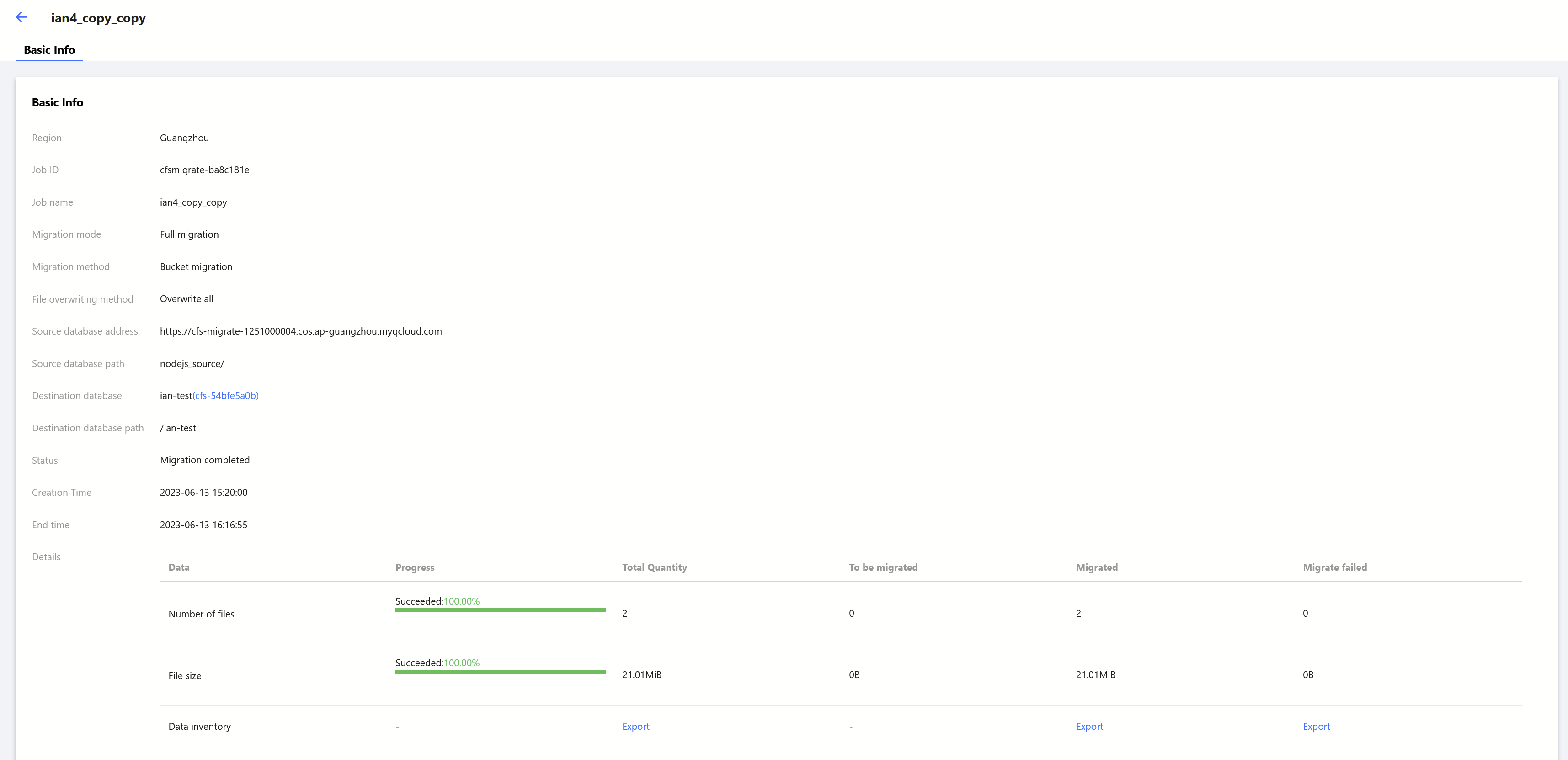
On the Data Migration Service page, click the ID/Name of the target migration task to view its details, such as the total number/size of files, and the number/size of files to be migrated, migrated successfully, and failed to be migrated.
Help and Support
Was this page helpful?
You can also Contact sales or Submit a Ticket for help.
Help us improve! Rate your documentation experience in 5 mins.
Feedback