When you select multiple Kafka partitions, you can configure a partition policy to route business-related data to the same partition, making it easier to process consumed data. DTS supports partitioning by table name, by table name + primary key, and by column name, routing subscription data to Kafka partitions based on hash rules.
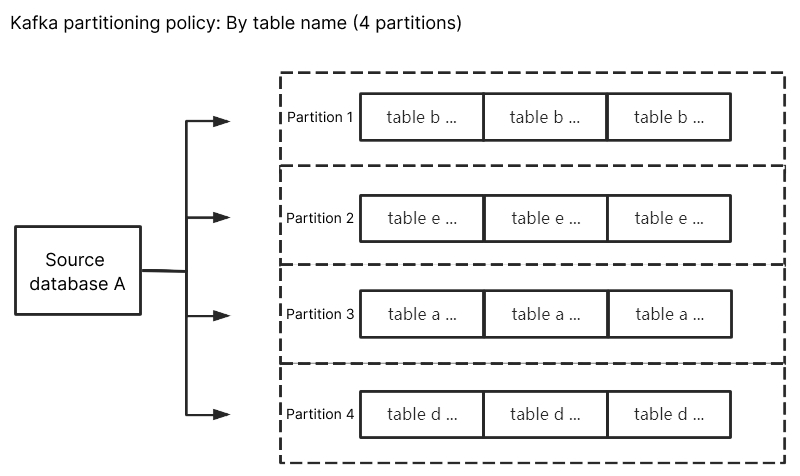
Kafka partition policy - partition by table name: partitions subscription data from the source database by table name. After this policy is configured, data with the same table name is written to the same Kafka partition. During data consumption, data changes within the same table are always obtained in order.
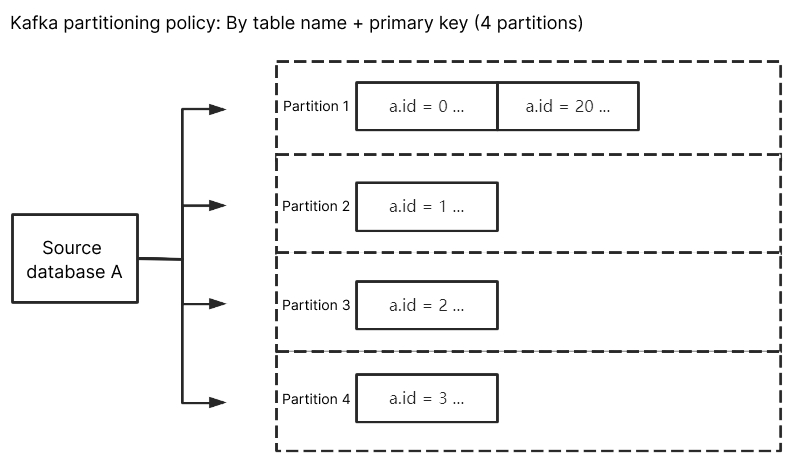
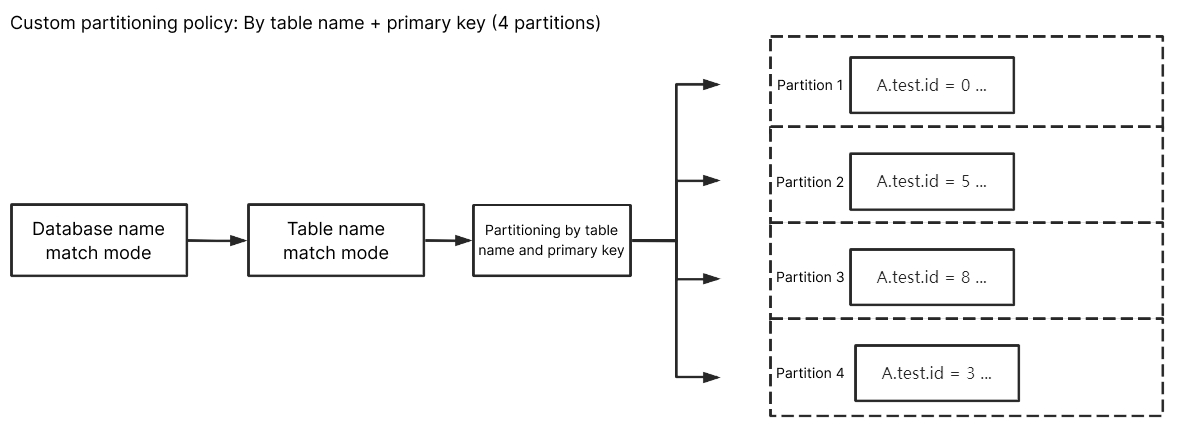
Kafka partition policy - partition by table name + primary key: partitions subscription data from the source database by table name + primary key. This policy is suitable for hot data. After it is configured, data in hot tables is distributed to different partitions by table name + primary key, improving concurrent consumption efficiency.
Custom partition policy: first matches database names and table names in subscription data using regular expressions, and then partitions the matched data by table name, table name + primary key, or column.
Kafka Partition Policies
Partitioning by Table Name
When the source database changes, the changed data is written to the subscription Topic. After you select partition by table name, subscription data with the same table name is written to the same Kafka partition. During data consumption, data changes within the same table are always obtained in order.
Partitioning by Table Name + Primary Key
When data is partitioned by table name only, if a table contains hot data, the pressure on that Kafka partition will be very high. You can use partition by table name + primary key to distribute data across different partitions, improving concurrent consumption efficiency.
Custom Partition Policy
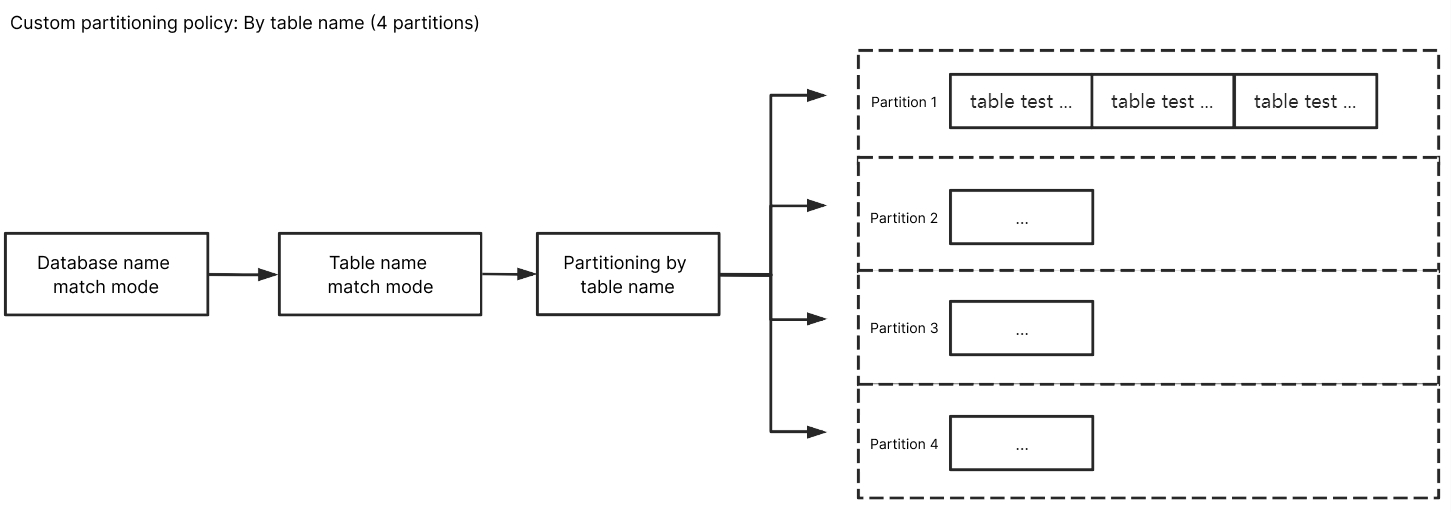
The custom partition policy matches database names and table names using regular expressions, and then partitions the matched data by table name, table name + primary key, or column.
Matching Rule
The matching rules for database and table names support RE2 regular expressions. For specific syntax, see Syntax Description.
The matching rule for database names uses regular expressions to match database names. The matching rule for table names uses regular expressions to match table name data. If exact matching is required for database names and table names, add start and end anchors. For example, the test table should be ^test$.
The matching rule for column names uses the equality operator == and is case-insensitive.
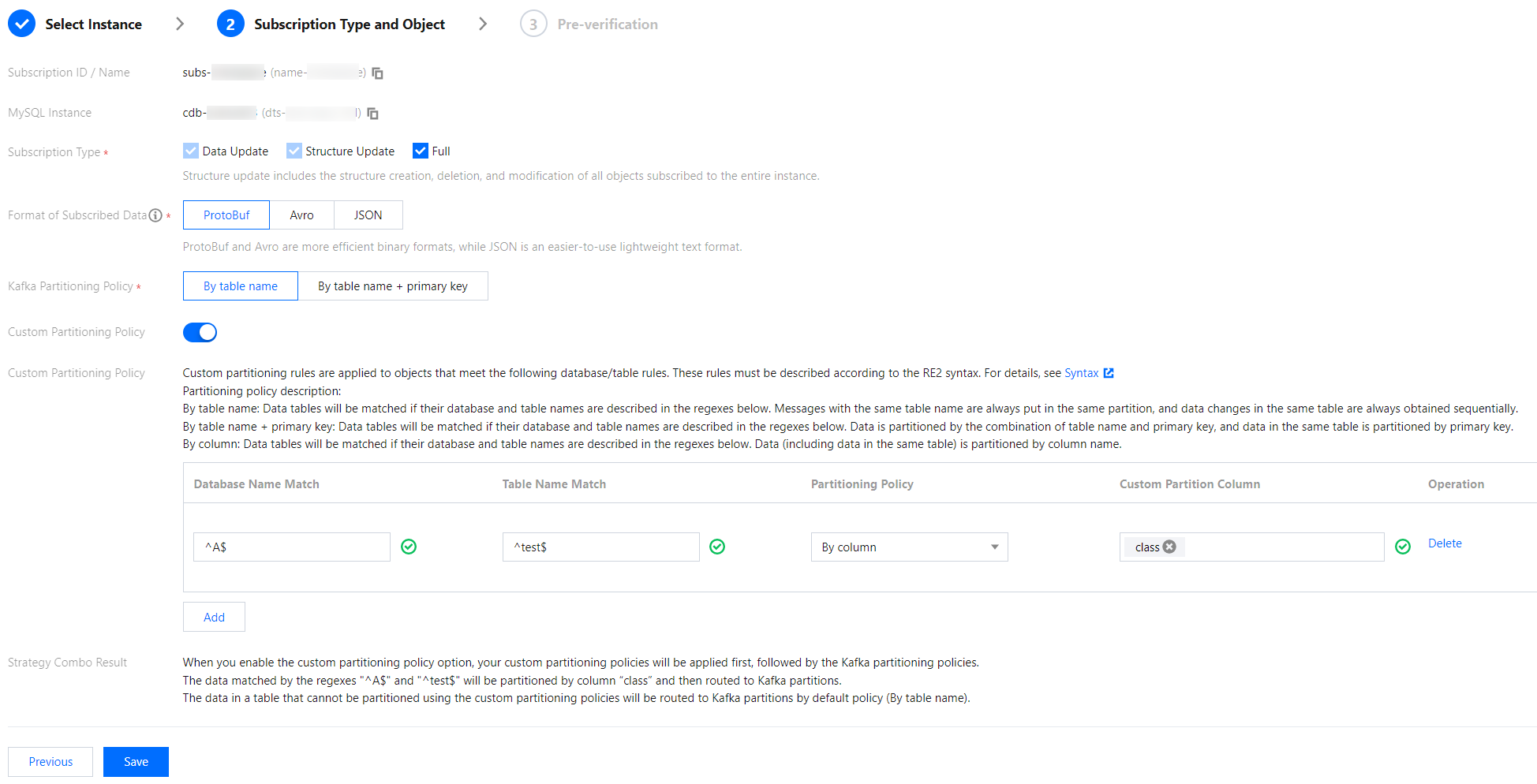
Custom partition policies are matched first. If no custom partition policy is matched, the Kafka partition policy settings are applied for matching. When multiple custom partition policies exist, they are matched one by one from top to bottom.
Partitioning by Table Name
Enter ^A$ in the database name matching pattern field and ^test$ in the table name matching pattern field. After you select partition by table name, subscription data of test in database A is written to the same partition. Other unmatched database and table data, except test, is written according to the policy configured in the Kafka partition policy.
Partitioning by Table Name + Primary Key
Enter ^A$ in the database name matching pattern field and ^test$ in the table name matching pattern field. After you select partition by table name + primary key, subscription data of test in database A is distributed to different partitions based on the primary key data. As a result, data with the same primary key is written to the same partition. Other unmatched database and table data, except test, is written according to the policy configured in the Kafka partition policy.
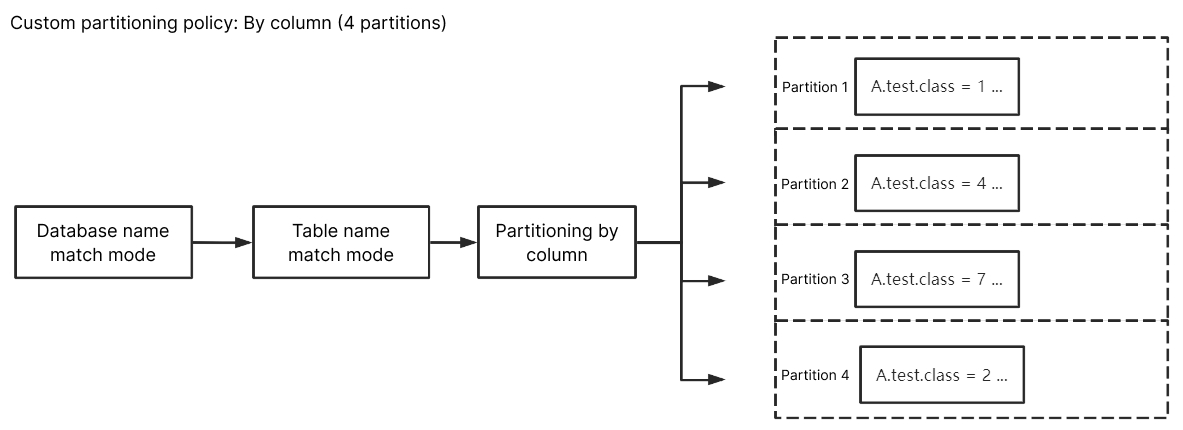
Partitioning by Column
Enter ^A$ in the database name matching pattern field, ^test$ in the table name matching pattern field, and class in the custom partition column field. After you select partition by column name, subscription data with the column name class in table test of database A is distributed to different partitions. As a result, updates to data in the same column are written to the same partition. Other unmatched database and table data, except test, is written according to the policy configured in the Kafka partition policy.