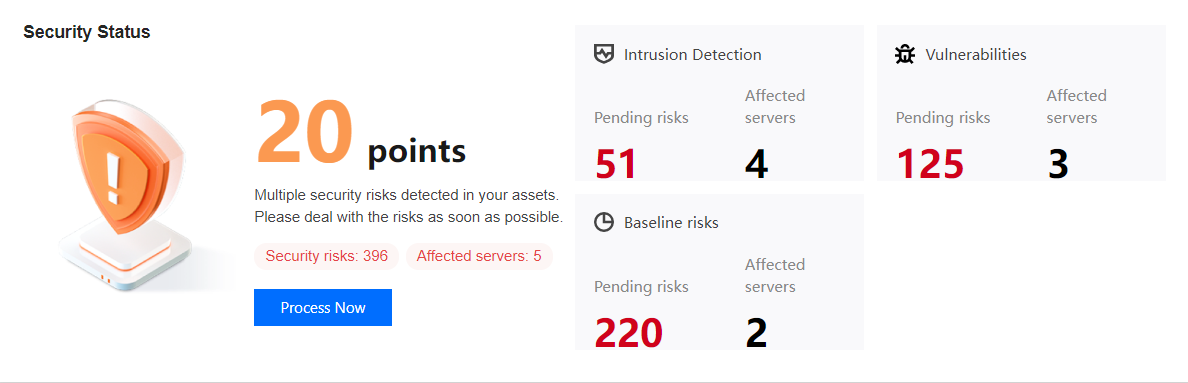
This topic describes how to calculate the security score for your assets.
Security Score
The highest security score is 100, and the lowest score is 20. The security level of a server is based on its security score, which is calculated by subtracting the points scored by the types, number, and threat level of security incidents from the total score of 100.
Scoring rules
Level
Security Incidents (by incident count)
Penalty per incident
Maximum total penalty
Critical
Trojan files, brute force attacks, and malicious requests
-40
-50
High
Critical vulnerabilities, high-risk vulnerabilities, critical baseline items, high-risk baseline items, unusual logins (high risk), local privilege escalation, and reverse shell
-10
-20
Medium
Medium-risk vulnerabilities and baseline items
-3
-10
Low
Low-risk vulnerabilities and baseline items
-2
-5
Other
Only CWPP Basic is implemented, or CWPP Agent is not installed
-1
-5
Security level
Level
Health check score
Text color
Description
Good
90-100
Green
The assets have a good security status. Regular inspection is recommended to maintain the good status.
Medium
60-89
Orange
Many security risks exist in the assets. It is recommended to handle the security incidents in a timely manner.
Bad
20-59
Red
Critical security risks exist in the assets. It is recommended to handle the security incidents as soon as possible.