EZDRM Integration Guide
Download
Mode fokus
Ukuran font
This document focuses on how to integrate EZDRM services with Tencent Cloud's Video on Demand (VOD) solution, enabling you to leverage Tencent Cloud VOD's media asset storage management and transcoding capabilities while retaining EZDRM functionality. The content is divided into two main sections: Integration Process; Playback Verification.
Integration Process
Prerequisites
Step 1: Service Registration
Register for an EZDRM account by contacting the EZDRM service provider.
Step 2: Service Configuration
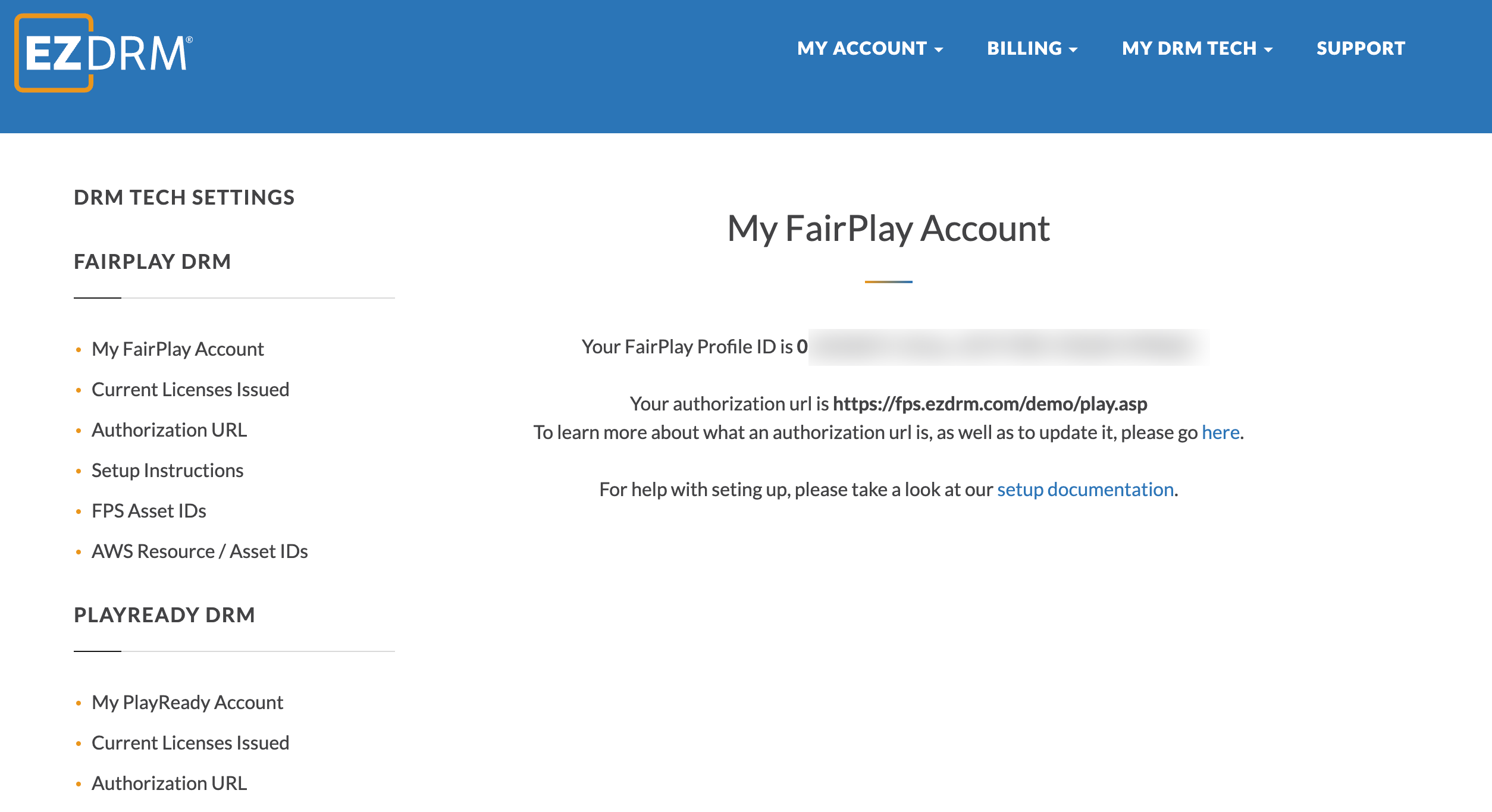
Configure FairPlay information by uploading the FairPlay certificate details. EZDRM will encrypt the uploaded FairPlay certificate. Please refer to the EZDRM console guidelines for specific configuration instructions. Upon completion, you will be able to view various DRM information in the console, such as the following FairPlay account details:
Initiating Encryption Tasks via API
To initiate an encryption task via API, a two-step process is required: 1) generate the KeyServerURL, 2) proceed to launch the task through the API.
1) Generating the KeyServerURL
EZDRM differs from other DRM providers. Most vendors request key information via HTTP POST, utilizing CPIX protocol XML as the request payload, where the required key details are declared within the XML. However, EZDRM operates differently—it directly specifies the necessary key information within the KeyServerURL itself, employing the HTTP GET method without including CPIX XML.
Below is a request example:
Single key(preset0)
// Single key(preset0)// cbcs:curl -X GET "https://cpix.ezdrm.com/KeyGenerator/cpix2.aspx?k=79ee2a21-0c2b-4978-b681-d98e529271c8&t=xxxx&c=speke_cbcs&EncryptionScheme=cbcs"// cenc:curl X GET "https://cpix.ezdrm.com/KeyGenerator/cpix2.aspx?k=49d1e0c1-fdd7-4c8f-9eb4-94e207b796f3&t=xxxx&c=speke_cenc"
Parameter Description:
k denotes the key ID, which can be generated using: Free Online GUID Generator.t represents the account token, obtainable from the EZDRM console. EncryptionScheme specifies the encryption mode, with valid values being cbcs and cenc (default is cenc). c stands for the resource ID (content ID or asset ID), which can be any arbitrary string. Simply modify the keyid when in use.
Multiple keys(preset1)
// Multiple keys(preset1)// cbcs:curl -X GET "https://cpix.ezdrm.com/KeyGenerator/cpix2.aspx?k=empty,audio1=8aeb097c-4e3a-4731-8702-d362fff64e36,video1=64173552-957a-4dfc-86ba-09f2a3270f5f&t=xxxx&c=speke_cbcs&EncryptionScheme=cbcs"// cenc:curl -X GET "https://cpix.ezdrm.com/KeyGenerator/cpix2.aspx?k=empty,audio1=61967e3f-9345-430c-9ea7-6e0c5ee64bc6,video1=181320ff-d1bf-46f8-949a-82075bd78c2b,video2=3be09650-fdba-47d6-b2a5-d2e422e92b04&t=xxxx&c=speke_cenc"
Parameter Description:
k denotes the key ID, which should be set to empty as a fixed value. audio1=xxx, video1=xxx, and video2=xxx represent requests for three sets of keys, with the subsequent UUID serving as the corresponding key ID. EZDRM supports a maximum of three key sets. The labels audio1 and video1/video2 are merely identifiers and do not imply that the key for audio1 is exclusively for audio usage. t refers to the account token, which can be obtained from the EZDRM console. EncryptionScheme specifies the encryption mode, with valid values being cbcs and cenc. The default is cenc. c stands for the resource ID (content ID or asset ID) and can be any arbitrary string. To use, simply modify the values for
audio1, video1, and video2 as needed.2) Initiating Tasks via API
When utilizing third-party DRM providers, there is no need to configure DRM information in the template. Simply employ an adaptive bitrate template without DRM configuration, and pass the DRM parameters when initiating the task through the ProcessMedia.
Data Structure
DrmInfo
Field Name | Type | Is Array | Description |
DrmTypes | string | Yes | Array of DRM types. Multiple types can be passed. Currently supported: [Widevine, Fairplay, Playready]. The template segment format must be fmp4. Fairplay: Can only be used for HLS. Widevine: Can be used for HLS and DASH. Playready: Can be used for HLS and DASH. If a combination of multiple DRM types includes Fairplay, it can only be used for HLS. Other DRM combinations can be used for either HLS or DASH. |
SPEKEDrm | SPEKEDrm | No | Third-party DRM information. |
SPEKEDrm
Field Name | Type | Is Array | Description |
ResourceId | string | No | Resource identifier, user-defined. Supports 1-128 characters including numbers, letters, underscores (_), and hyphens (-). This field maps to the cid field in the SPEKE request. |
KeyServerUrl | string | No | DRM provider's access URL, obtained from the DRM provider. Note: Different DRM providers have different limits on the number of substreams. For example, PallyCon limits it to a maximum of 5 substreams, while DRMtoday supports a maximum of 9 substreams for encryption. |
Vector | string | No | Encryption Initialization Vector (32-byte hex string), user-defined. |
EncryptionMethod | string | No | Encryption method. Valid values: [cbcs, cenc]. cbcs: Supported by all DRM encryption type combinations. cenc: Only supported by combinations containing Playready and Widevine. |
EncryptionPreset | string | No | Substream encryption rule. Valid values: [preset0, preset1]. Default is preset0. preset0: All substreams are encrypted using the same key. preset1: Each substream is encrypted using a different key. |
KeyAcquireMode | string | No | DRM provider request method. Valid values: [POST, GET]. POST: Used by most DRM providers. GET: Supported by some DRM providers. When using GET, all required request parameters must be appended to the KeyServerUrl field. |
Request Example
For EZDRM, GET requests are currently the primary supported method. Below we provide sample code demonstrating the POST request mode for your reference.
{"FileId": "966***********","MediaStoragePath": null,"SubAppId": 2600*****,"MediaProcessTask": {"AdaptiveDynamicStreamingTaskSet": [{"Definition": 1010****,"DrmInfo": {"DrmTypes": ["Widevine","Fairplay"],"SPEKEDrm": {"ResourceId": "test-drm-0002","KeyServerUrl": "https://cpix.ezdrm.com/KeyGenerator/cpix2.aspx?k=*****************************&t=***********8*&c=speke_cbcs&EncryptionScheme=cbcs","Vector": "3995502b2c0bed6c54ad1c89af9c5ea3a97b4b71048d4178fb234b4c6e85b4c9","EncryptionMethod": "cbcs","EncryptionPreset": "preset0","KeyAcquireMode": "GET"}}}]}}
{"FileId": "966****************","MediaStoragePath": null,"SubAppId": 2600*****,"MediaProcessTask": {"AdaptiveDynamicStreamingTaskSet": [{"Definition": 1010****,"DrmInfo": {"DrmTypes": ["Widevine","Fairplay"],"SPEKEDrm": {"ResourceId": "test-drm-0001","KeyServerUrl": "https://fe.drmtoday.com/frontend/cpix/v1/***************/ingest/************","Vector": "3995502b2c0bed6c54ad1c89af9c5ea3a97b4b71048d4178fb234b4c6e85b4c9","EncryptionMethod": "cbcs","EncryptionPreset": "preset0"}}}]}}
Playback Verification
The following uses Shaka Player as an example. The
px value in the License URL can be obtained from the EZDRM console:DRM Protocol | License URL |
FairPlay | License URL:https://fps.ezdrm.com/api/licenses/auth?px=xxxxxx Certificate URL:<The URL where the FairPlay Certificate is stored> |
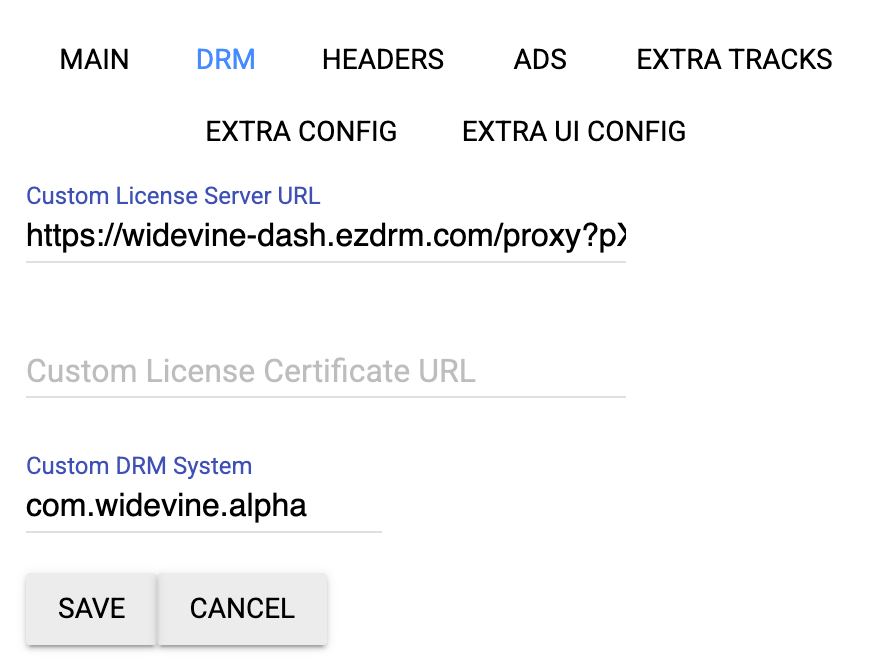
Widevine | License URL:https://widevine-dash.ezdrm.com/proxy?pX=xxxxxx |
PlayReady | License URL:https://playready.ezdrm.com/cency/preauth.aspx?pX=xxxxxx |
Notes:
The Shaka Player exhibits compatibility issues with different substreams when using encryption keys, therefore it is recommended to test with preset0.
For Widevine DRM, it is advisable to use Mac Edge or Mac Chrome browsers.
FairPlay DRM is optimally supported on Mac Safari.
PlayReady DRM performs best on Windows 11 Edge browser.
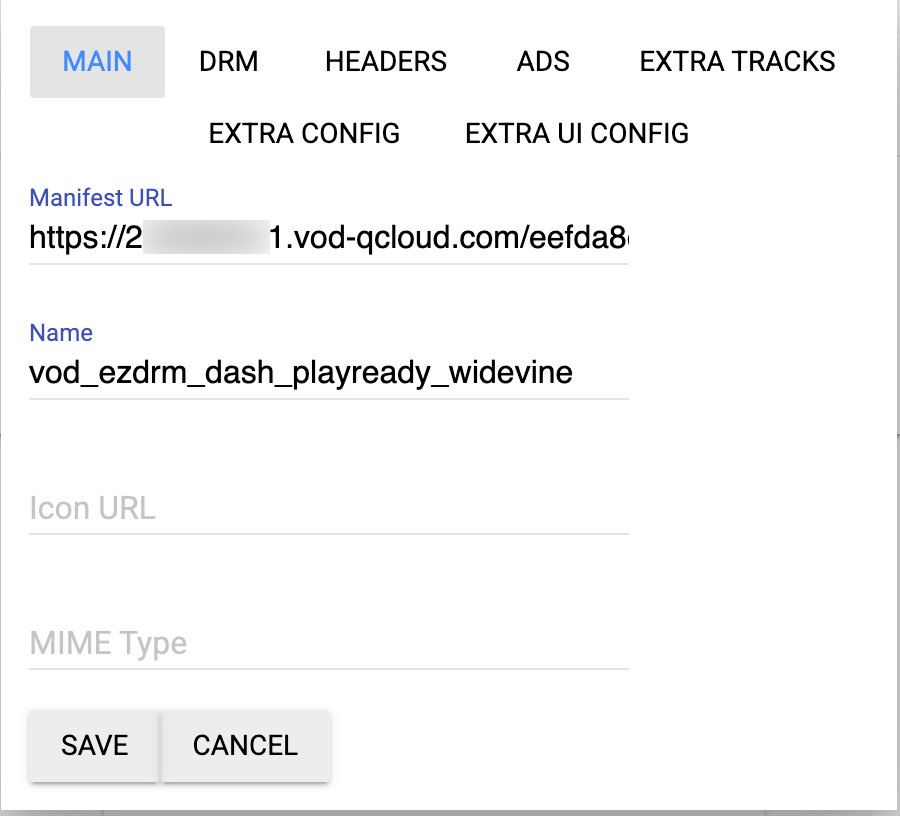
The reference configuration interface is shown below:
You have now completed all the steps for integrating the EZDRM service with Tencent Cloud services.
Bantuan dan Dukungan
Apakah halaman ini membantu?
Anda juga dapat Menghubungi Penjualan atau Mengirimkan Tiket untuk meminta bantuan.
masukan