2. In the left sidebar, click Dashboard > Dashboard List to go to the dashboard list page.
3. In the upper-left corner of the dashboard list, click Create to go to the management page for creating a dashboard.
4. Click
> Link Management.
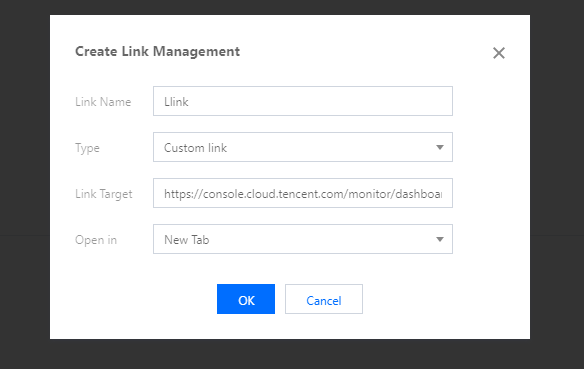
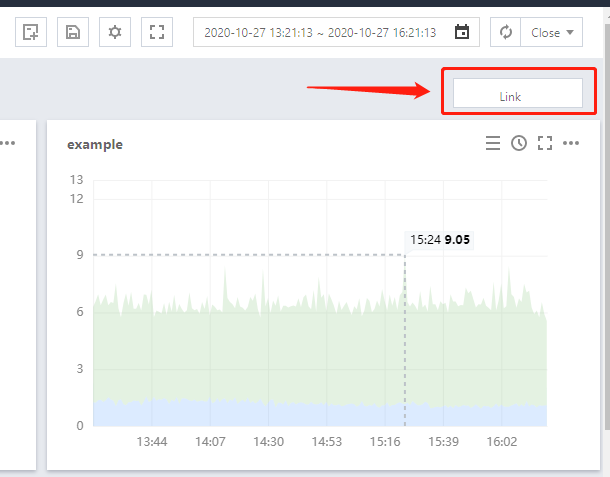
5. Click Link Management > Create to customize a quick dashboard redirection link. The link management settings include the link name, type, link target, and parameter, as described below:
Link name: enter a custom link name.
Type
Custom link: supports all links.
Other dashboards: link to other dashboards.
Link target: indicates the link address or link dashboard.
Parameter
Time: indicates whether to synchronize the dashboard time when redirecting to the link page.
Opening mode
New tab: opens a link with a new label.
Current page: opens a link with the current label.