The .ai domain is the country/territory top-level domain for Anguilla. It is managed by DataHaven. The rules for registering an .ai domain are different from those for other suffixes. Please pay attention to the following information before registering a domain.
Supported Suffixes
The .ai domain supports registration of multiple second-level domains, in addition to registration of the top-level domain. Currently, Tencent Cloud only supports top-level .ai domain be registered and transferred in.
Suffix
Type
Current Support
.ai
Top-level domain
Supports new registration and transfer-in.
.com.ai
Second-level domain
Supports new registration and transfer-in.
.net.ai
Second-level domain
Supports new registration and transfer-in.
.off.ai
Second-level domain
Supports new registration and transfer-in.
.org.ai
Second-level domain
Supports new registration and transfer-in.
Registering an .ai Domain
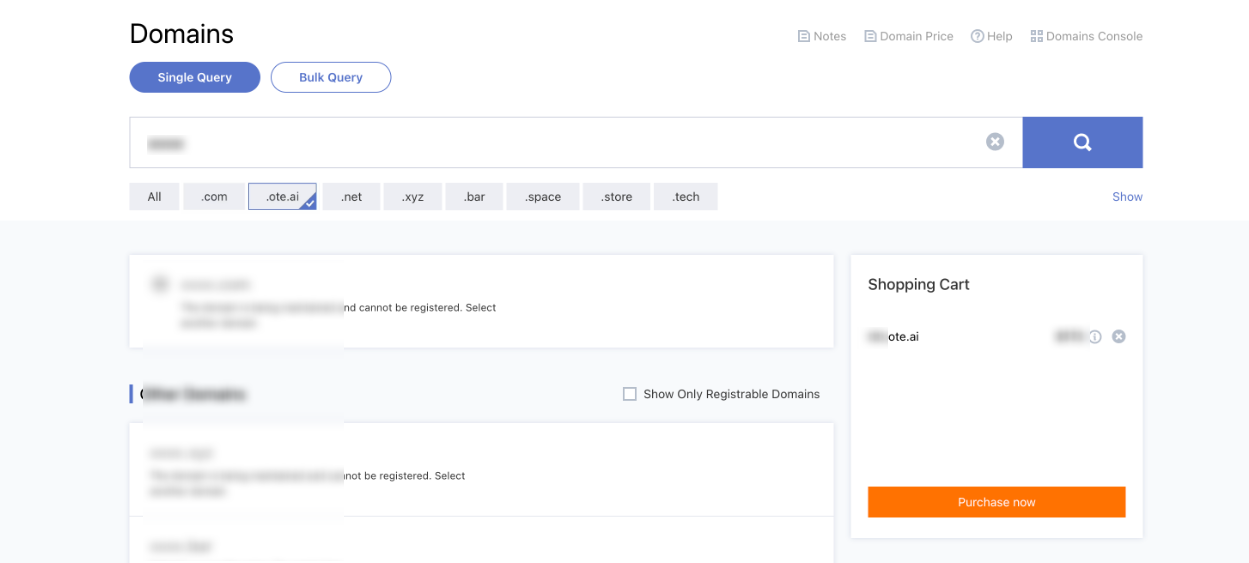
Step 1: Selecting the .ai Suffix on the Search Page
1. On the Domains page, enter and search for the prefix of the domain you want to register. Add the unregistered .ai domain to Shopping Cart.
Note:
The .ai domain do not support Chinese prefix characters.
According to the DataHaven registry rules, new registration or renewal of .ai domains does not support 1-year term. All new registrations support at least 2 years. Therefore, in Shopping Cart, the total price for a new .ai domain is the sum of new registration price for 1 year and renewal price for 1 year. For more pricing details, refer to Domain Price.
2. On the Shopping Cart panel, click Purchase now.
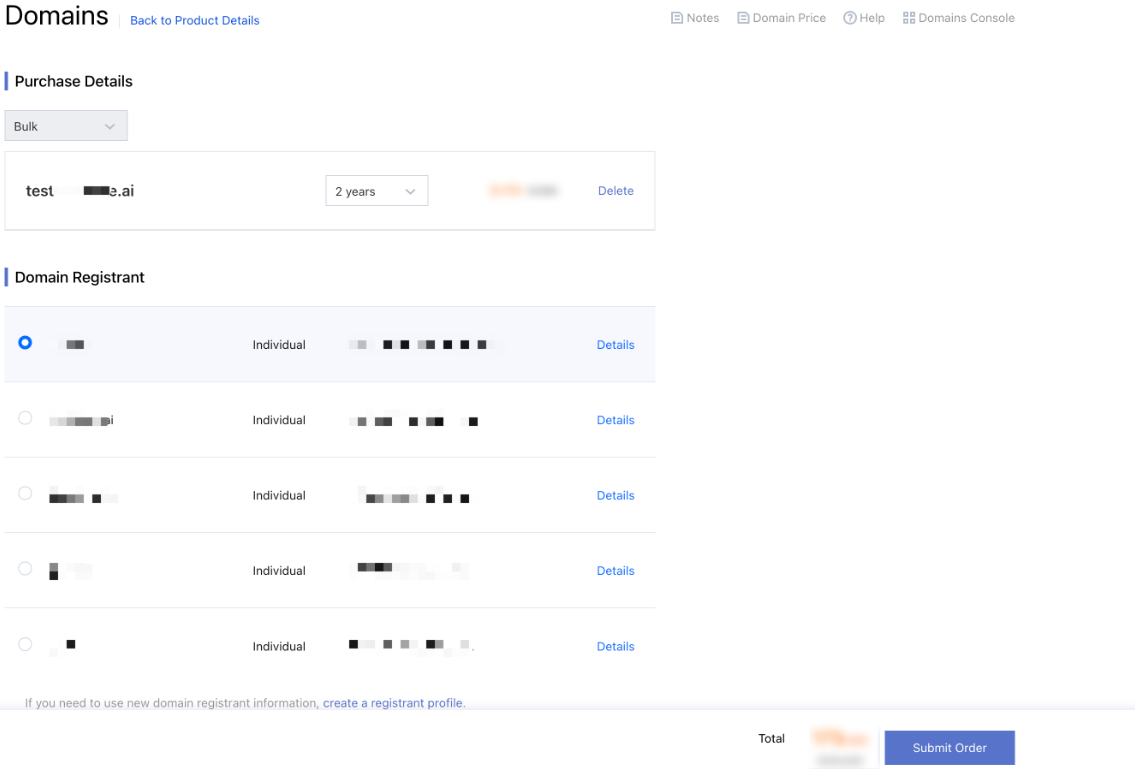
Step 2: Selecting the Domain Registrant
Note:
The .ai domains currently do not support auto-renewal. Please do not select the Enable Auto-renewal option, otherwise, an error will be prompted.
1. Select the domain registrant. If you need to create a domain registrant, refer to Domain Registrant Profile.
2. Read the Tencent Cloud Domain Name Registration Service Agreement and the Tencent Cloud Privacy Policy carefully, select the checkbox next to it and then click Submit Order.
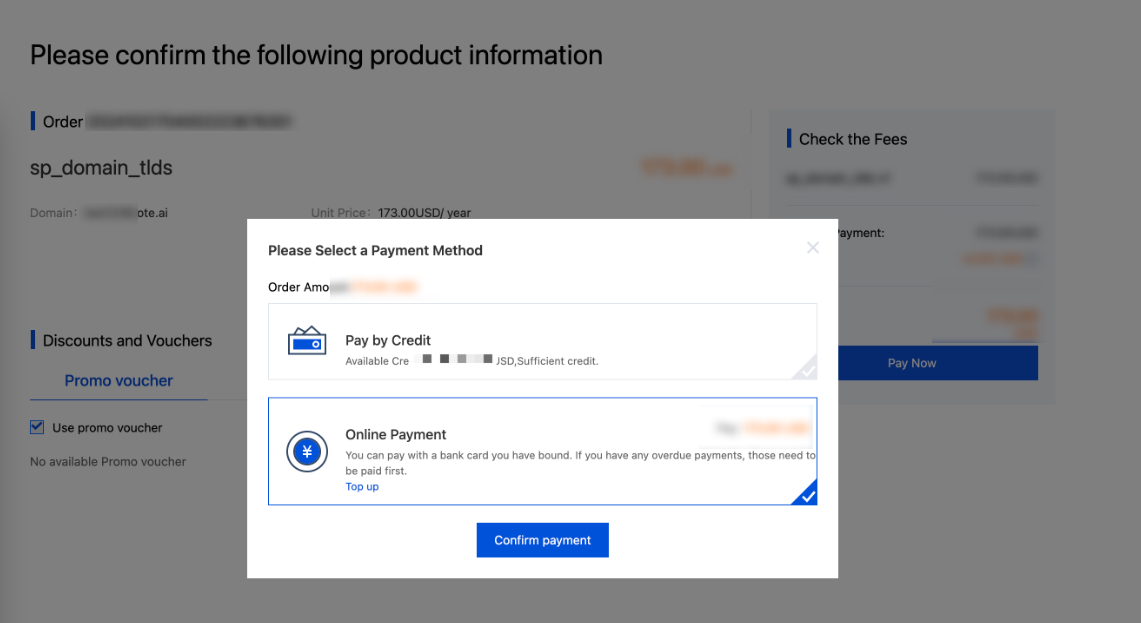
Step 3: Completing the Payment
1. On the order confirmation page, click Submit Order. In the pop-up dialog, complete the payment by using Pay by Credit or Online Payment.
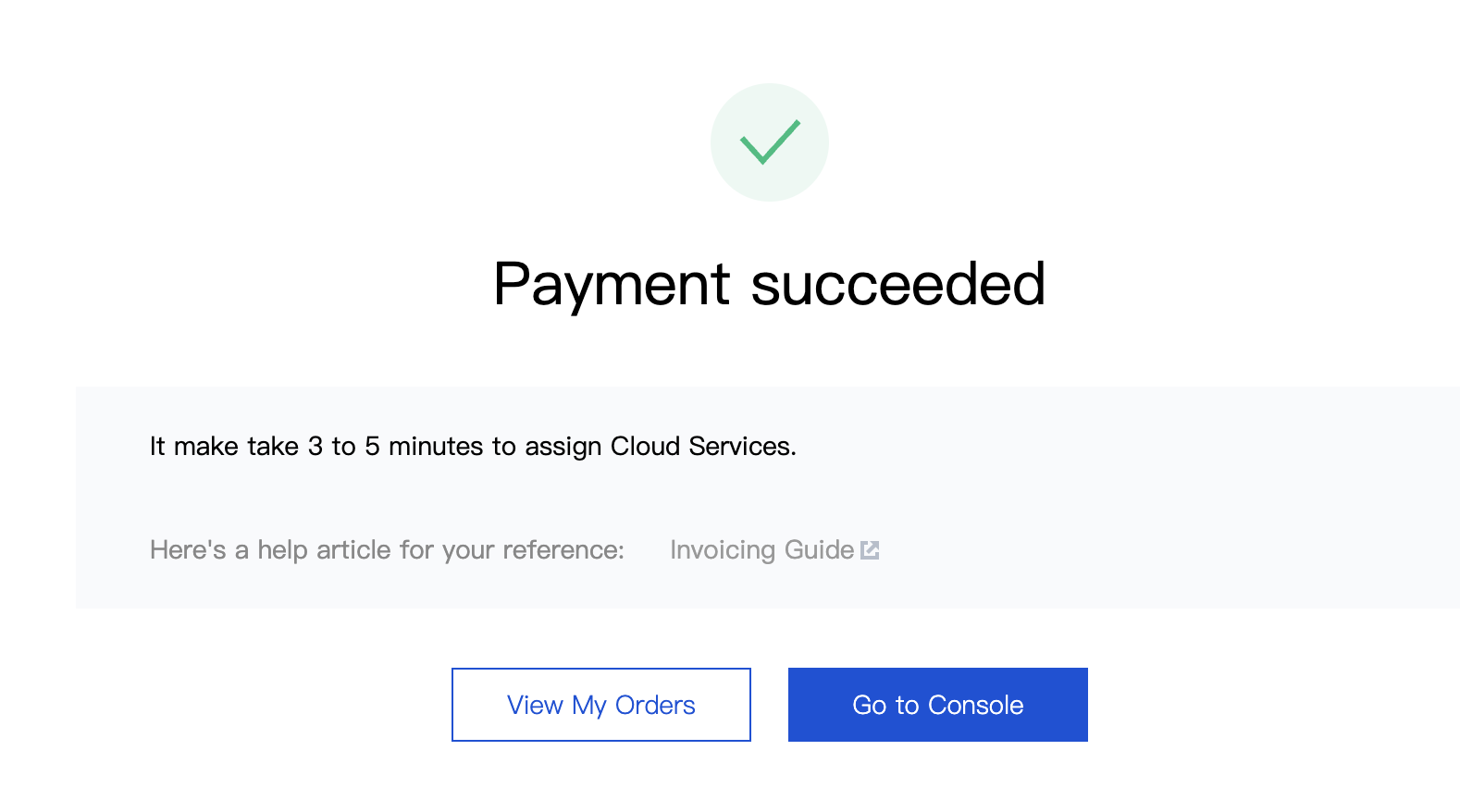
2. When the payment is completed, click Go to Console to view the domain.
3. After the payment, Tencent Cloud will request the registry for the registration result, which usually takes several minutes to a few hours. The domain status in the console will show as Registering. Once the domain is successfully registered, the status will change to Normal, and more options will be displayed in the Operation column.
Renewing an .ai Domain
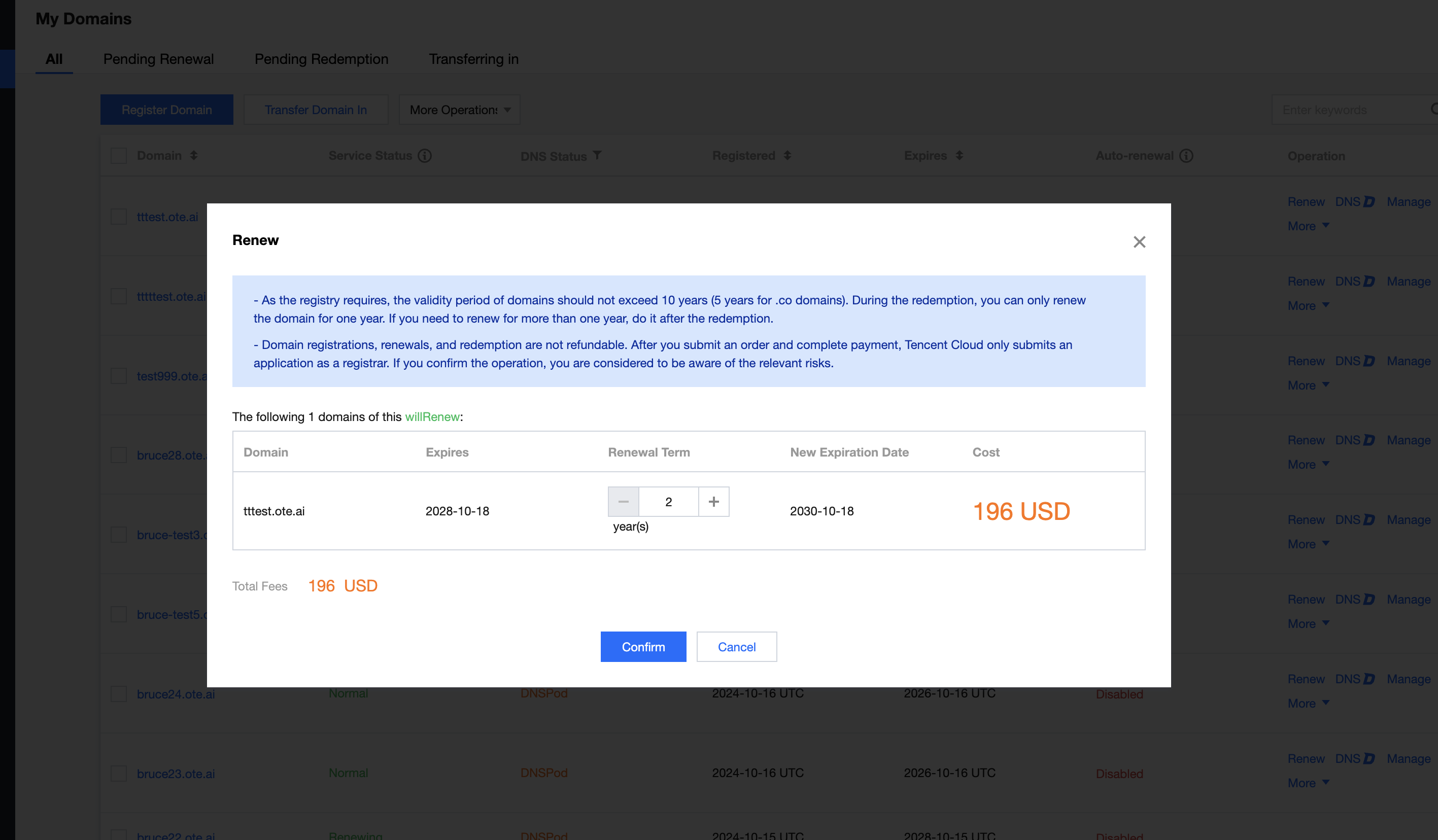
On the Domains page, select the domain to be renewed, click Renew, and follow the instructions in the pop-up dialog.
Note:
Renewal does not support 1-year term. All .ai domains must be renewed for at least 2 years.
Transferring In an .ai Domain
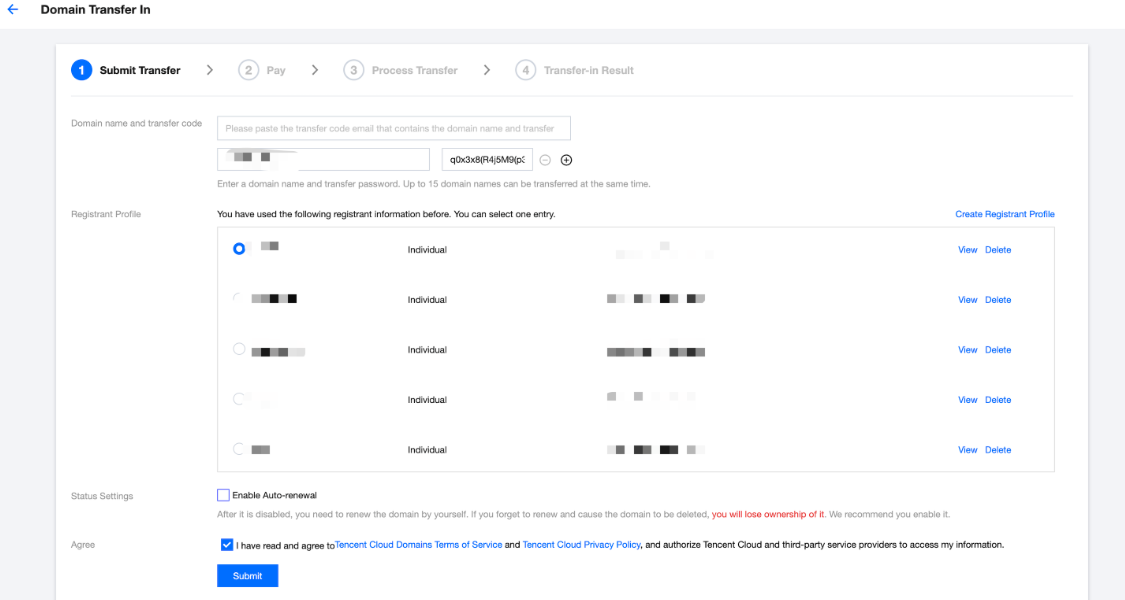
1. On the Domains page, click Transfer Domain In, enter the domain and transfer code, and select the domain registrant information to apply for transferring the domain to Tencent Cloud.
Note:
Please apply for the transfer code from the original domain provider.
The .ai domains currently do not support auto-renewal. Please do not select the auto-renewal option.
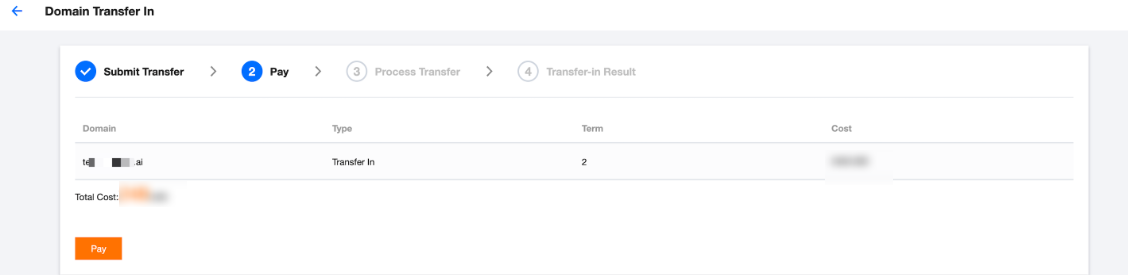
When successfully transferred, the domain will be extended automatically for 2 years.
Transfer requires the upstream registry to change the registration, which usually takes 3-7 days. Please check the transfer progress and result in the console.
2. Follow the page instructions to pay for the order.