Operation Scenarios
You can use the domain name search feature to find a specific domain name. You can filter domain names by multiple criteria such as domain name, origin server, tag, and project as well as multiple keywords.
Note:
A tag is provided by Tencent Cloud to identify resources on the cloud. For more information on tags and how to manage it, please see Tag. Directions
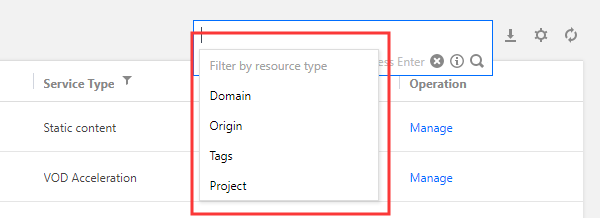
1. Log in to the CDN Console and click Domain Management on the left sidebar to enter the management page. 2. Click the domain name search box to activate the search feature, select one or more resource attributes such as domain name, origin server, tag, or project, and enter a value to filter domain names.
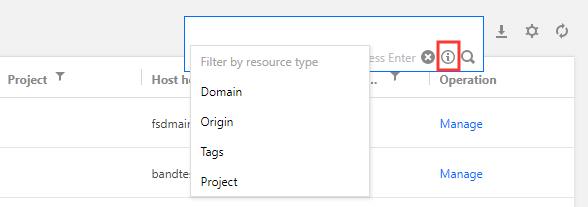
3. If you have questions about the input resource attribute or input format, click the i icon for help with search.
Note:
Only master origin servers can be searched for, not slave servers.
Use semicolon (;) to separate origin server IP addresses when searching for multiple origin servers.
Only single-keyword search is supported for domain names and origin servers.
Search Description
Search by domain name: Enter a complete or partial domain name for search. Fuzzy search is supported.
Search by origin server: Enter a complete or partial origin server for search. Fuzzy search is supported.
Search by tag: Enter a complete tag, and a list of domain names that contain the entered tag will be returned. Fuzzy search is not supported.
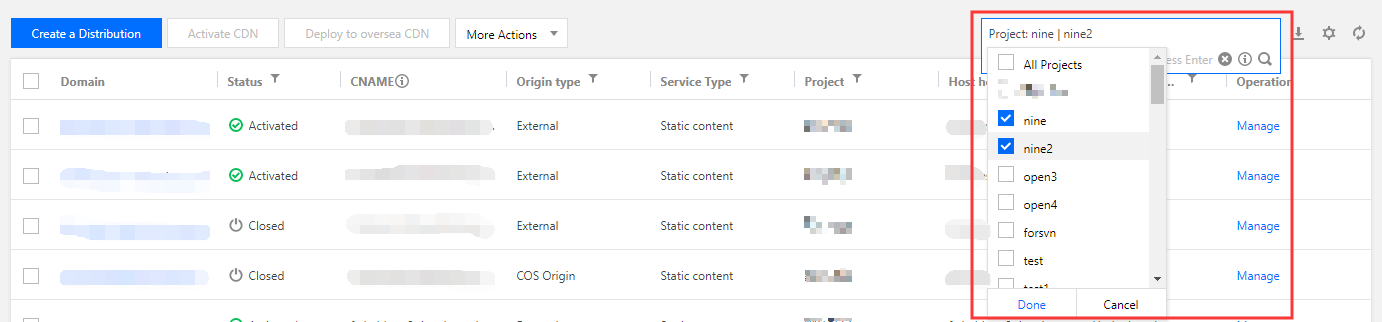
Search by project: You can select multiple projects as a filter.
Filter by multiple criteria: You can select one or more criteria such as tag, domain name, origin server, and project for filtering. Use the enter key to separate multiple criteria.
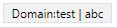
Filter by multiple keywords: You can enter multiple keywords for each filter criterion. Use vertical bar (|) to separate multiple keywords.
Help with search
|
| | | | Filters domain names containing www.test.com |
Single domain name attribute | | | | Filters domain names where the origin server contains 1.1.1.1 |
Multiple domain name attributes | Attribute:keywordcarriage return Attribute:keyword | Domain name:test Origin server:1.1.1.1 | | Filters domain names where the domain name contains "test" and origin server contains "1.1.1.1" |
Single domain name attribute with multiple keywords | Attribute:keyword|keyword | | | Filters domain names where the domain name contains "test1" or "test2" from the selected project. The domain name and origin server attributes currently do not support multi-keyword search |
| | | | Filters domain names containing "test" or "abc" |
Note:
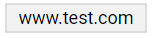
CDN cannot make global searches if no attribute is entered. Therefore, the domain name attribute is added for search by default. In other words, when you enter a single keyword, the content in the search box will be domain name:www.test.com; when you copy characters, the content in the search box will be domain name:test|abc.