How long is the default timeout for Tencent Cloud CDN nodes?
The default timeout is 10 seconds.
What will happen to the files on CDN nodes if I disable the connected domain name in the CDN console?
If you disable the CDN service of a connected domain name, CDN nodes will retain the connection configurations of the domain name, CDN traffic will no longer be generated, and the domain name will be inaccessible.
What should I do if I cannot open my website after connecting it to CDN?
First, as the website cannot be opened when the CDN status of the connected domain name is Disabled, please check the status. If the status is not Disabled, you can proceed with a check:
Run ping or nslookup to check whether the CNAME resolution of the domain name has taken effect. If CNAME has not been added yet, please go to your DNS provider and add CNAME as instructed in CNAME Configuration.
After CNAME takes effect, you can check whether the origin server is accessible.
If the problem persists, please submit a ticket for assistance.
How do I determine which CDN node is accessed by users?
By running the nslookup and ping commands, you can get basic troubleshooting information such as the IP, latency, and packet loss of the CDN node accessed by users.
Why do I have a low hit rate?
This is generally due to the following reasons:
There is a cache configuration problem, such as a short cache validity period.
HTTP Header prevents caching. Check the origin server's Cache-Control or Expires configurations.
There are few cacheable contents for the origin server type.
The website has few visits and the validity period is short. The low hit rate for files leads to frequent origin-pull requests.
Why do users experience a slow connection when they access CDN?
Please check the download speed for large files and the latency for small files. First, get the URL that is slow to access for users and determine whether the access is slow by using speed test websites such as 17ce (recommended).
If the test result confirms the slow speed and the origin server is an external origin server, please submit a ticket. We will help users check whether the load and bandwidth are restricted on the origin server machine.
How do I tell whether user access has hit the CDN cache?
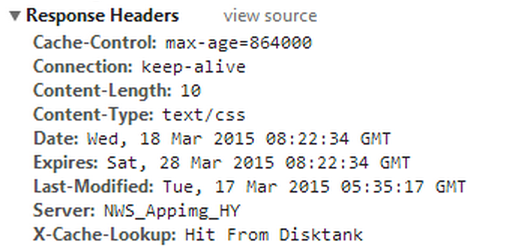
View the X-Cache-Lookup information in the header of the request return. If multiple X-Cache-Lookup entries are returned at the same time, that is normal. If Cache Hit/Hit From MemCache/Hit From Disktank is returned, it means that the CDN cache has been hit.
X-Cache-Lookup:Hit From MemCache: the memory of the CDN node has been hit.
X-Cache-Lookup:Hit From Disktank: the disk of the CDN node has been hit.
Why do files with the same name returned by the node have different sizes?
Since all file types are cached by default, there may be different versions of a file on the CDN node. To solve this problem, you can:
Manually purge files and update the cache immediately.
Use a version number, e.g., http://www.xxx.com/xxx.js?version=1.
Change the file names to avoid using files with the same name.
If the problem persists, please submit a ticket for assistance.
What should I do if my website cannot be accessed after the hotlink protection allowlist is configured in CDN?
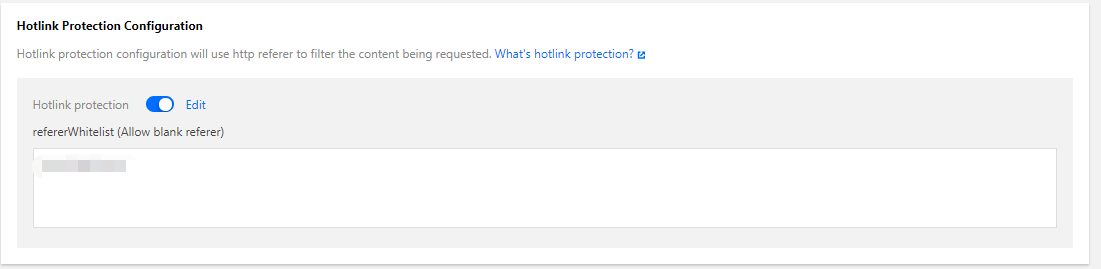
Please select Allow blank referer when configuring the hotlink protection allowlist, so that the website can be opened normally in a browser (with a blank referer).
Can the traffic cap configuration defend against DDoS attacks?
CDN mainly focuses on content delivery acceleration rather than DDoS protection. You can use CDN’s bandwidth cap feature to automatically collect bandwidth usage statistics in 5 minutes. If the cap threshold is reached, CDN will respond according to the configuration. The maximum threshold is 10,000 Tbps. To protect your site against DDoS attacks, use Secure Content Delivery Network.
Can CDN provide all of its node IPs?
No. For security concerns, CDN cannot provide a full node IP list. However, you can query the IP region on the Verify Tencent Cloud CDN IP page. For more information, please see Verifying Tencent IPs.