Log Analysis
다운로드
포커스 모드
폰트 크기
Feature Introduction
The log analysis page provides a unified management entry for Access control logs, Intrusion prevention logs, Network Detection and Response logs, and Traffic logs. An organization account can centrally analyze and manage logs of multiple managed accounts. An individual account directly manages the data of the current account.
Prerequisites
Personal Account: CFW has been purchased and the log analysis feature has been enabled.
Group Account: CFW has been purchased, the log analysis feature has been enabled, and has enabled bothGroup Account Service and CFW management.
Mult Account Management
1. Log in to the FWM console. In the left-side navigation pane, select Log Analysis.
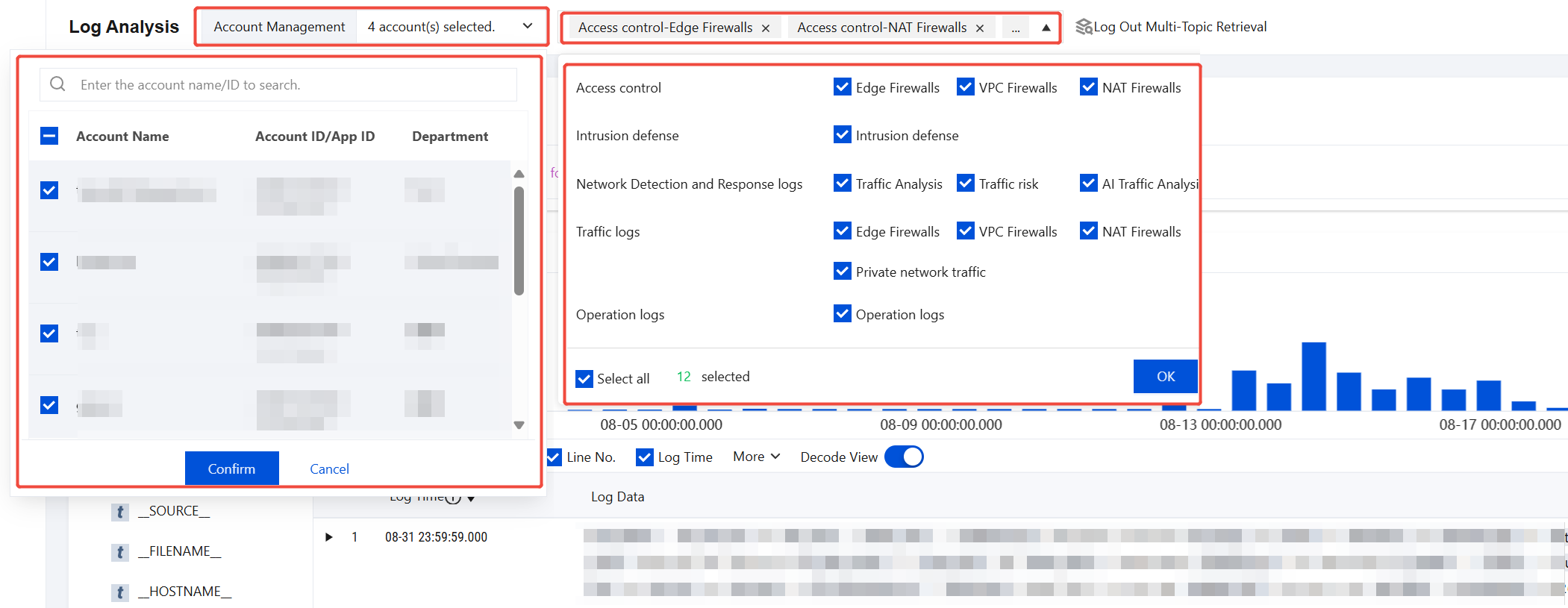
2. On the log analysis page, select the accounts and log topics to query. Multiple accounts and topics can be selected.
Note:
A single query supports up to 50 log items (number of accounts × number of topics). If this limit is exceeded, reduce the account or topic selection range and try again.
3. After the selection is complete, the log data of the selected accounts is displayed on the page for centralized viewing and analysis.
References
For log analysis operations, see the following documents for details:
피드백