Network Detection and Response Toggle
ダウンロード
フォーカスモード
フォントサイズ
Feature Introduction
The Network Detection and Response (NDR) Toggle page provides a unified management entry for Traffic Access, Network Detection and Response Capability, and Encrypted Traffic Detection. A group account can select a target member account through the Account Management button to manage the Network Detection and Response feature under that account. A personal account directly manages data of the current account.
Prerequisites
Personal Account: has purchased or is trialing Network Detection and Response.
Group Account: has purchased or is trialing Network Detection and Response, and has enabled both Group Account Service and CFW Management.
Mult Account Management
1. Log in to the FWM console. In the left-side navigation, select Network Detection and Response Toggle.
2. In the upper-right corner of the Network Detection and Response Toggle page, click Account Management.
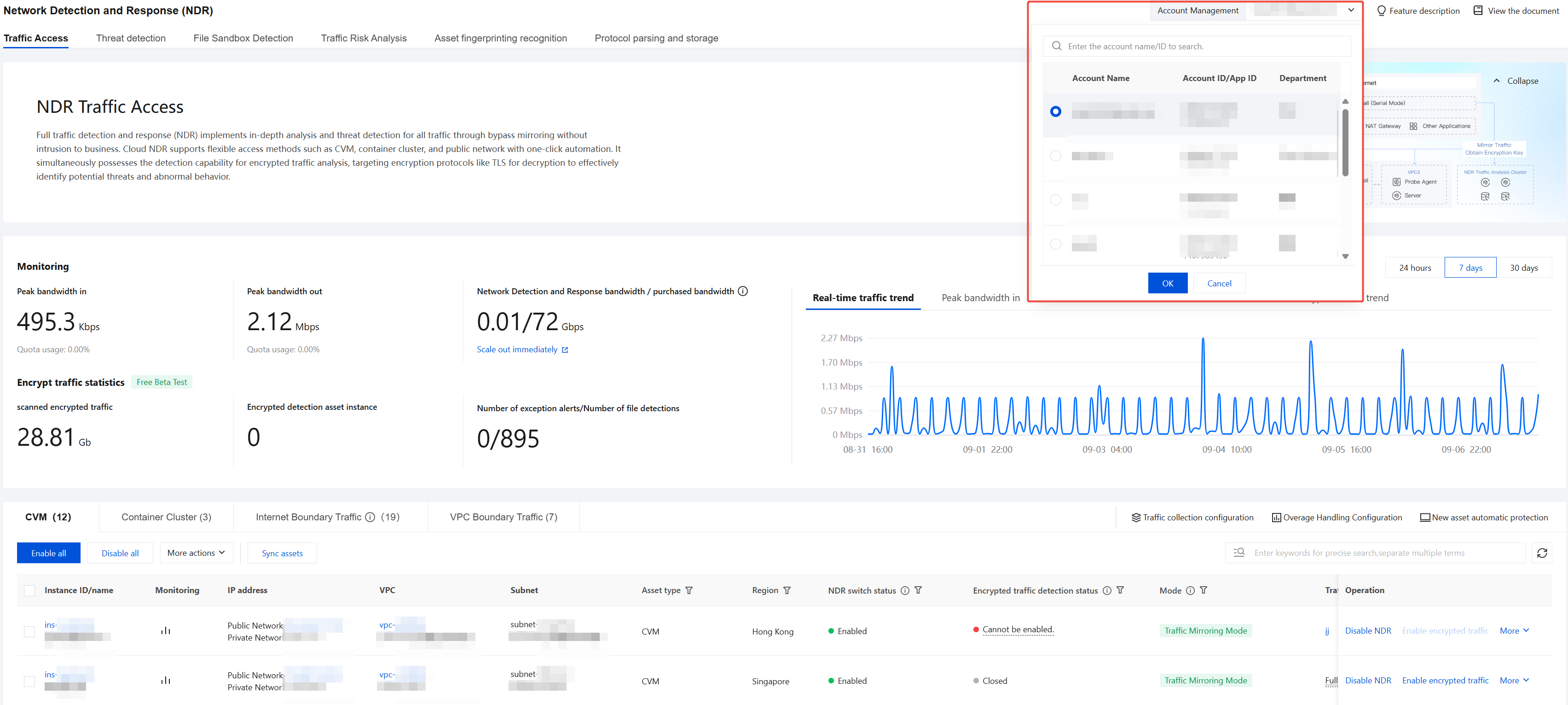
3. In the pop-up account list, select the member account you want to manage, and then click OK.
4. After you select an account, the page displays the protection status of Network Detection and Response under that account, allowing unified management.
References
To configure the Network Detection and Response Toggle or perform related operations, see the following documents for details:
フィードバック