Batch Record Import
Download
Modo Foco
Tamanho da Fonte
Overview
The batch record importing feature provided by DNSPod enables you to import multiple records at a time.
Prerequisites
1. Log in to the DNSPod Console.
2. On the left sidebar, select Batch Operation to enter the Batch Operation page.
Directions
Importing Record
1. On the Batch Operation page, select the Import Records tab, as shown below:
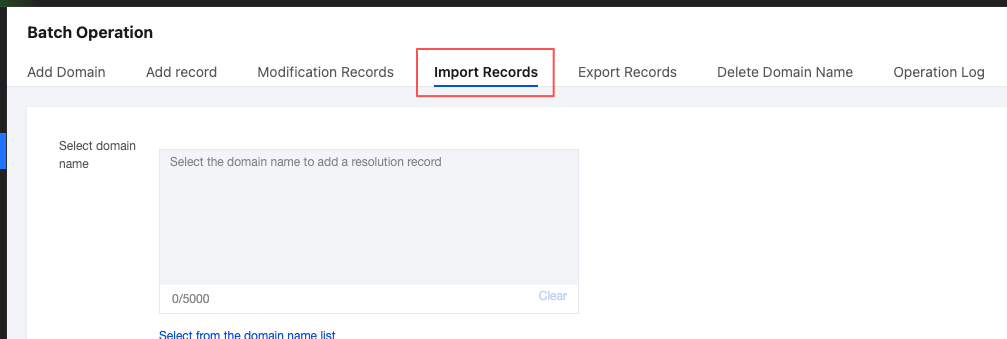
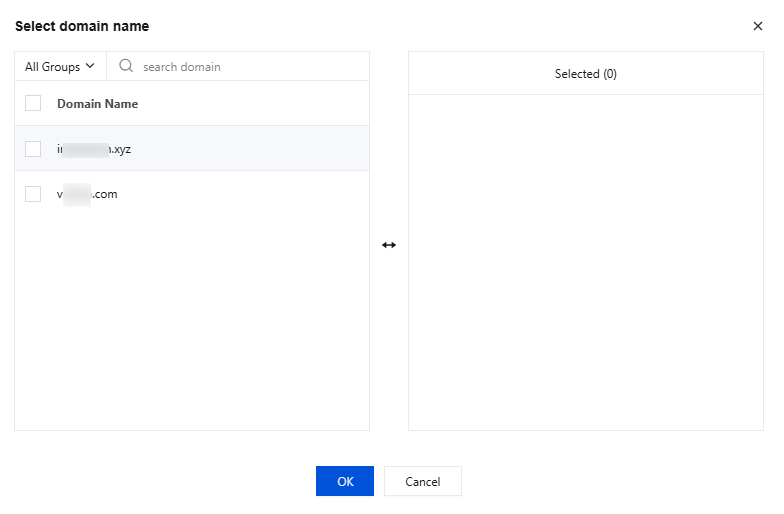
2. In the Select domain name module, click Select from the domain name list to enter the Select domain name page.
3. In the Select domain name page,After selecting the domain for which you need to batch record import records, click OK.
Note:
Recently added domains may not be included in the search scope. If it is not found in the results, please retry later.
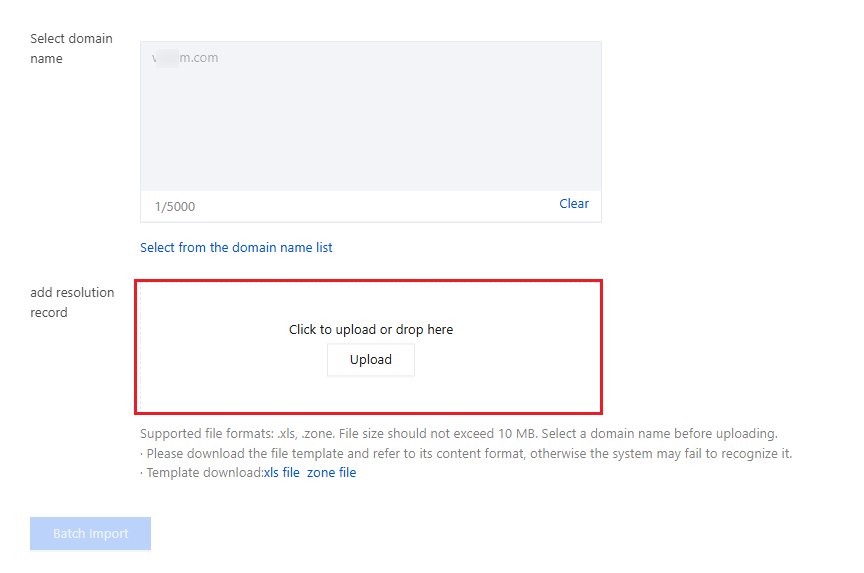
4. In the file upload section of add resolution record module, click or drag the record file to manually upload the record, as shown below:
Note:
XLS and zone files are supported. We recommend you refer to the templates first.
A zone file is a configuration file stored on a DNS server. It needs to be compressed into a ZIP file before being uploaded. You can download a template.
For an XLS file, you must select an existing domain, or it will be unable to upload the file. You can download a template.
5. Click Batch Import.
6. In the Operation Confirmation page, please verify whether the operation details are accurate. If any information is incorrect, click Return to Modify to make adjustments. If all details are correct, click Import Records to complete the batch import of domain name resolution records.
Viewing operation logs
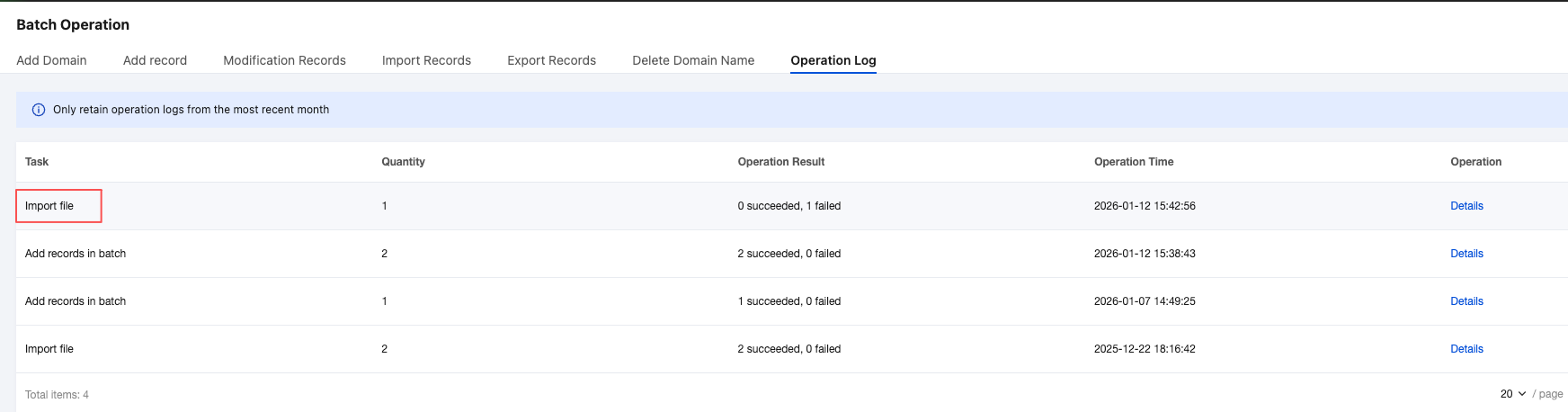
On the Batch Operation page, select the Operation Logs tab and click the task name to view the operation result as shown below:
Ajuda e Suporte
Esta página foi útil?
Você também pode entrar em contato com a Equipe de vendas ou Enviar um tíquete em caso de ajuda.
comentários