tencent cloud

TDMQ for MQTT

Release Notes and Announcements
Release Notes
Product Introduction
TDMQ Product Series Introduction and Selection
What Is TDMQ for MQTT
Scenarios
Technical Architecture
Product series
MQTT Protocol Compatibility Notes
Comparison with Apache
High Availability
Product Constraints and Usage Quota
Basic Concepts
Supported Regions
Billing
Billing Overview
Renewal Instructions
Viewing Consumption Details
Overdue Payment Instructions
Refund
Getting Started
Guide for Getting Started
Preparations
Public Network Access
VPC Network Access
User Guide
Usage Process Guide
Configuring Account Permission
Creating a Cluster
Managing Topic
Connecting to the Cluster
Querying Messages
Managing Client
Managing a Cluster
Viewing Monitoring Metrics and Configuring Alarm Policies
Data Integration
Integrating Data Into SCF
Integrating Data Into CKafka
Integrating Data into RocketMQ
Development Guide
MQTT 5 Advanced Features
Data Plane HTTP API Description
Quota and Flow Control Mechanism Description
Configuring a Custom Domain Name
Configuring SQL Filtering
Configuring Point-to-Point Subscription
MQTT over QUIC
Managing Client Subscription
Message Enhancement Rule
Use Cases
Must-Knows for MQTT Client Development
Observability
Topic and Wildcard Subscriptions
​​API Reference
History
Introduction
API Category
Making API Requests
Cluster APIs
Topic APIs
Authorization Policy APIs
User APIs
Client APIs
Message Enhancement Rule APIs
Message APIs
Data Types
Error Codes
SDK Reference
Access Point Format
Java SDK
C SDK
Javascript/Node.JS/Mini Program
Go SDK
iOS SDK
JavaScript SDK
Dart SDK
Python SDK
.NET
Security and Compliance
Permission Management
FAQs
Related Agreement
Privacy Policy
Data Privacy And Security Agreement
TDMQ for MQTT Service Level Agreement
Contact Us

Integrating Data Into SCF

PDF
Focus Mode
Font Size
Last updated: 2026-04-01 16:37:50

Implementation Principles

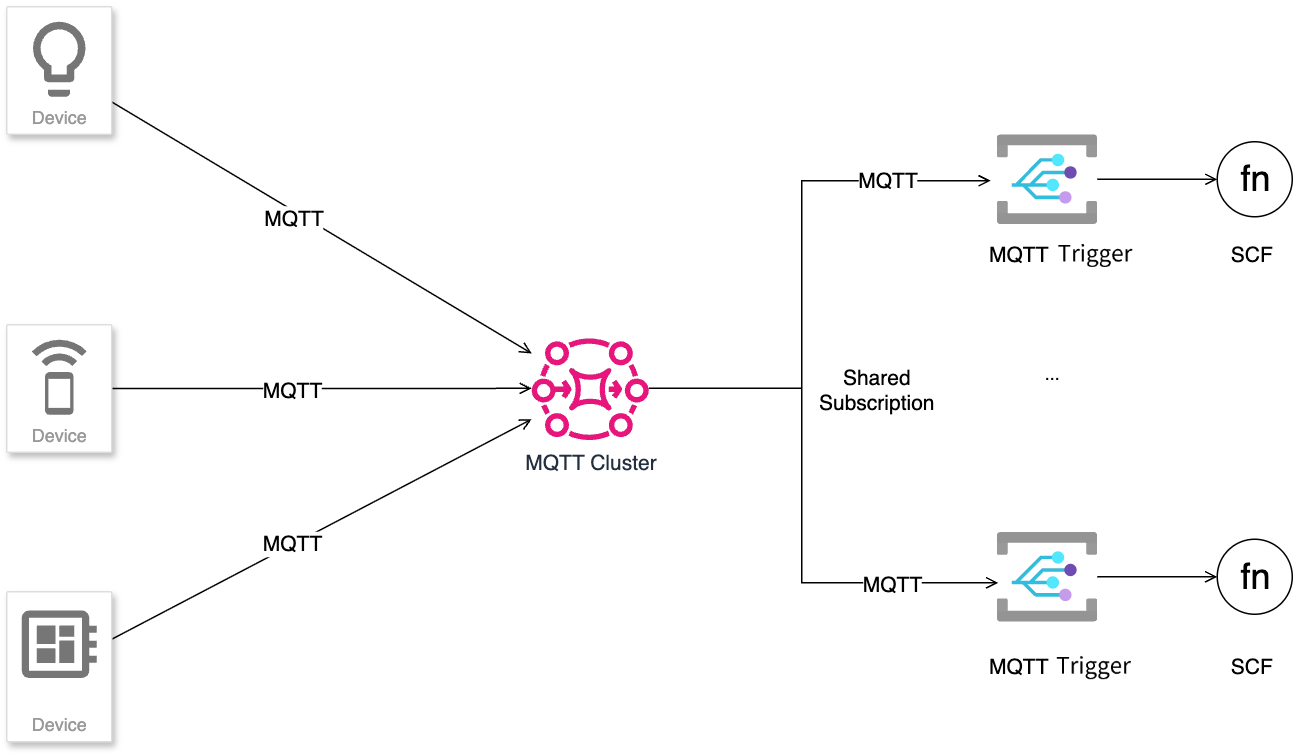
Serverless Cloud Function (SCF) supports MQTT Message Queue triggers. The trigger is based on the MQTT Shared Subscription mechanism, which can subscribe to and consume messages according to the Topic Filter defined in your business, thereby automatically triggering the execution of the corresponding function. Through this mechanism, SCF can establish efficient and asynchronous communication links with IoT devices. Messages are reliably routed and distributed via the MQTT cluster, and load balancing across multiple triggers is achieved through shared subscription, enabling high-concurrency IoT scenarios requiring real-time response, such as vehicle status monitoring and remote smart control.


Scenarios

New Energy Vehicle Battery Management
The vehicle's TCU module triggers SCF via MQTT messages and calls different services subsequently based on the vehicle's status.
Low battery warning and response: When the vehicle TCU detects the battery level is below the threshold, it publishes a status message via MQTT topics, triggering SCF to perform operations such as notifying users and navigating to a charging station.
Remote device control: SCF sends instructions to the vehicle via MQTT (such as limiting air conditioning power) to implement energy-saving control.
Real-time status synchronization: You can subscribe to MQTT topics via HTML/mini program page to monitor battery changes in real time.

Features and Strengths

Event-driven and real-time response: SCF is automatically triggered by MQTT messages with no need for polling. Device status changes (for example, low battery) can be transmitted to the cloud as events immediately, triggering subsequent business chains.
This achieves near real-time business processing, significantly reducing delay from event occurrence to system response, excellently meeting IoT application requirements for real-timeness.
Serverless architecture, ultimate elasticity and cost optimization: SCF runs in the serverless mode, automatically scaling based on MQTT message arrival frequency with no need to manage servers. This enables zero idle cost, with auto scaling easily handling sudden traffic surges and simplified operations.
Loose coupling integration: The MQTT topic serves as a message bus, completely decoupling device reporting from business processing. Different business features (such as notification, navigation, energy-saving control) are handled independently by different SCFs, offering high flexibility and maintainability.

Operation Steps

Policy and Permissions

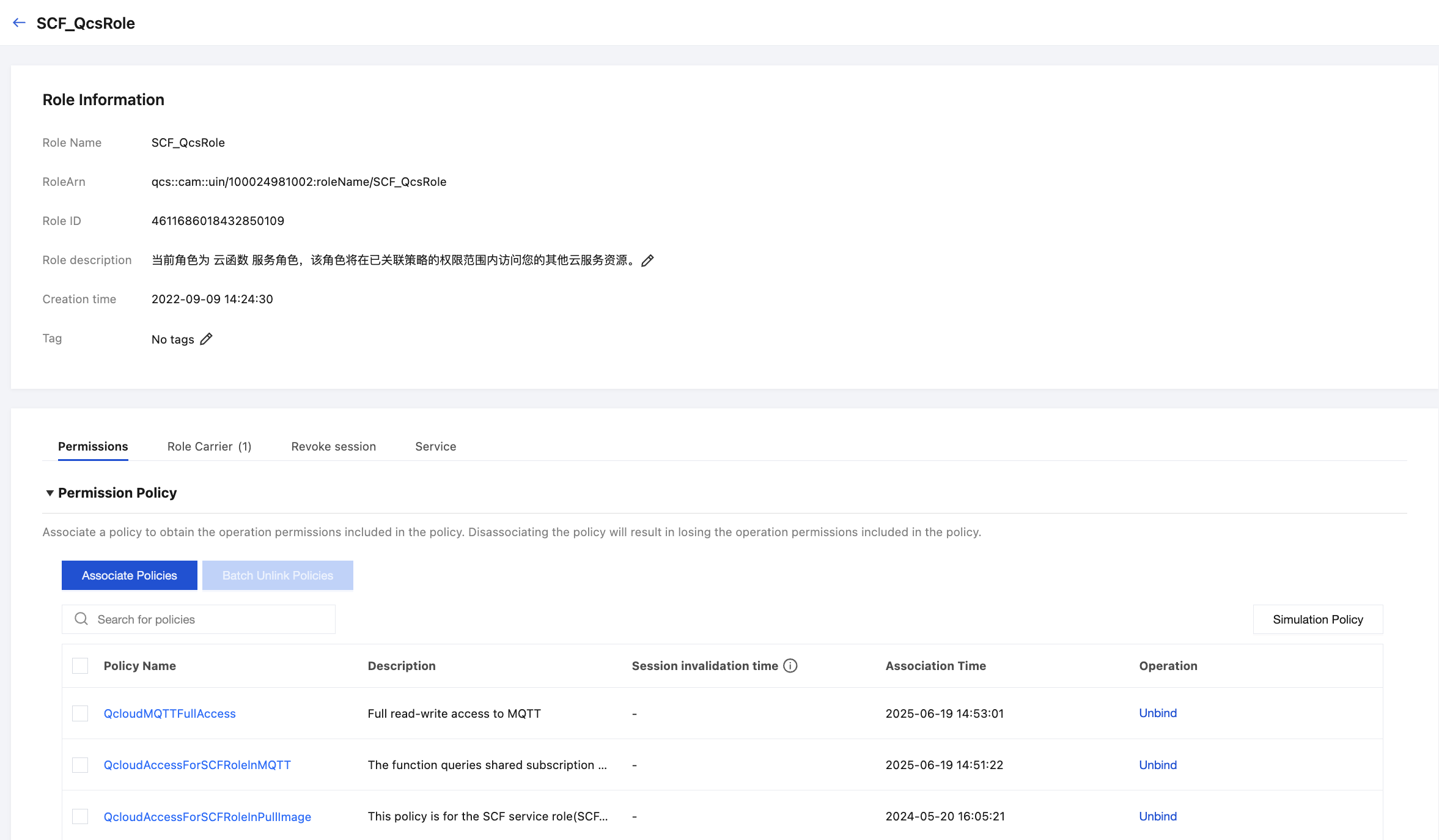
1. Check whether scf_QcsRloe has the following policies: QcloudMQTTReadOnlyAccess and QcloudAccessForSCFRoleInMQTT.
1.1 Log in to the Cloud Access Management console and go to the Role page.
1.2 Search for scf_qcsRole


1.3 Click role details to view policies.


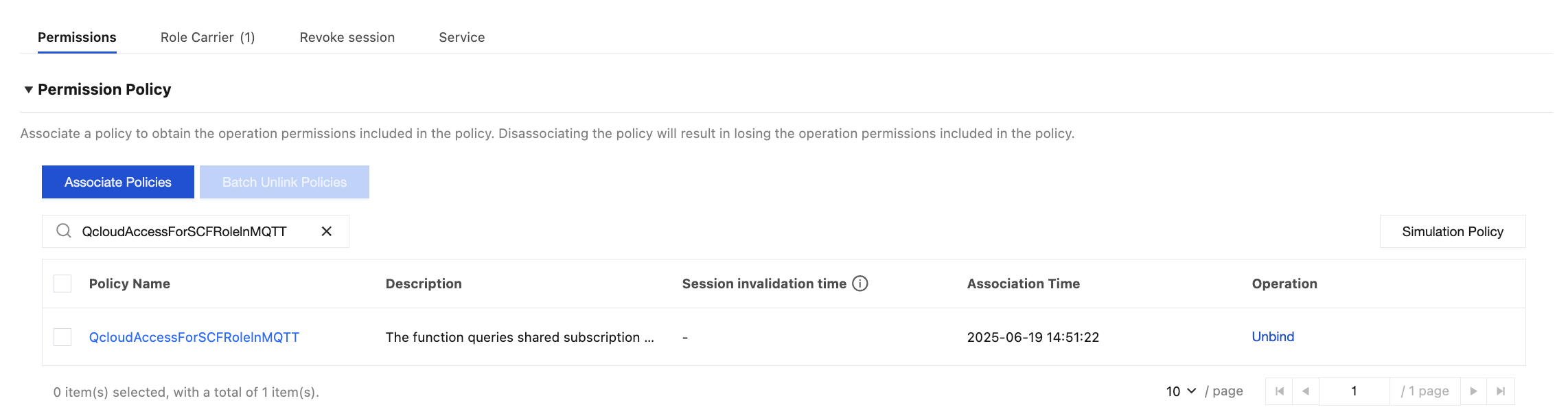
1.4 Search for QcloudMQTTReadOnlyAccess and QcloudAccessForSCFRolelnMQTT. If they can be found, it signifies association succeeded.


1.5 Otherwise, you can follow below steps to add a policy to the role:
1.5.1 Use the root account to log in to the Tencent Cloud console
1.5.2 Click Cloud Access Management > Policies
1.5.3 Search for missing policies, such as QcloudMQTTReadOnlyAccess


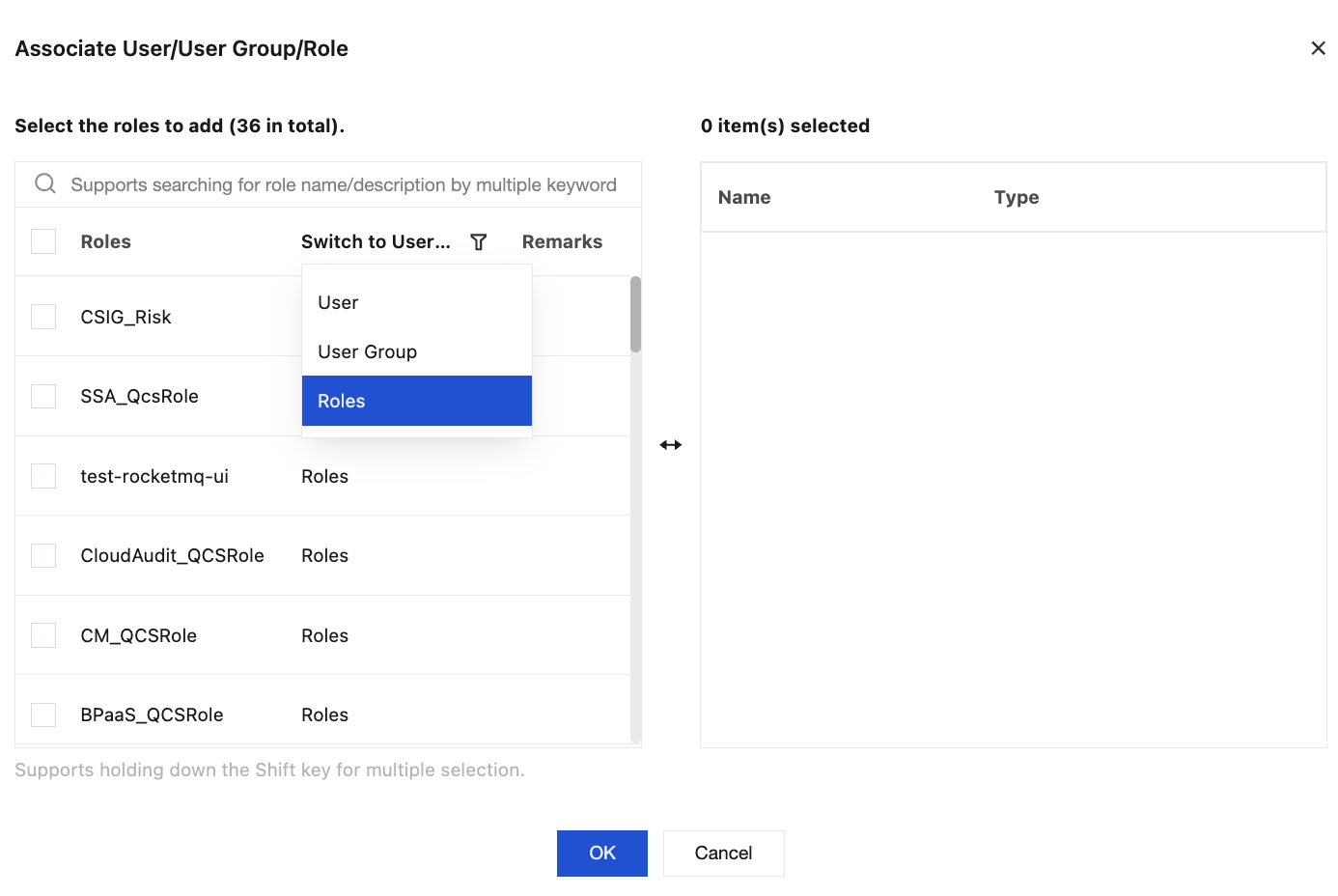
1.5.4 Click Associate User/Groups/Role.

1.5.5 In the pop-up window, select Switch to Roles.


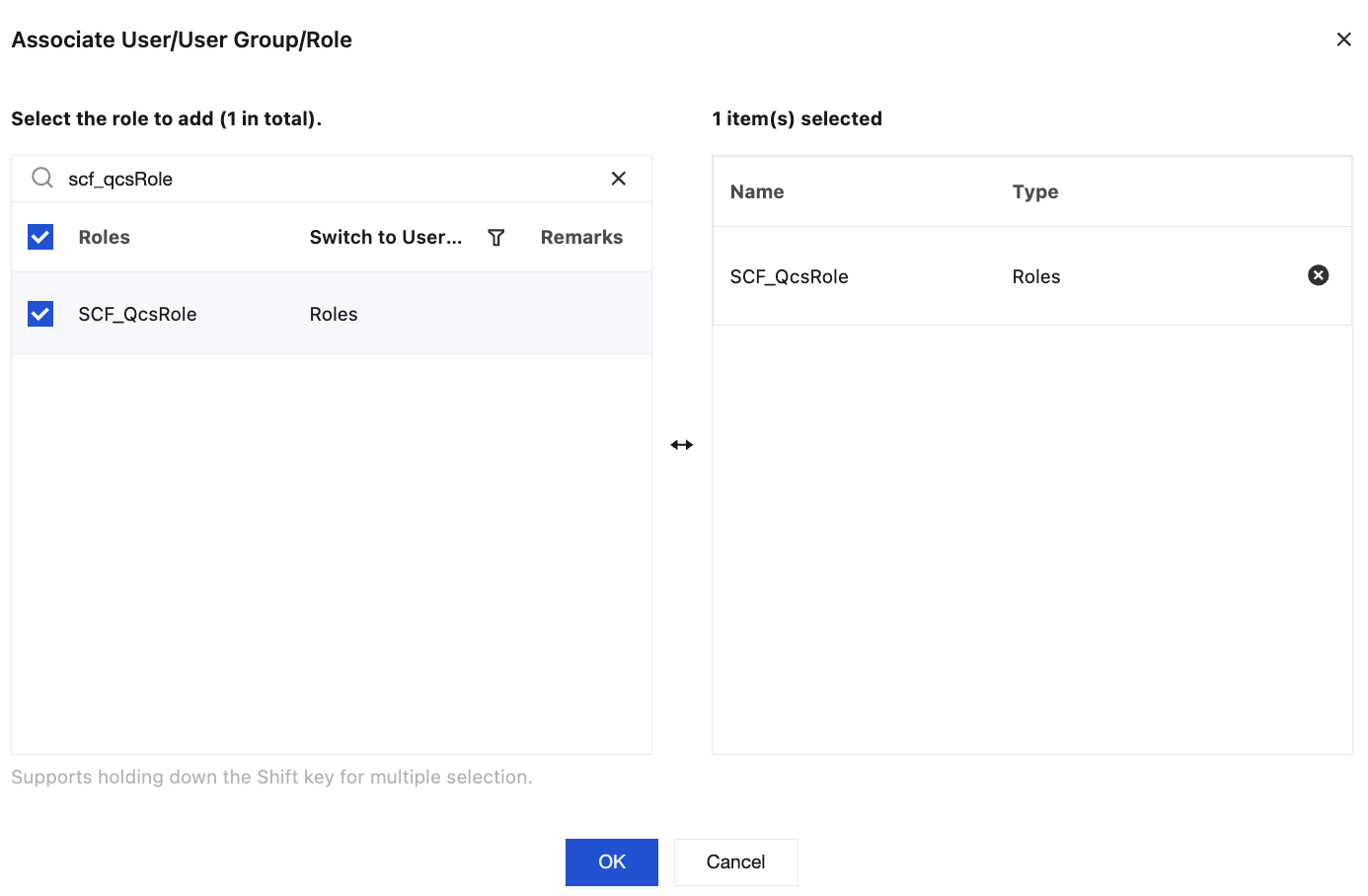
1.5.6 Search for scf_qcsRole, select it and click OK.


1.5.7 Page prompt: Associated successfully.


Configuring an MQTT Trigger

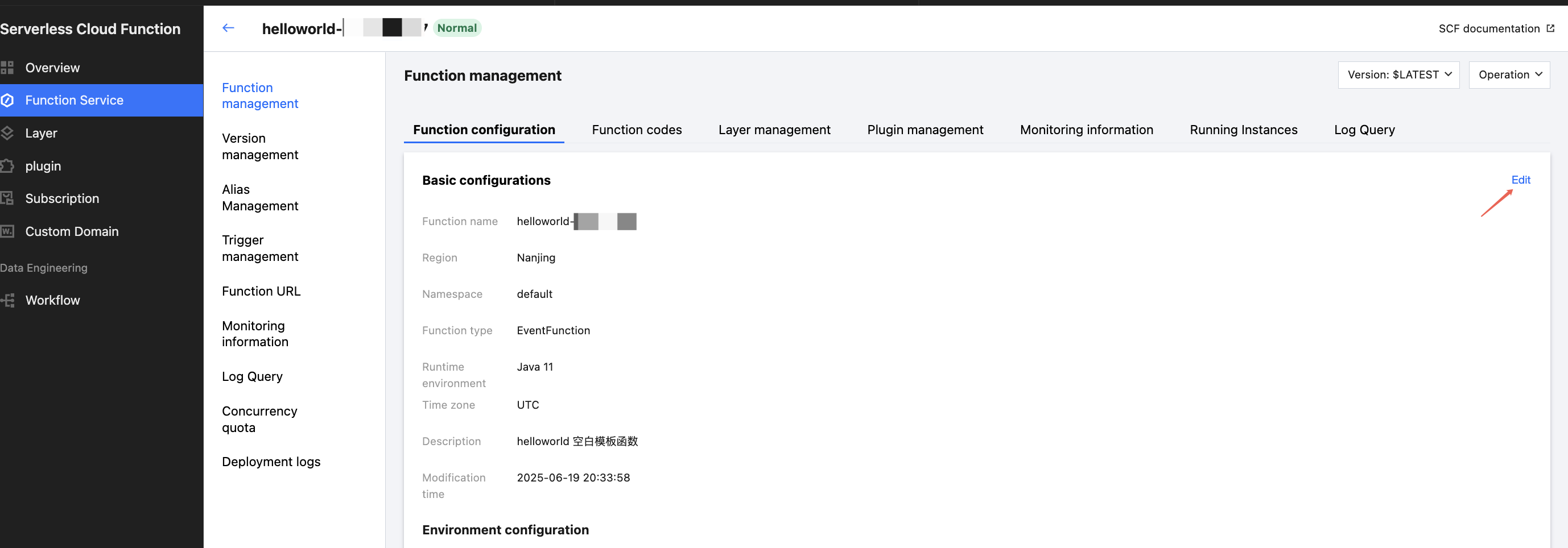
1. Log in to the Serverless console and go to the Function Service page.
2. Click the function name to go to the Function Management page.
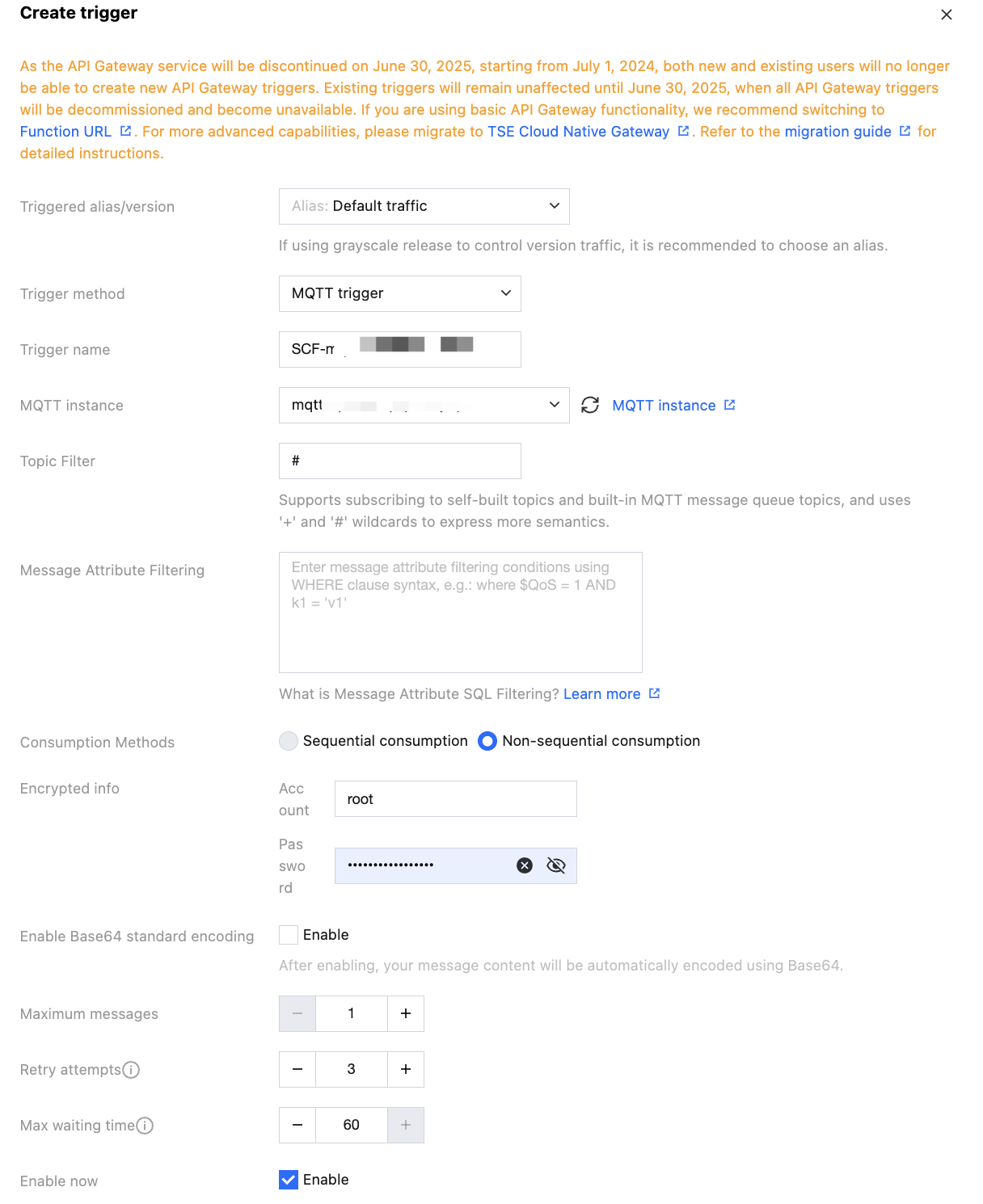
3. Select the Function Configuration tab and click Edit in the upper right corner.

4. According to business needs, fill in the required Topic Filter. Messages that meet the Topic Filter trigger execution of SCF.

5. After SCF is created, choose MQTT console > Client Management.
You can see the trigger subscriber list.

View client details to see the subscription expression is configured the same.


Verification

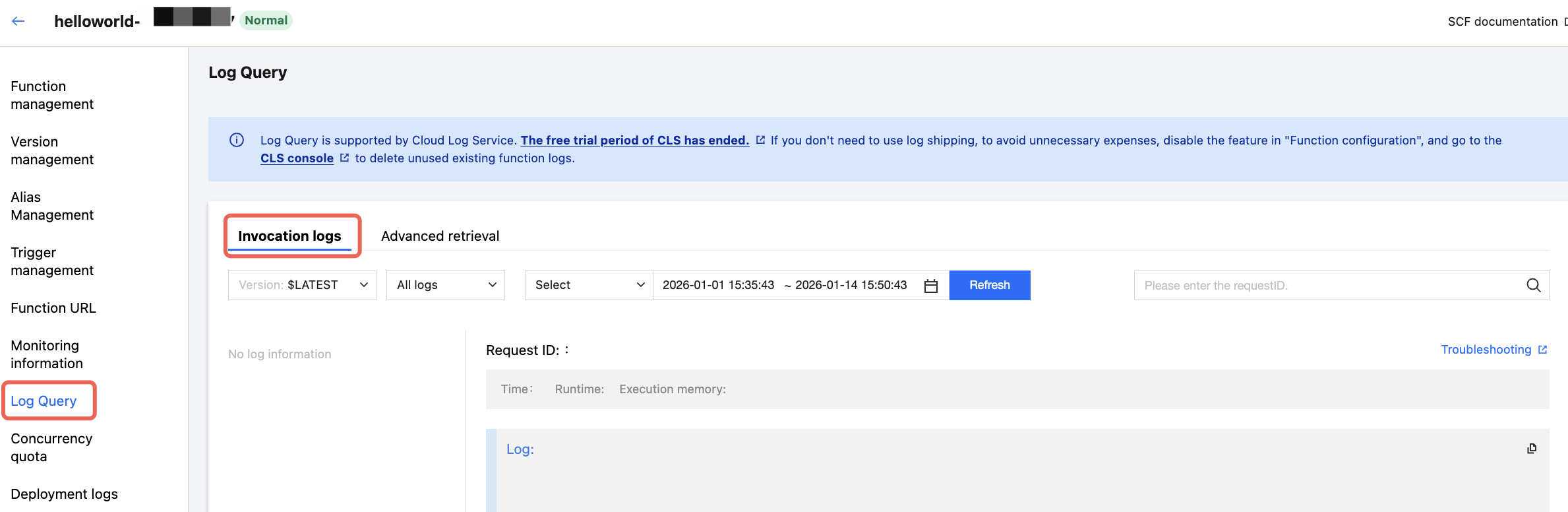
Send messages to the MQTT cluster and view the SCF log.


Help and Support

Was this page helpful?

Help us improve! Rate your documentation experience in 5 mins.

Feedback