This document explains how to grant access to Business Intelligence (BI) for CAM sub-accounts, including first-time users and those who need permissions to use the BI products, through the Tencent Cloud console.
Operation Steps
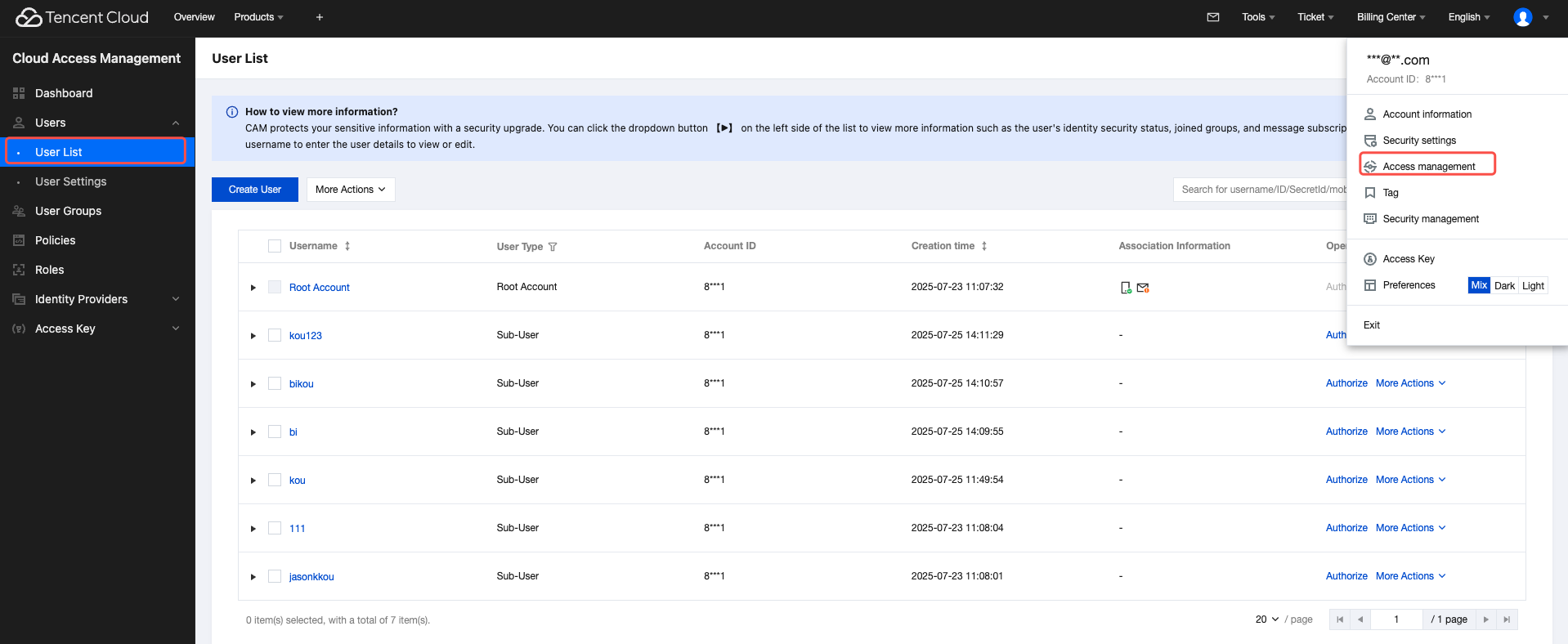
1. Click the avatar in the upper-right corner to go to the Cloud Access Management (CAM) page.
2. Go to User > User List page.
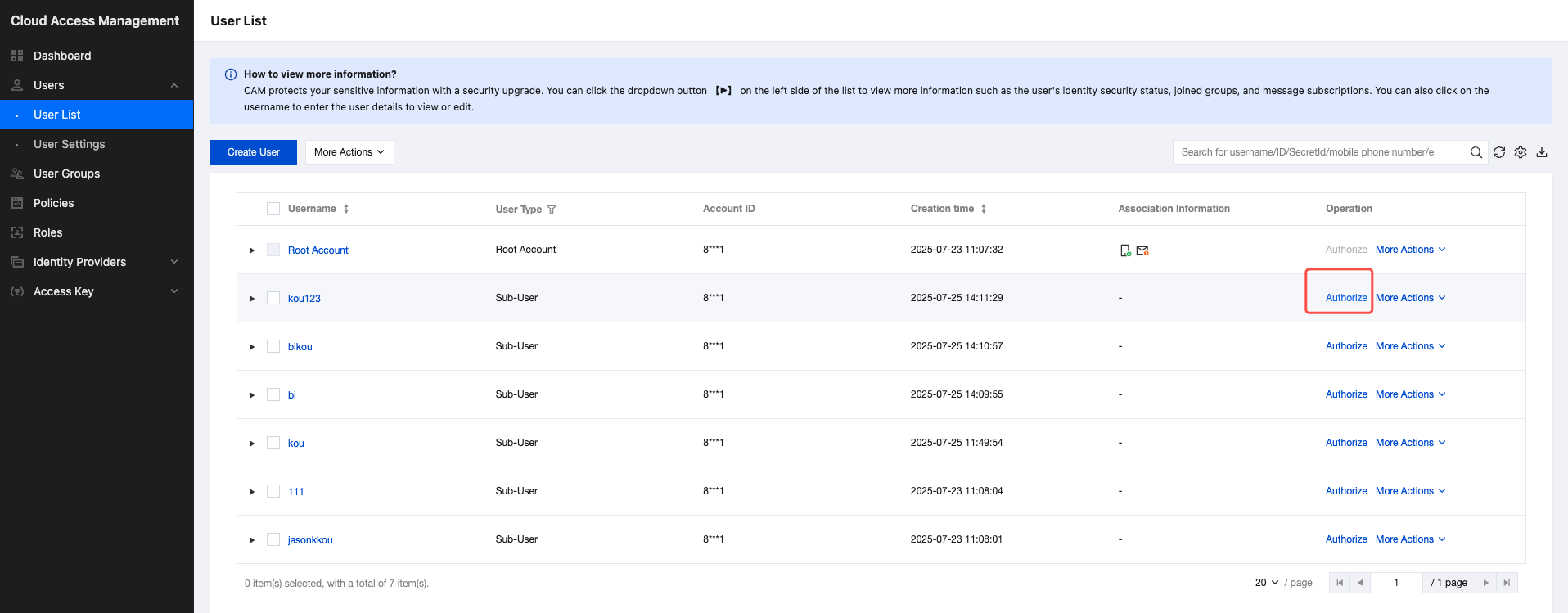
3. Click Authorize in the operation column of the sub-account that requires permissions.
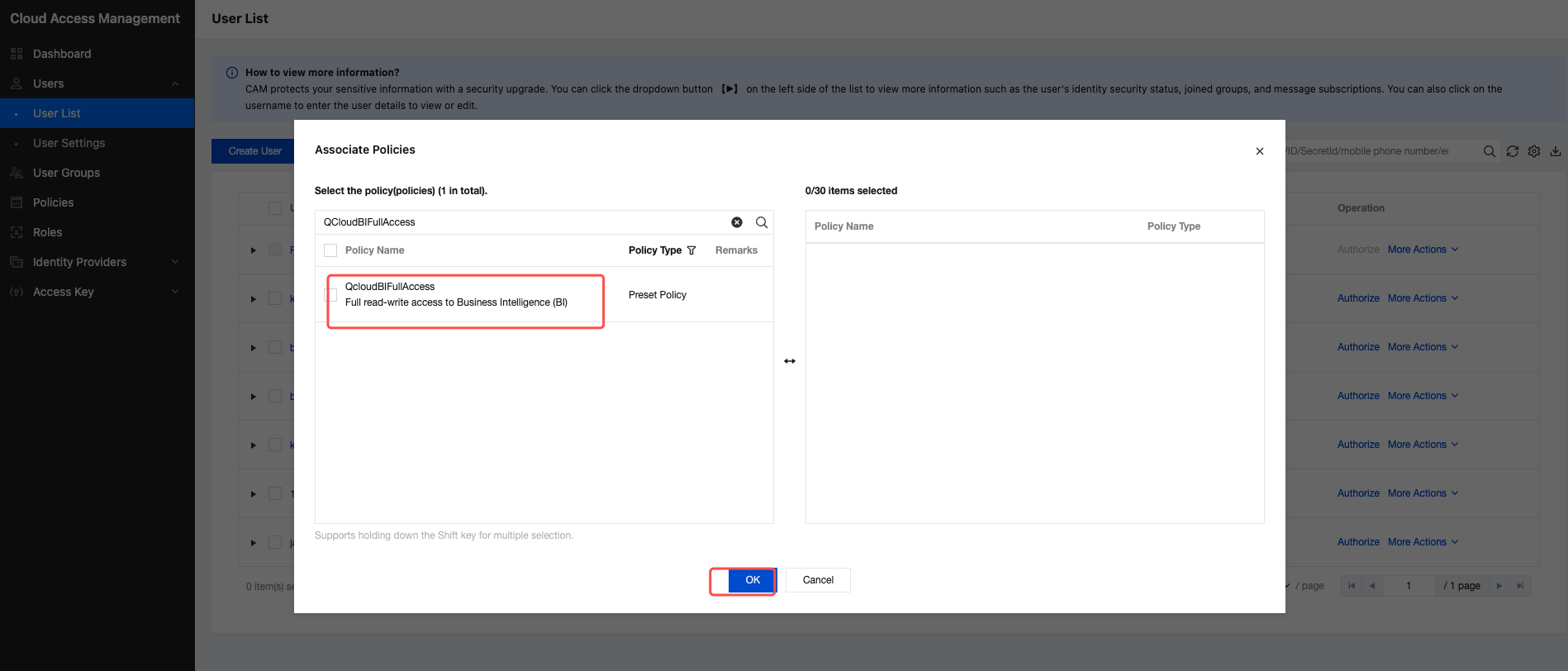
4. Select the corresponding BI policies from the policy list, and click OK to complete the authorization.
5. If the user is logged in and indicates no permission, logout and log in again to attempt (existent cache).