Feature Area Operations
Download
Modo Foco
Tamanho da Fonte
Ad-hoc analysis supports data preprocessing and total calculations in the feature area.
Through this document, you will learn the following:
Data Preprocessing
Total Settings
Numeric Format Settings
Data Preprocessing
Data preprocessing allows for filtering data in advance, such as null value filtering and time filtering.
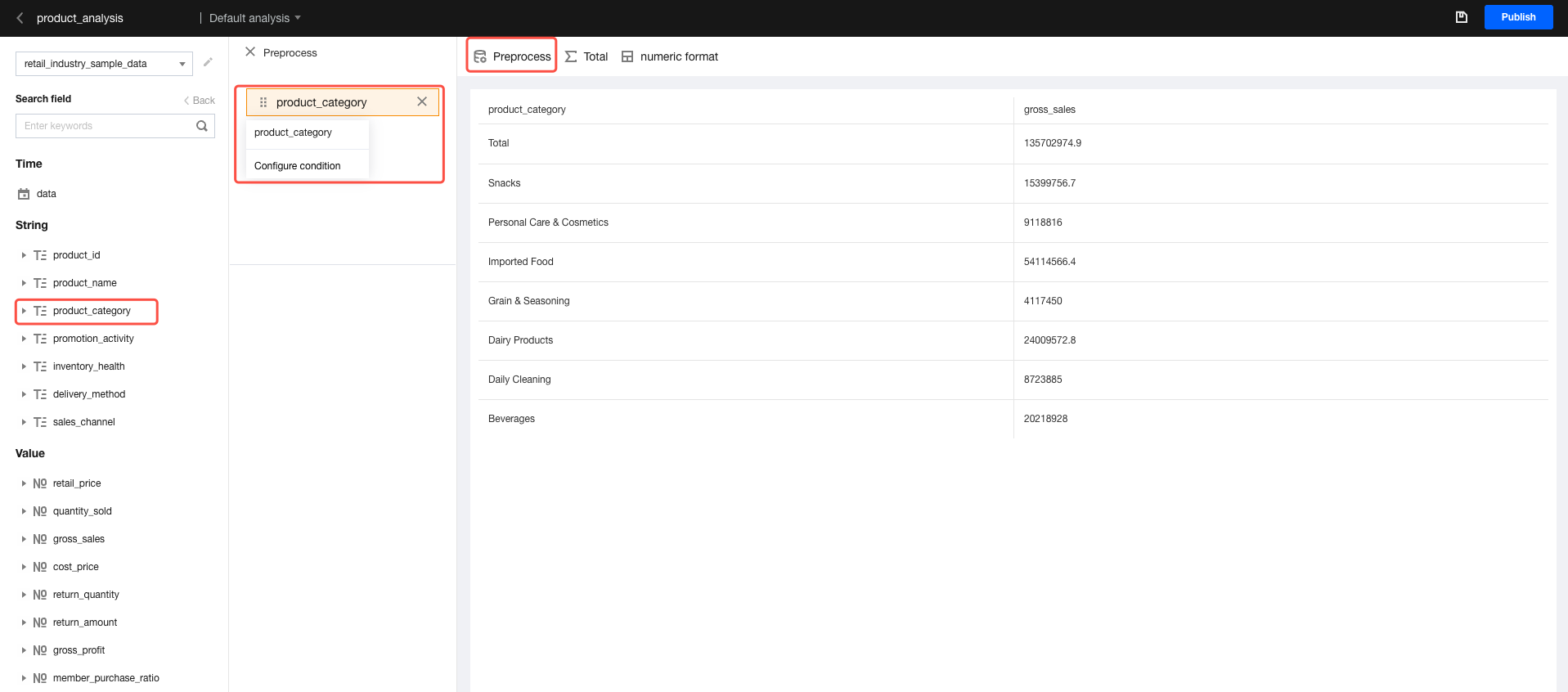
1. Click the preprocessing icon to expand the preprocessing panel.
2. Drag and drop the fields to be filtered.
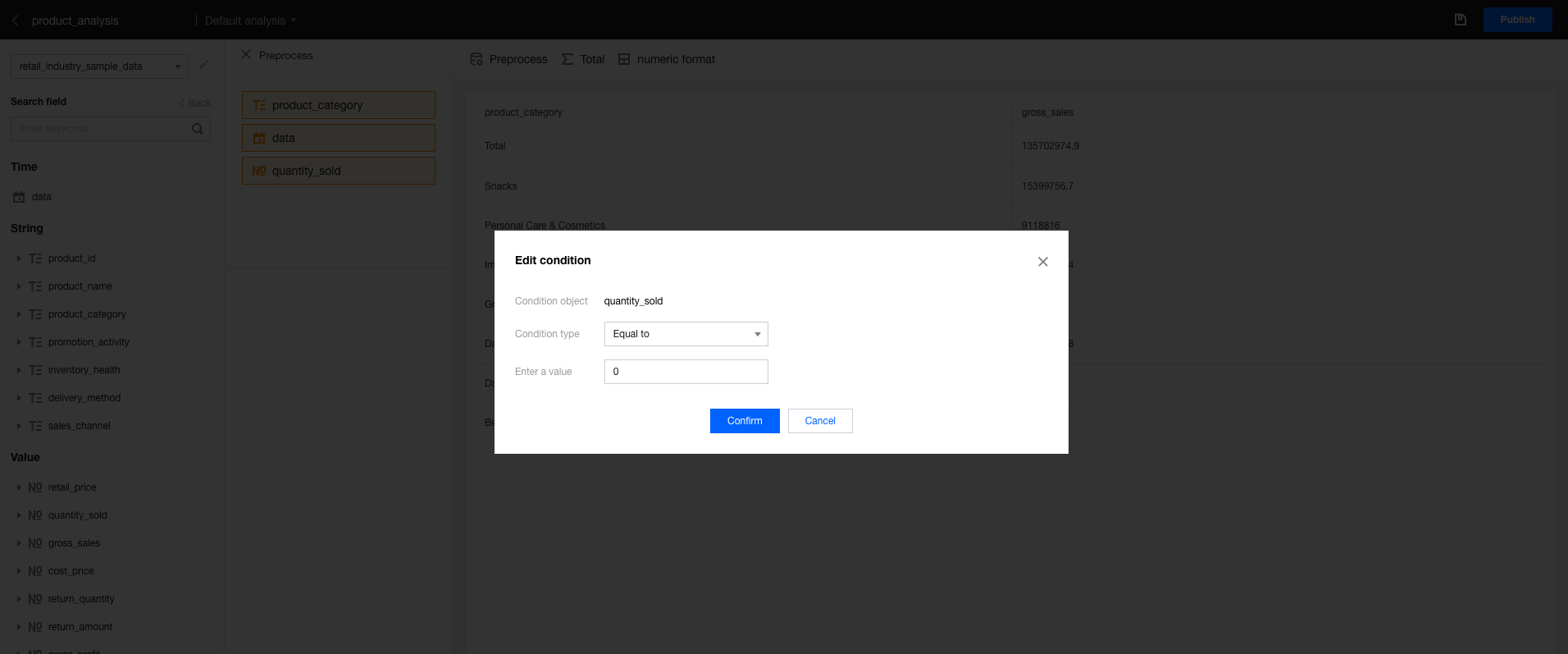
3. Hover the mouse over the dimension field and click set condition to set the filter logic.
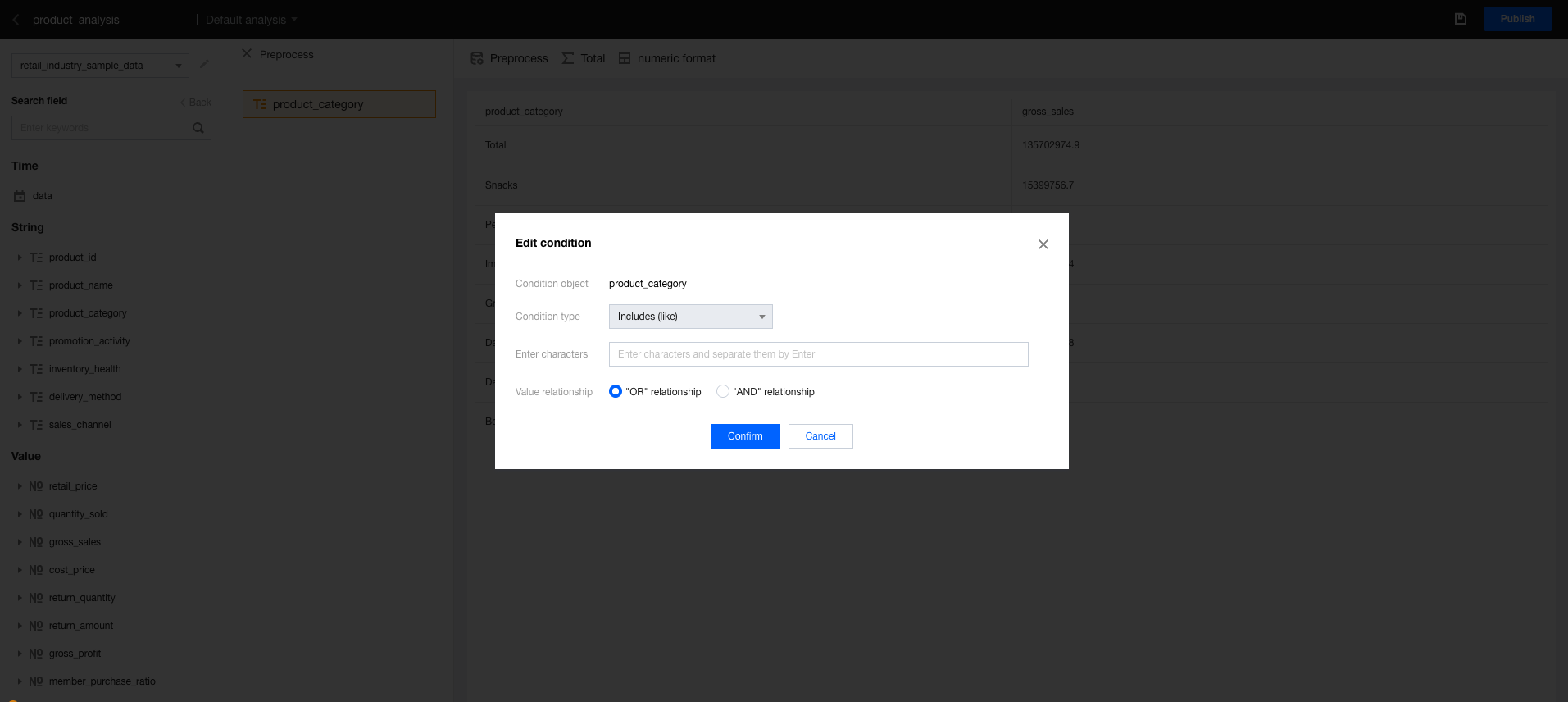
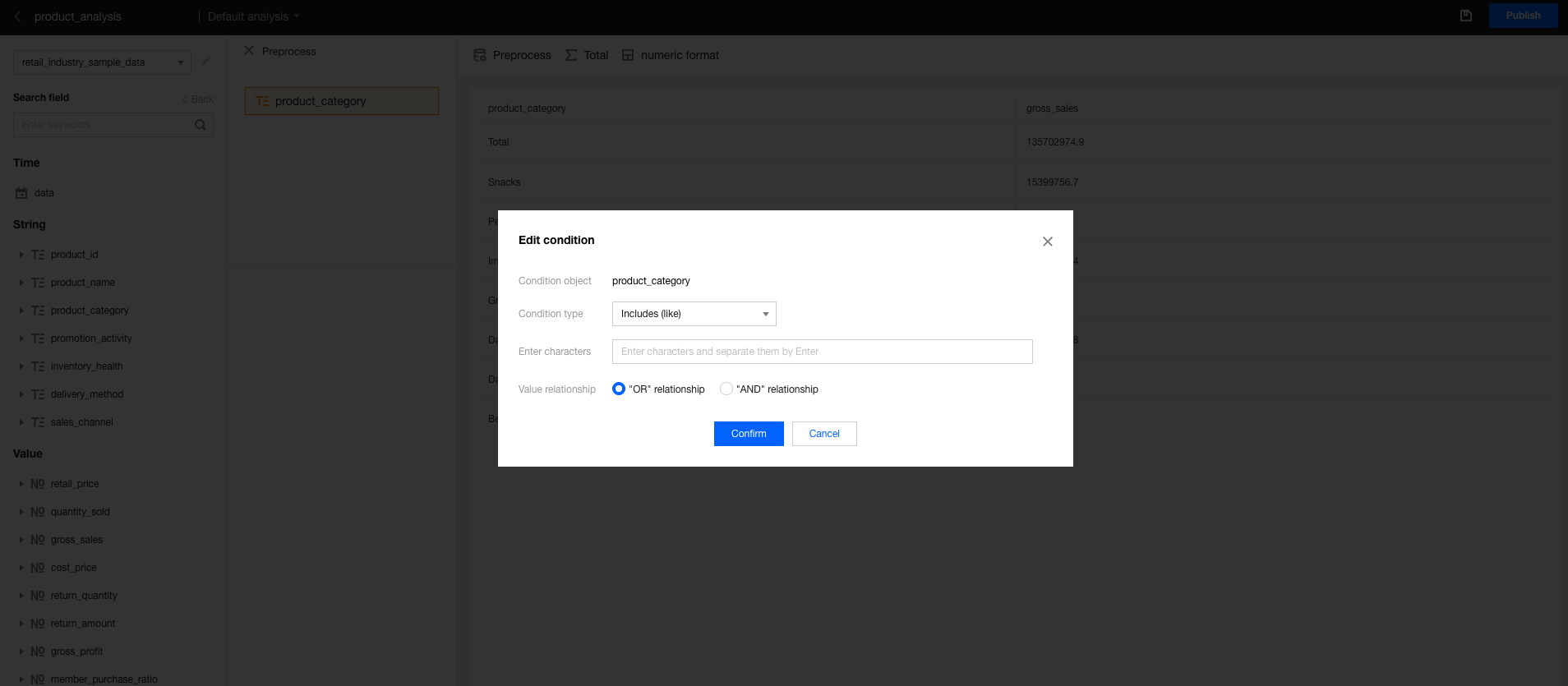
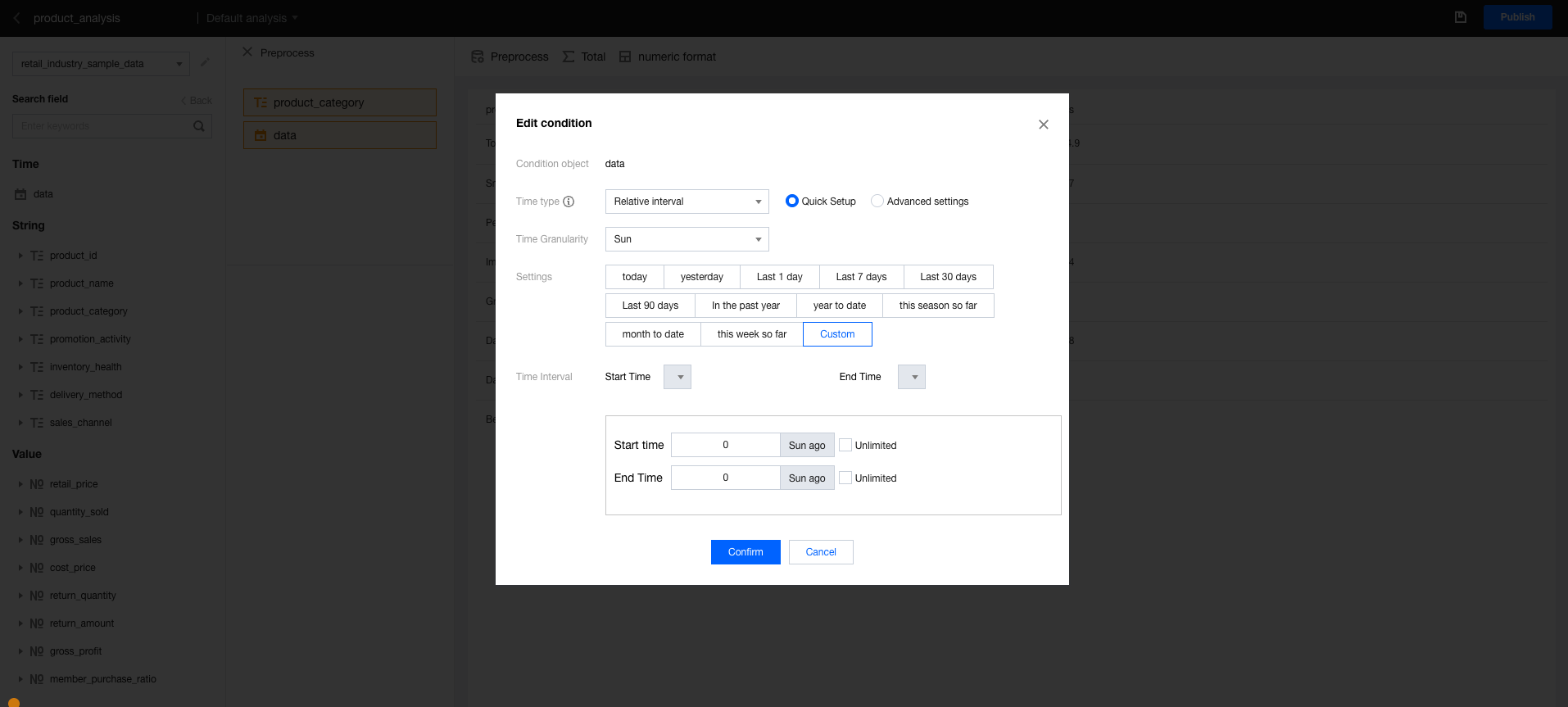
Different types of fields support different condition settings.
Text-type fields:
Time-type fields:
Numeric-type fields:
Total Settings
To adjust the total method, you can enable the total settings.
To calculate metrics rather than sum them:
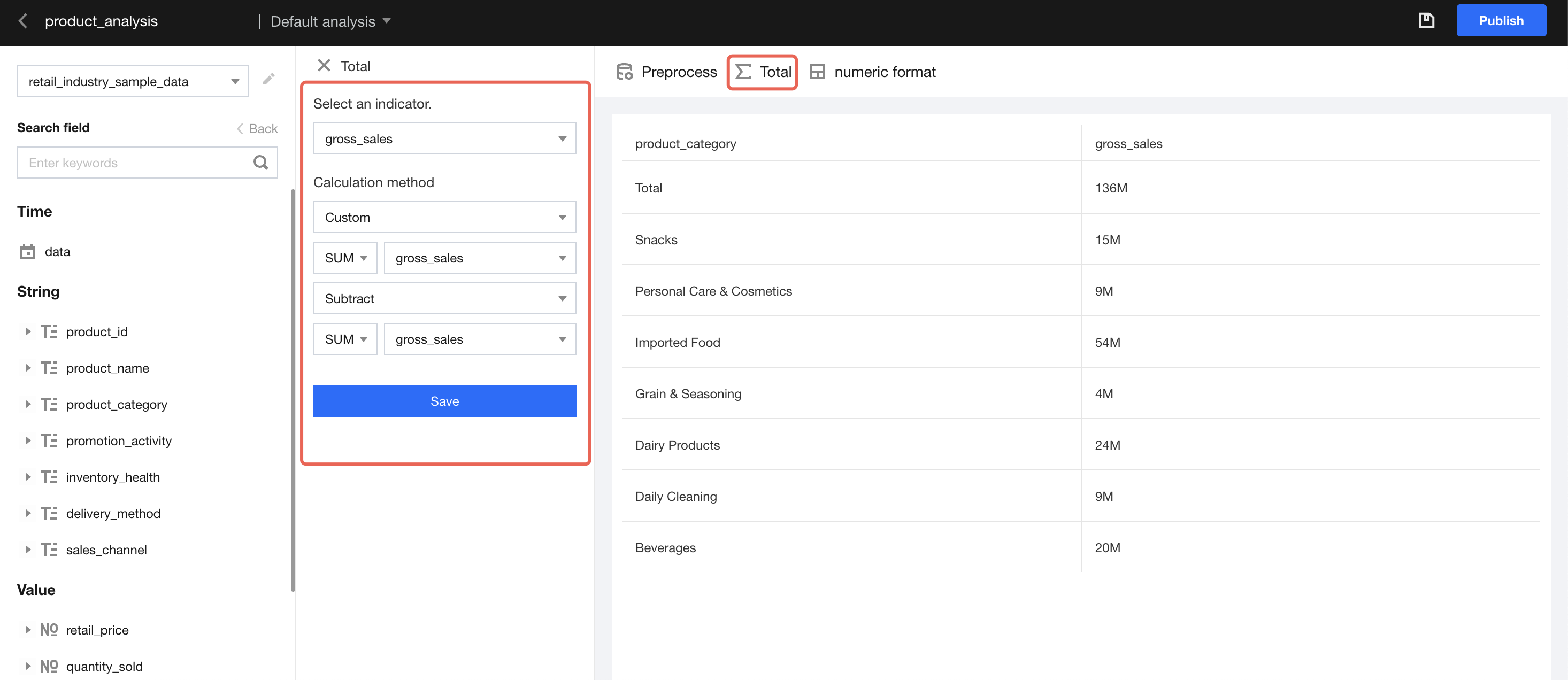
1. Click total to open the settings panel.
2. Select a numerical metric
3. Select "Custom" as the calculation method.
4. Use the sum of a numeric field and subtract the sum of other numeric fields
Numeric Format Settings
To adjust the display format of numeric values, you can enable the numeric format settings.
To set the measurement unit or decimal separator for a field display, configure as follows.
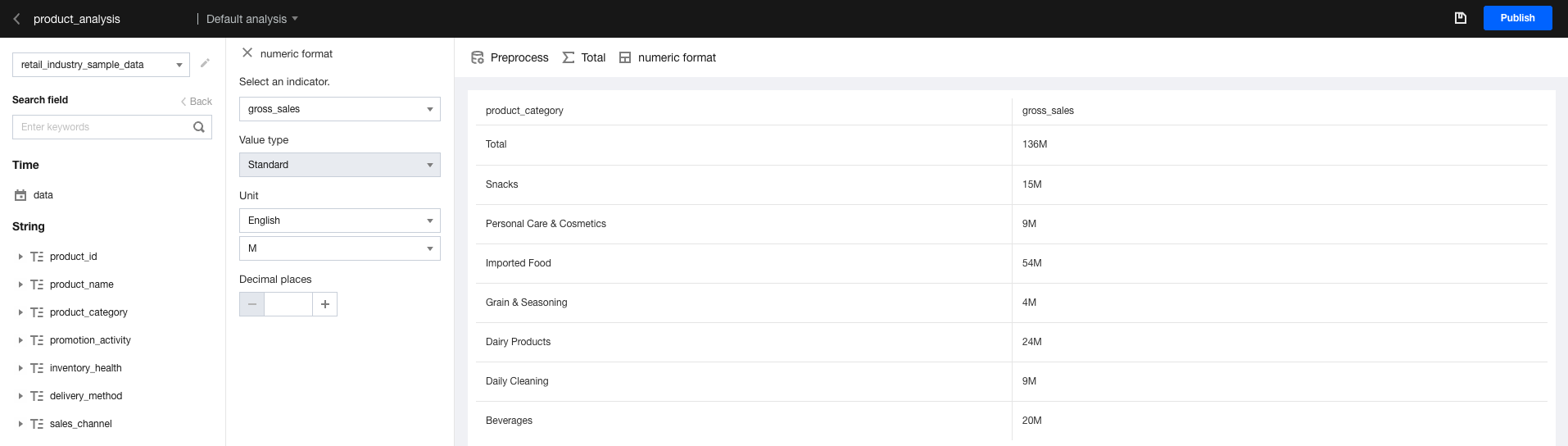
1. Click numeric format to open the settings panel.
2. Select a numerical metric.
3. Select a value type.
4. Select a unit.
5. Set the number of decimal places to 2.
Ajuda e Suporte
Esta página foi útil?
Você também pode entrar em contato com a Equipe de vendas ou Enviar um tíquete em caso de ajuda.
comentários