tencent cloud

Data Accelerator Goose FileSystem

Release Notes and Announcements
Release Notes
Product Selection Guide
GooseFSx
Product Introduction
Quick Start
Purchase Guide
Console Guide
Tool Guide
Practical Tutorial
Service Level Agreement
Glossary
GooseFS
Product Introduction
Billing Overview
Quick Start
Core Features
Console Guide
Developer Guide
Client Tools
Cluster Configuration Practice
Data Security
Service Level Agreement
GooseFS-Lite
GooseFS-Lite Tool
Practical Tutorial
Use GooseFS in Kubernetes to Speed Up Spark Data
Access Bucket Natively with POSIX Semantics Using GooseFS
GooseFS Distributedload Tuning Practice
FAQs
GooseFS Policy
Privacy Policy
Data Processing And Security Agreement
문서Data Accelerator Goose FileSystemPractical TutorialUse GooseFS in Kubernetes to Speed Up Spark Data

Use GooseFS in Kubernetes to Speed Up Spark Data

PDF
포커스 모드
폰트 크기
마지막 업데이트 시간: 2026-01-12 17:32:38

Overview

Spark running on Kubernetes can use GooseFS as the data access layer. This article explains how to use GooseFS in Kubernetes environment to speed up Spark data access.

Practical Deployment

Environment and Dependency Version

CentOS 7.4+
Kubernetes version 1.18.0+
Docker 20.10.0
Spark version 2.4.8+
GooseFS 1.2.0+

Kubernetes Deployment

For detailed Kubernetes deployment, see Kubernetes official documentation.

Accelerating Spark Data Access with GooseFS

Currently, there are two main ways to use GooseFS in Kubernetes to speed up Spark data access:
Deploy and run GooseFS Runtime Pods and Spark Runtime to accelerate Spark computing applications based on Fluid distributed data orchestration and acceleration engine (Fluid Operator architecture).
Run Spark on GooseFS in Kubernetes (Kubernetes Native deployment architecture).

Running Spark on GooseFS in Kubernetes

Prerequisites

1. Spark on Kubernetes uses the Kubernetes Native deployment and operation architecture recommended by the Spark official website. For detailed deployment methods, see Spark official website document.
2. The GooseFS cluster is deployed. For GooseFS cluster deployment, see Console quick start.
Notes:
Note: When deploying GooseFS Worker, you need to configure goosefs.worker.hostname=$(hostname -i), otherwise the client in the Spark pod will be unable to resolve the GooseFS Worker host address.

Basic Steps

1. First, download and unzip spark-2.4.8-bin-hadoop2.7.tgz.
2. Decompress the GooseFS client from the GooseFS Docker image, then compile it into the Spark image, as follows:
# Decompress the GooseFS client from the GooseFS Docker image
$ id=$(docker create goosefs/goosefs:v1.2.0)
$ docker cp $id:/opt/alluxio/client/goosefs-1.2.0-client.jar - > goosefs-1.2.0-client.jar
$ docker rm -v $id 1>/dev/null
Then, copy to the spark directory
$ cp goosefs-1.2.0-client.jar /path/to/spark-2.4.8-bin-hadoop2.7/jars
# Then, recompile the spark docker image
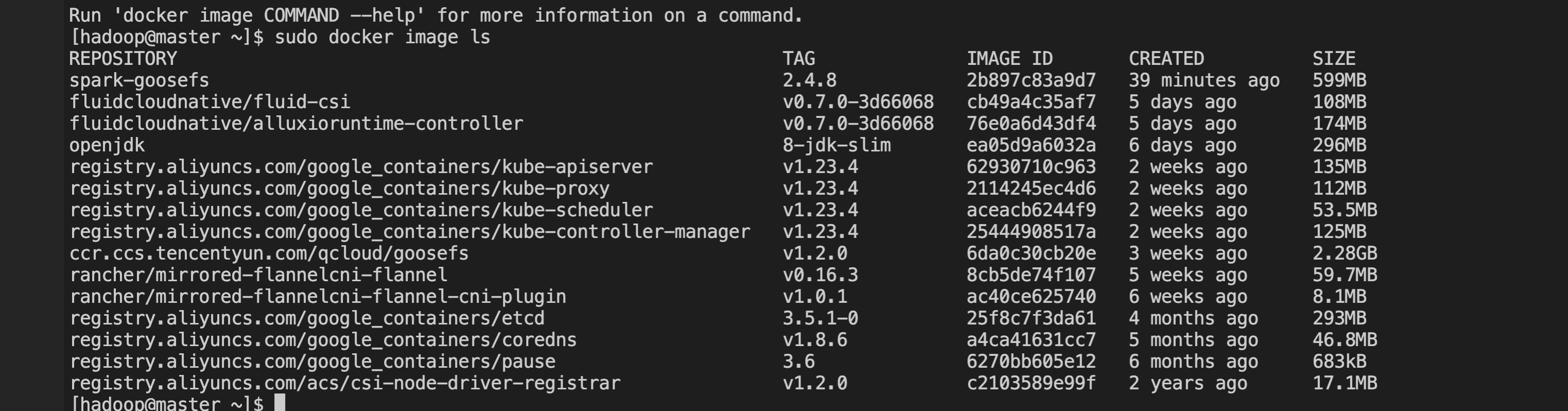
$ docker build -t spark-goosefs:2.4.8 -f kubernetes/dockerfiles/spark/Dockerfile .
# View the compiled docker image
$ docker image ls


Test Procedure

First, ensure the GooseFS cluster has been started and the container can access the GooseFS Master/Worker IP and port, then follow the steps below to conduct test verification.
1. Create a namespace for testing in GooseFS, such as /spark-cosntest, and add test data files.
Note:
We recommend that you avoid using permanent keys in the configuration. Configuring sub-account keys or temporary keys can help improve your business security. When authorizing a sub-account, grant only the permissions of the operations and resources that the sub-account needs, which helps avoid unexpected data leakage.
If you must use a permanent key, it is advisable to limit its permission scope by restricting executable operations, resource scope and conditions (such as access IP) to enhance usage security.
# Use sub-account keys or temporary keys to complete the configuration and enhance security. When authorizing sub-accounts, grant executable operations and resources on demand.
$ goosefs ns create spark-cosntest cosn://goosefs-test-125000000/ --secret fs.cosn.userinfo.secretId=********************************** --secret fs.cosn.userinfo.secretKey=********************************** --attribute fs.cosn.bucket.region=ap-xxxx
# Add a test data file
$ goosefs fs copyFromLocal LICENSE /spark-cosntest
2. (Optional) Create a service account used to run spark Jobs.
$ kubectl create serviceaccount spark
$ kubectl create clusterrolebinding spark-role --clusterrole=edit \\
--serviceaccount=default:spark --namespace=default
3. Submit a spark Job.
--master k8s://http://127.0.0.1:8001 \\
--deploy-mode cluster \\
--name spark-goosefs \\
--class org.apache.spark.examples.JavaWordCount \\
--conf spark.executor.instance=2 \\
--conf spark.kubernetes.container.image=spark-goosefs/spark:2.4.8 \\
--conf spark.kubernetes.authenticate.driver.serviceAccountName=spark \\
--conf spark.hadoop.fs.gfs.impl=com.qcloud.cos.goosefs.hadoop.GooseFileSystem \\
--conf spark.driver.extraClassPath=local:///opt/spark/jars/goosefs-1.2.0-client.jar \\
local:///opt/spark/examples/jars/spark-examples_2.11-2.4.8.jar \\
gfs://172.16.64.32:9200/spark-cosntest/LICENSE
4. Wait for execution to complete.


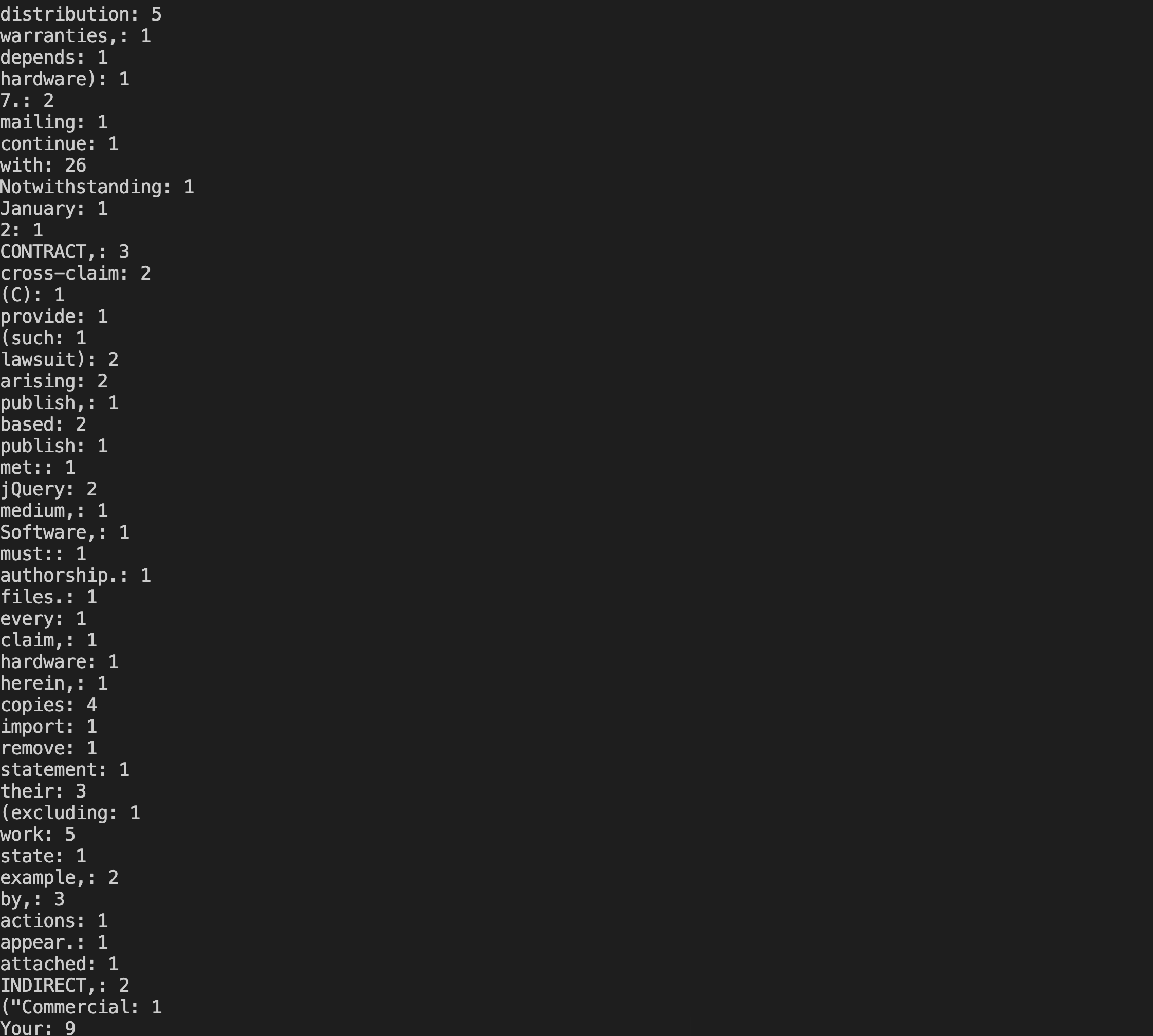
Execute kubectl logs spark-goosefs-1646905692480-driver to view the job execution result.


도움말 및 지원

문제 해결에 도움이 되었나요?

피드백