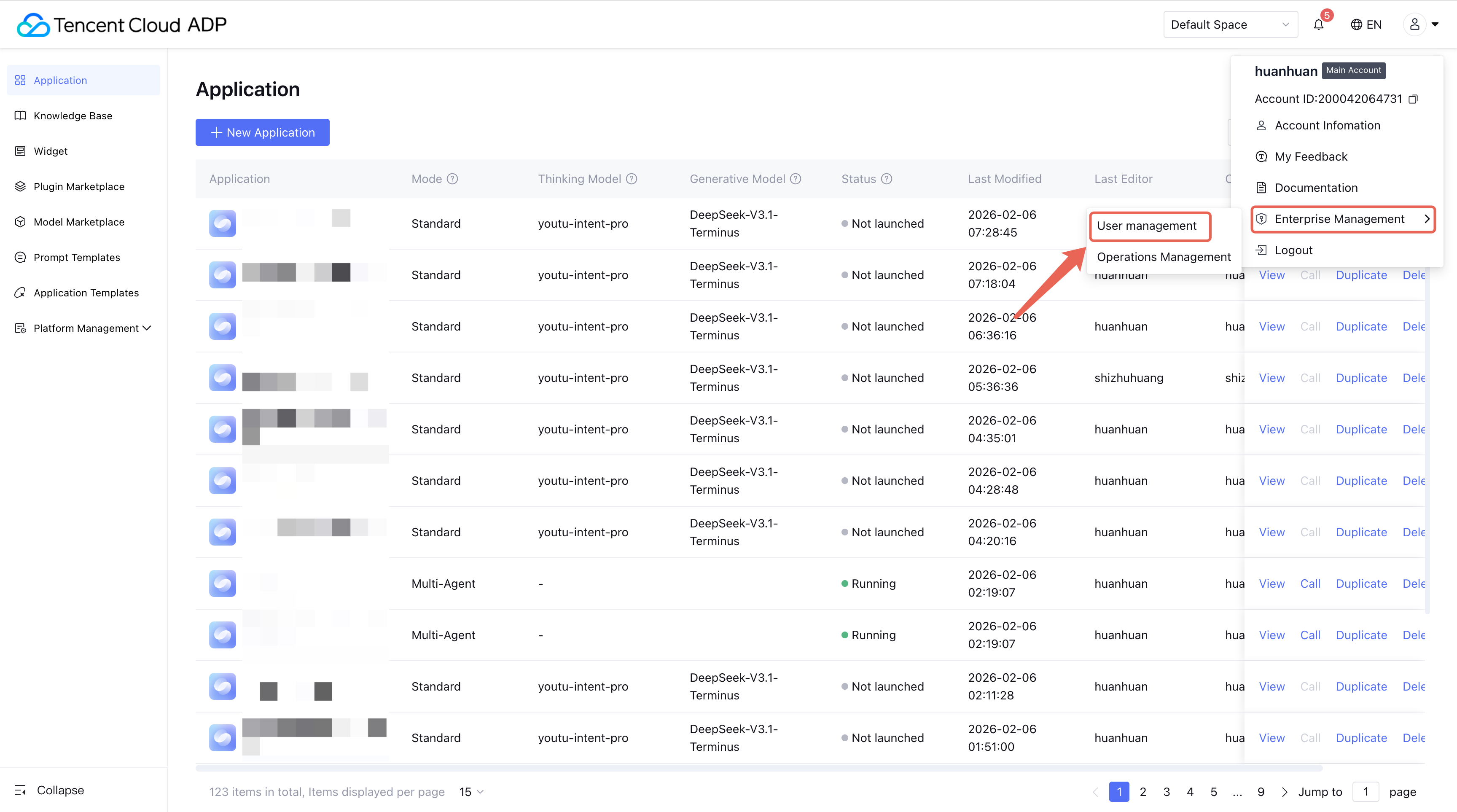
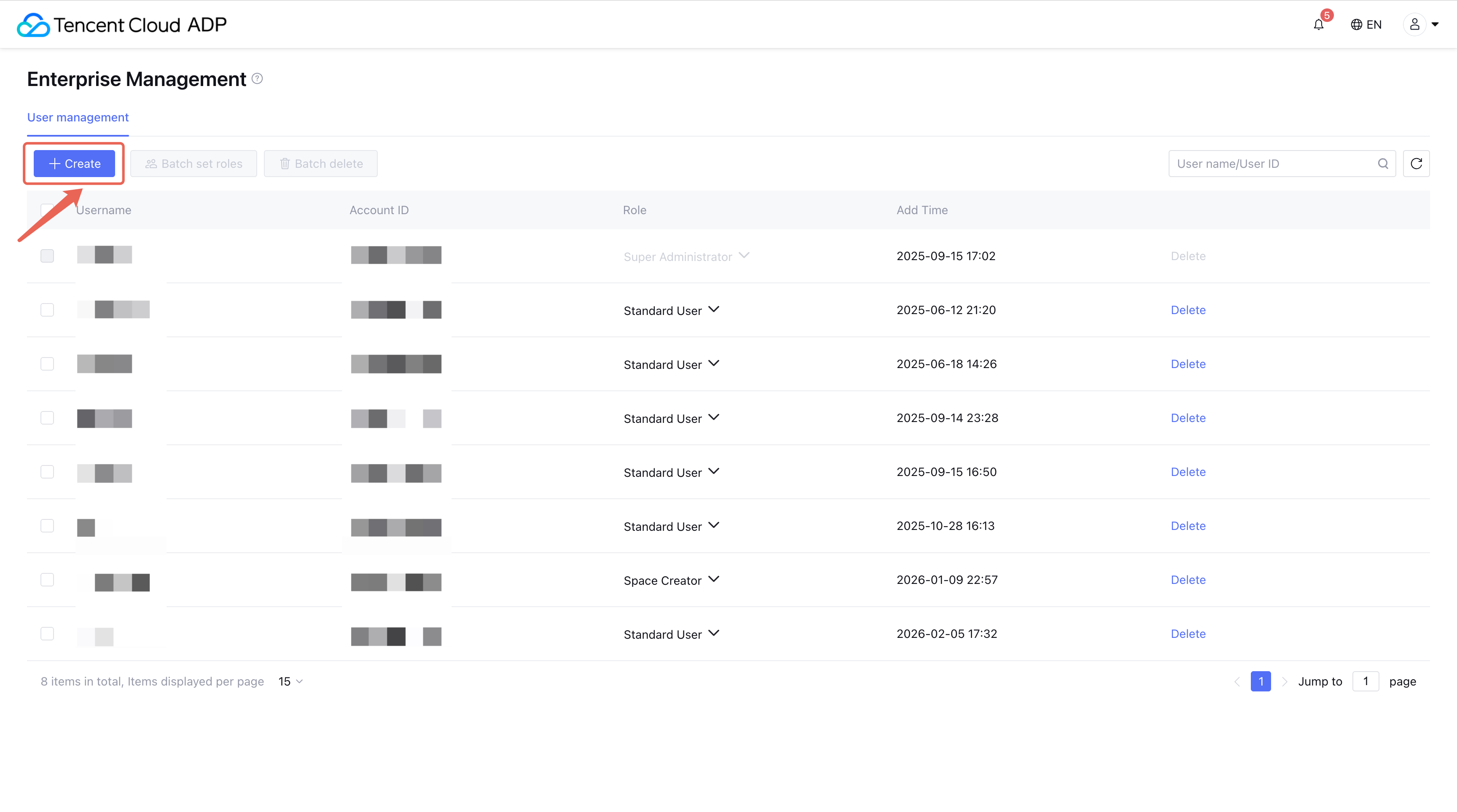
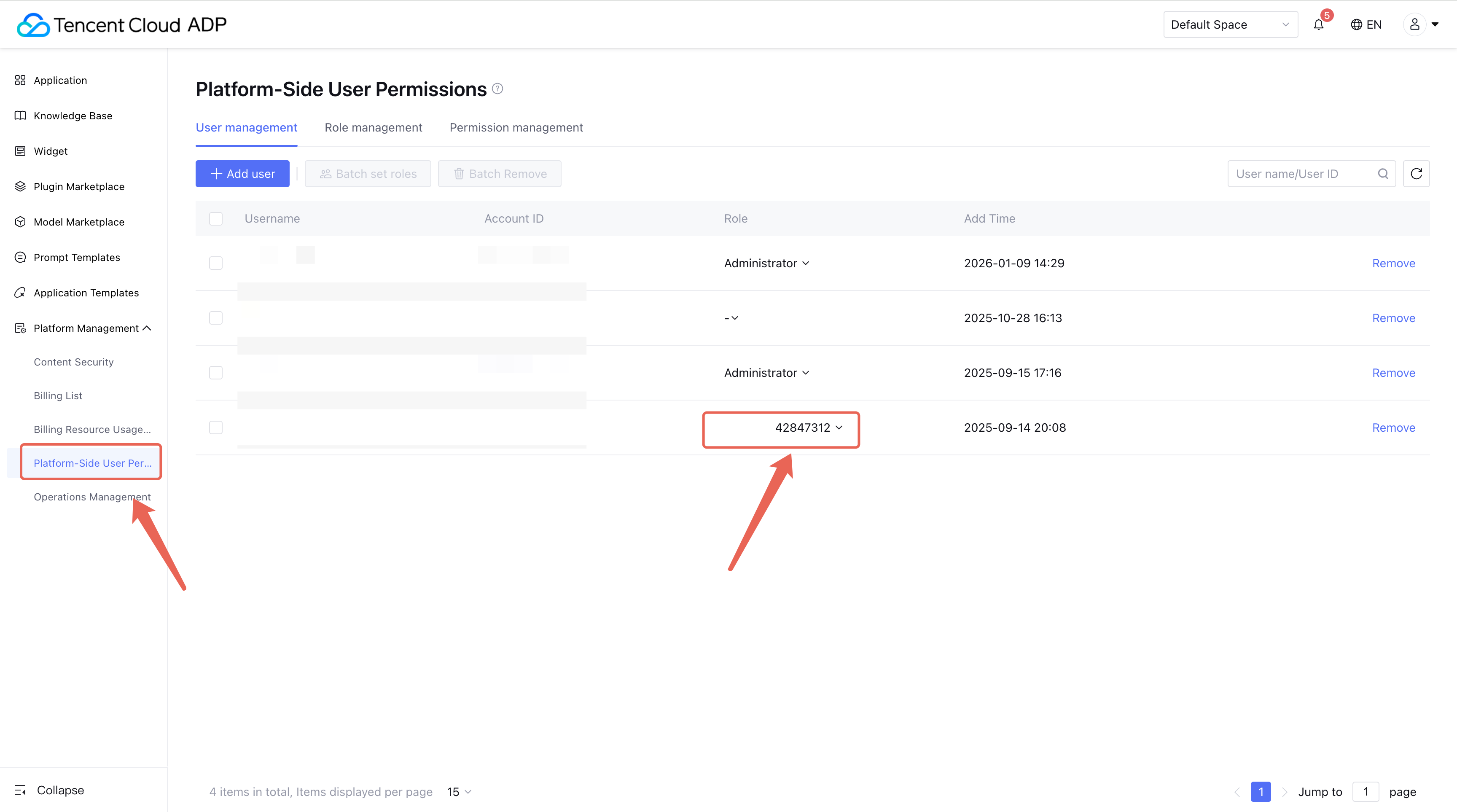
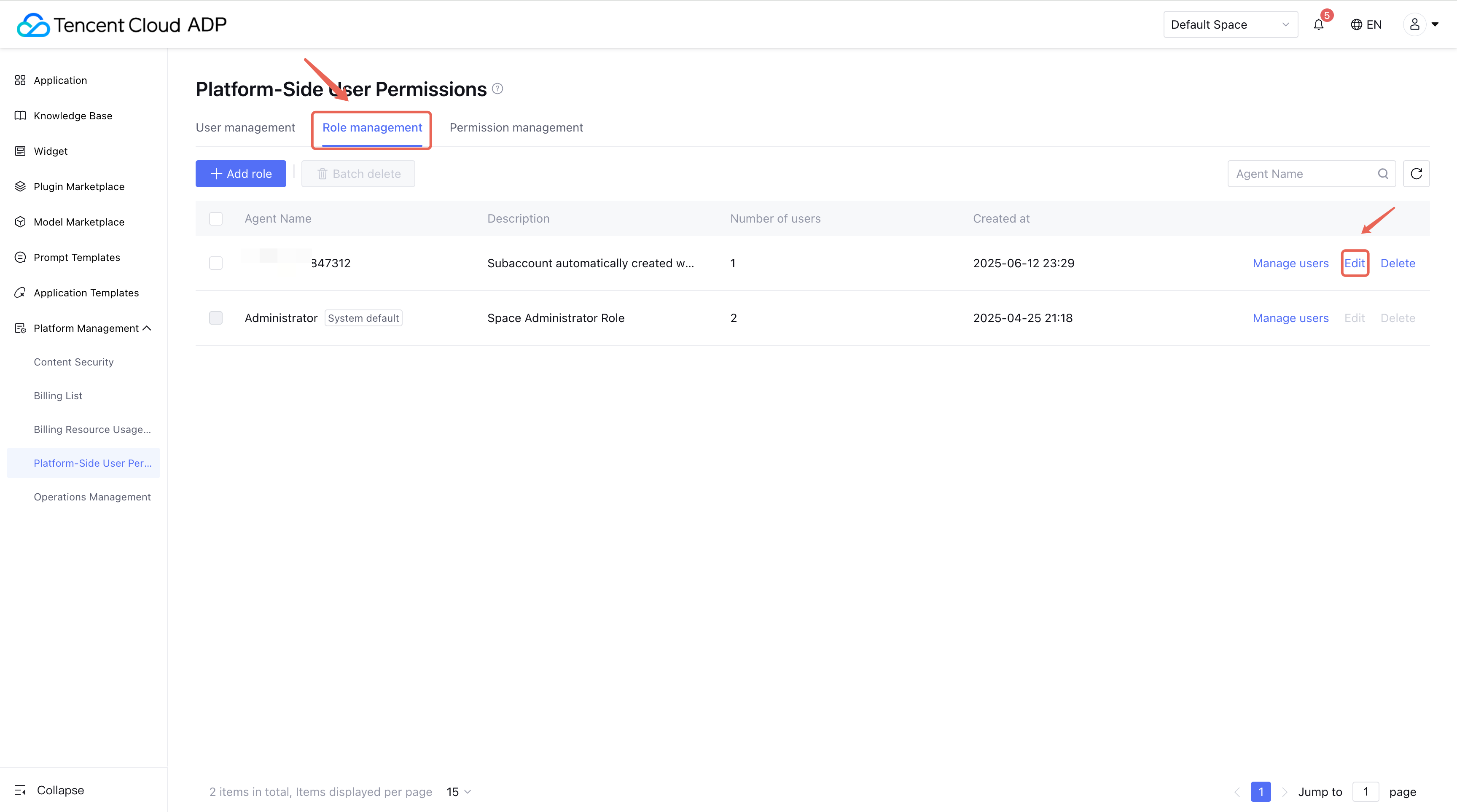
1.2 In role management, click Add User then jump to the CAM page to add sub-accounts.
1.3 User Authorization
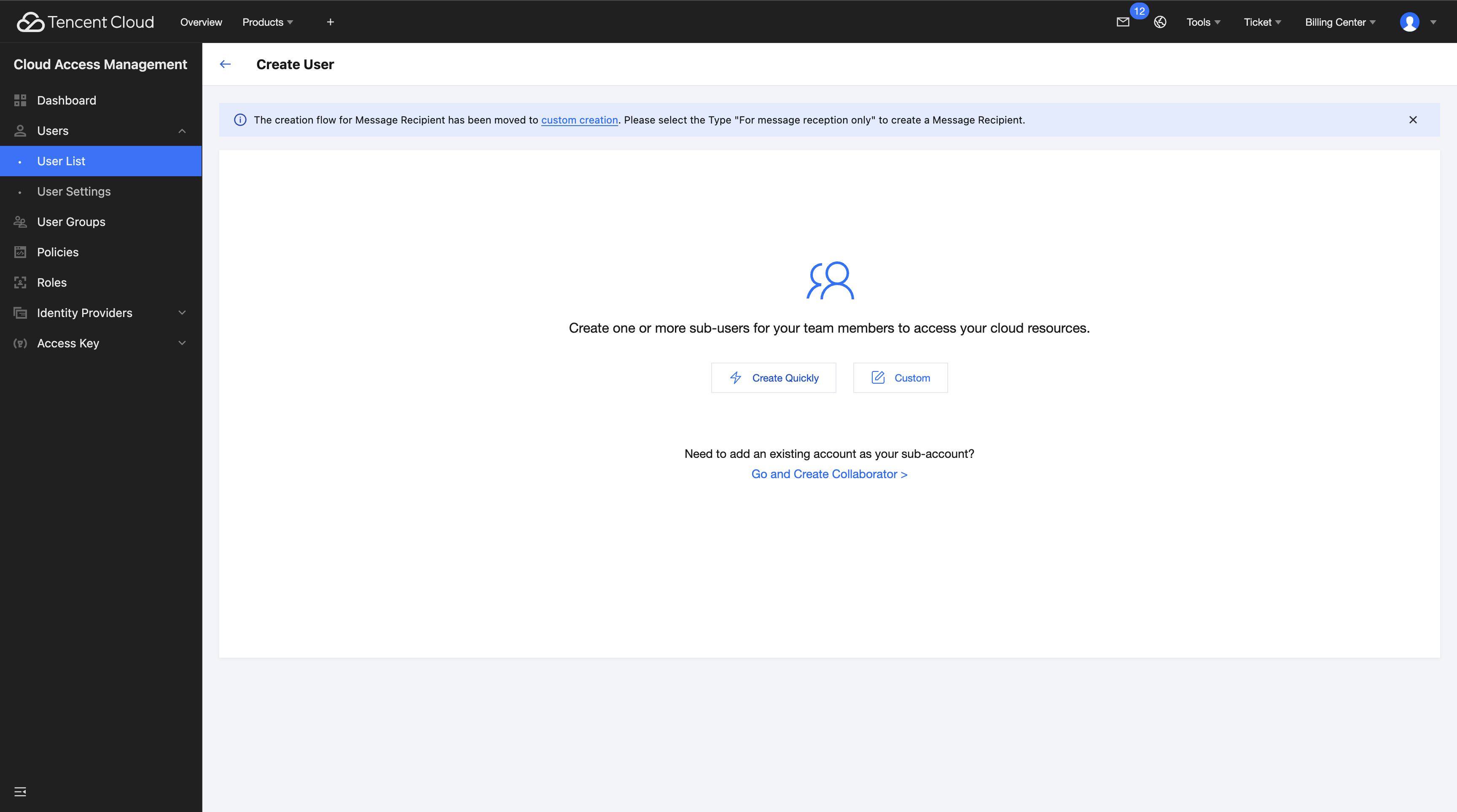
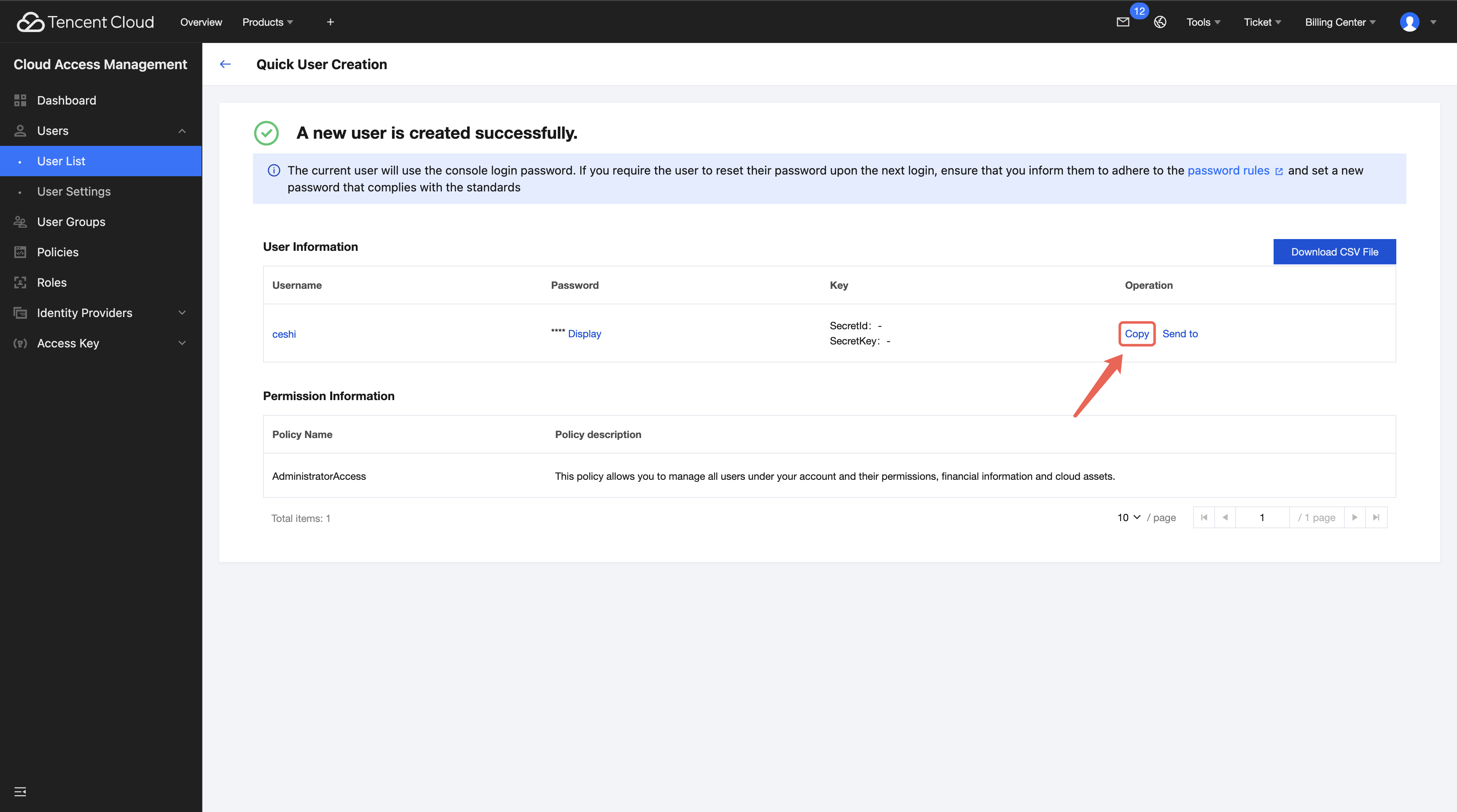
1.3.1 Click Quick Create to authorize users.
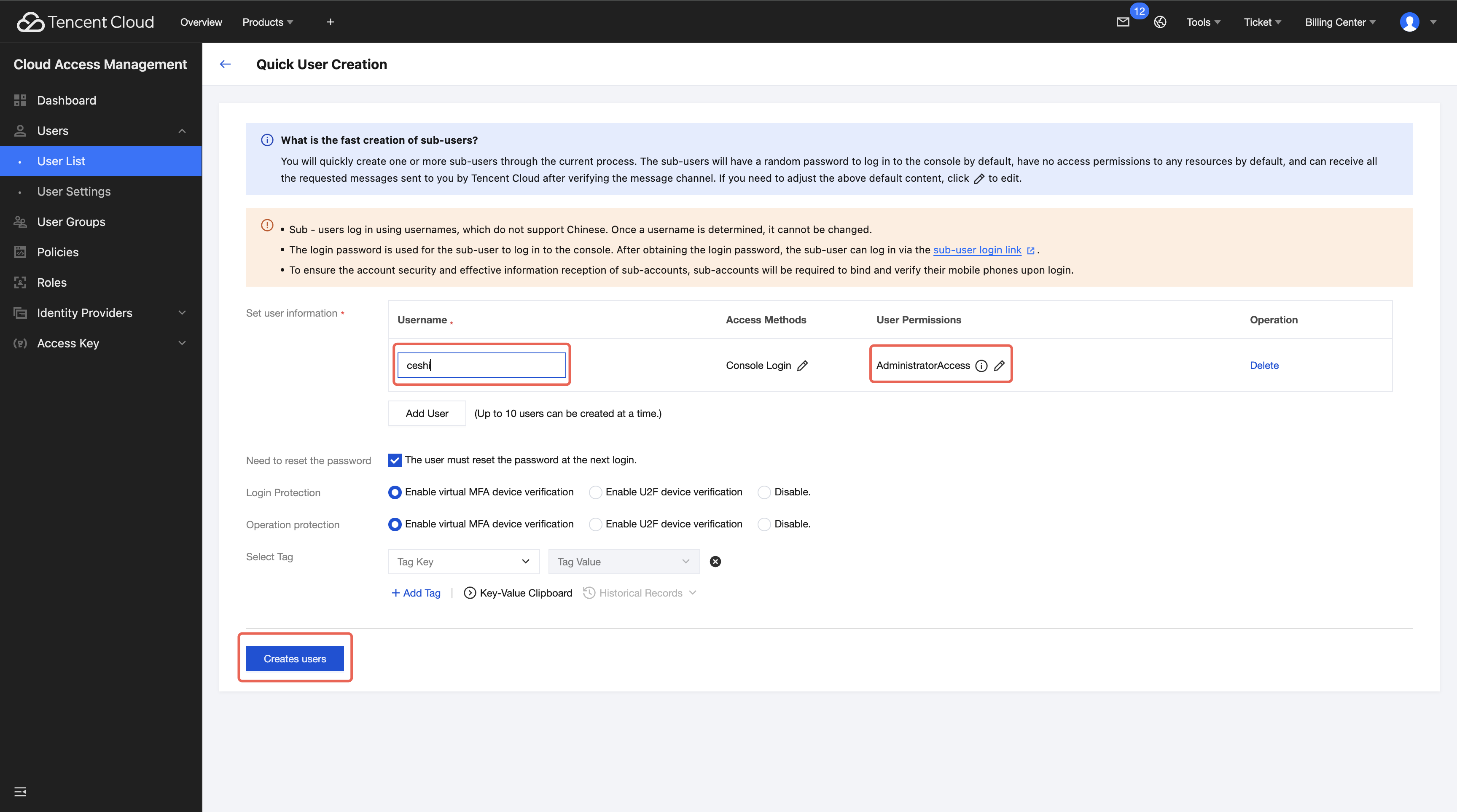
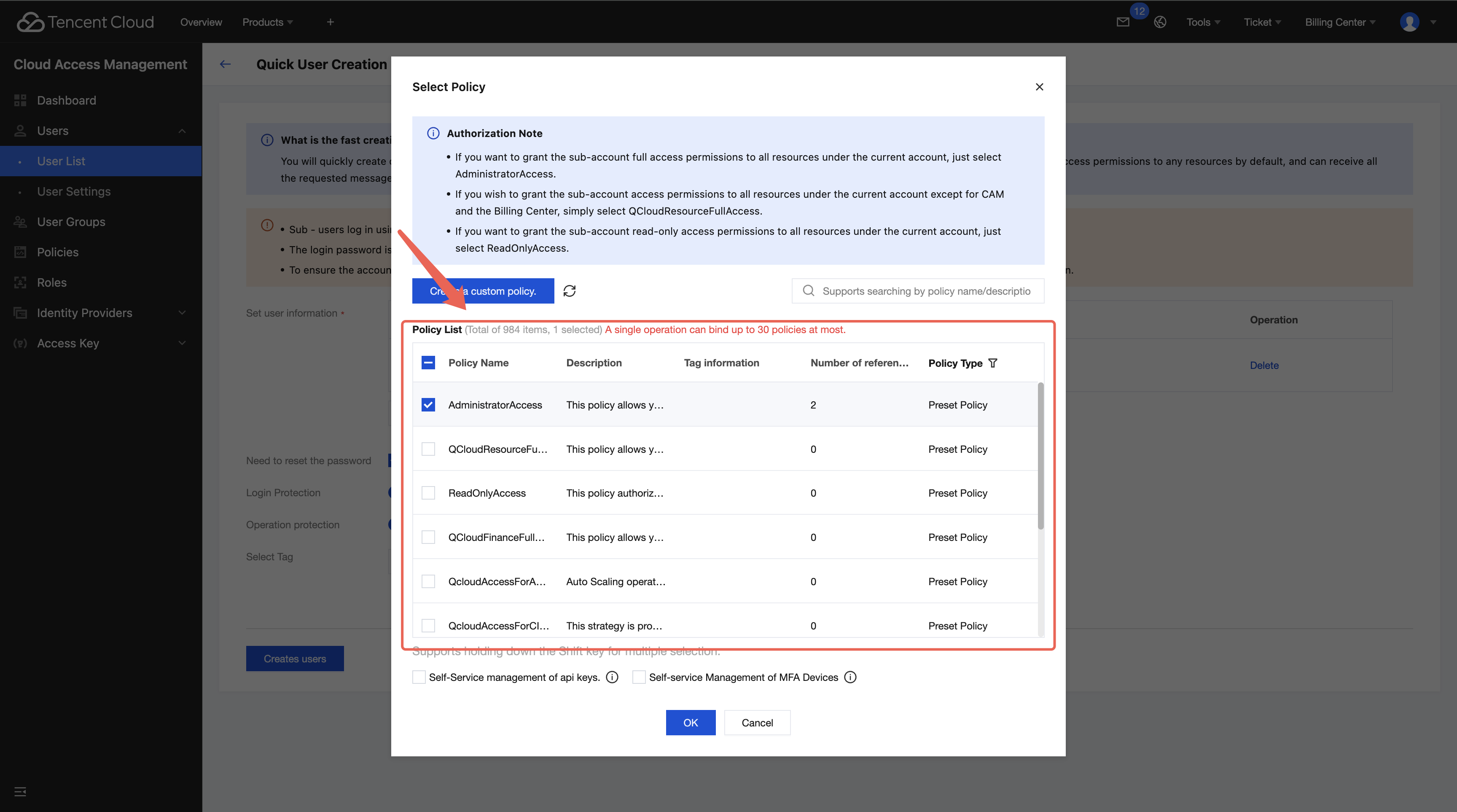
1.3.2 Set up role information for the sub-account user to be created and assign corresponding user-level permissions.
1.3.3 If a user needs to access and operate the Tencent Cloud Agent Development Platform (ADP), you need to grant the corresponding sub-account read and write permissions for the Tencent Cloud Agent Development Platform (ADP) (formerly known as Large Language Model Knowledge Engine) in the user-level permissions section.
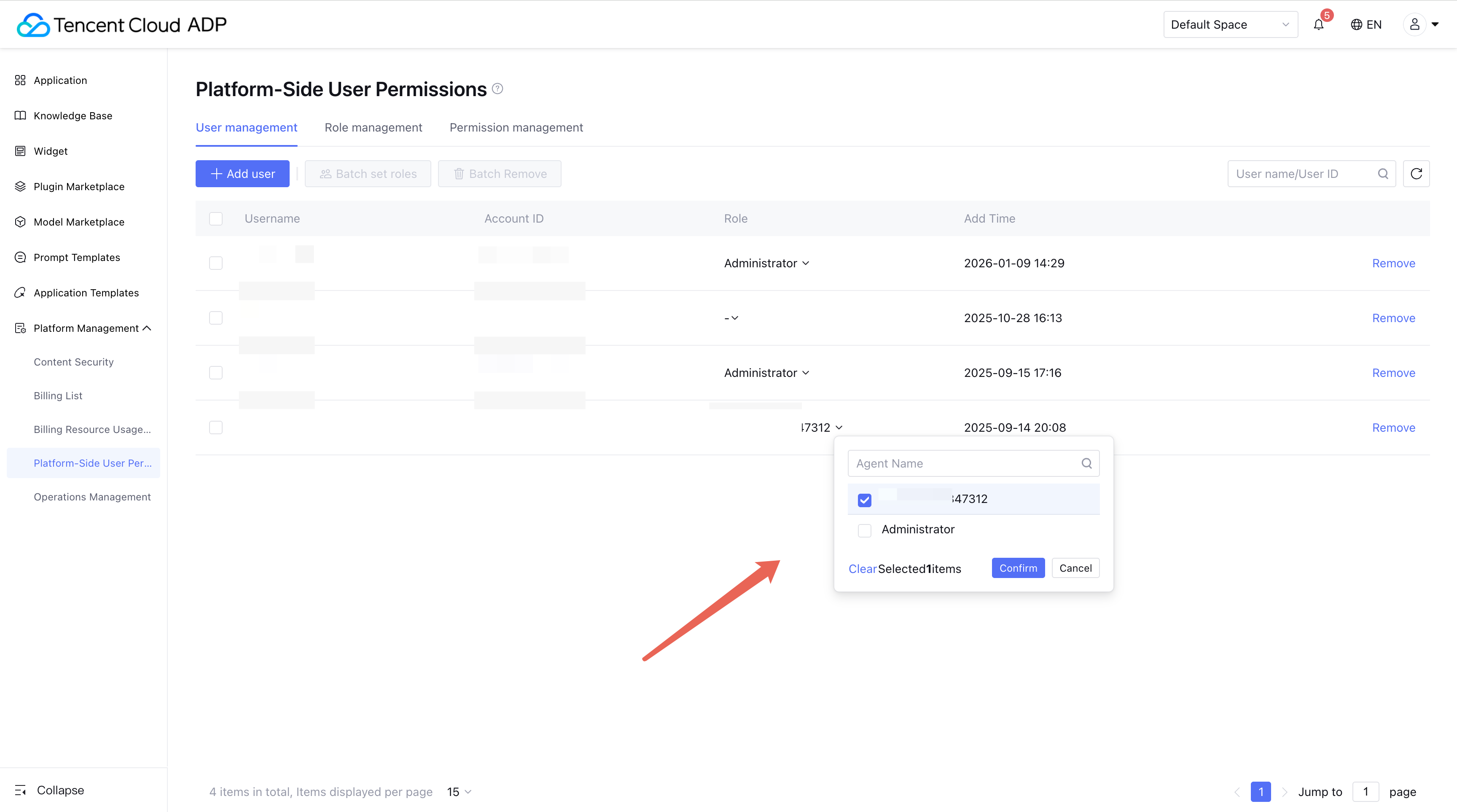
If a newly created sub-account logs in via this link, you need to manually assign a role to the corresponding sub-account in User Management. The corresponding role-level permissions can be defined and edited as needed in the Role Management page.
Custom Role Editing:
2. On Tencent Cloud, only SecretId is visible, not SecretKey
Tencent Cloud's rule is only visible when creating.
Create a new one, then save the record.
Disable the original key if not used, then delete it. After deletion, you can recreate it.
3. What Are BotBizID and BotAppKey, and How to Obtain Them?
BotBizID is the unique identifier when creating a certain application.
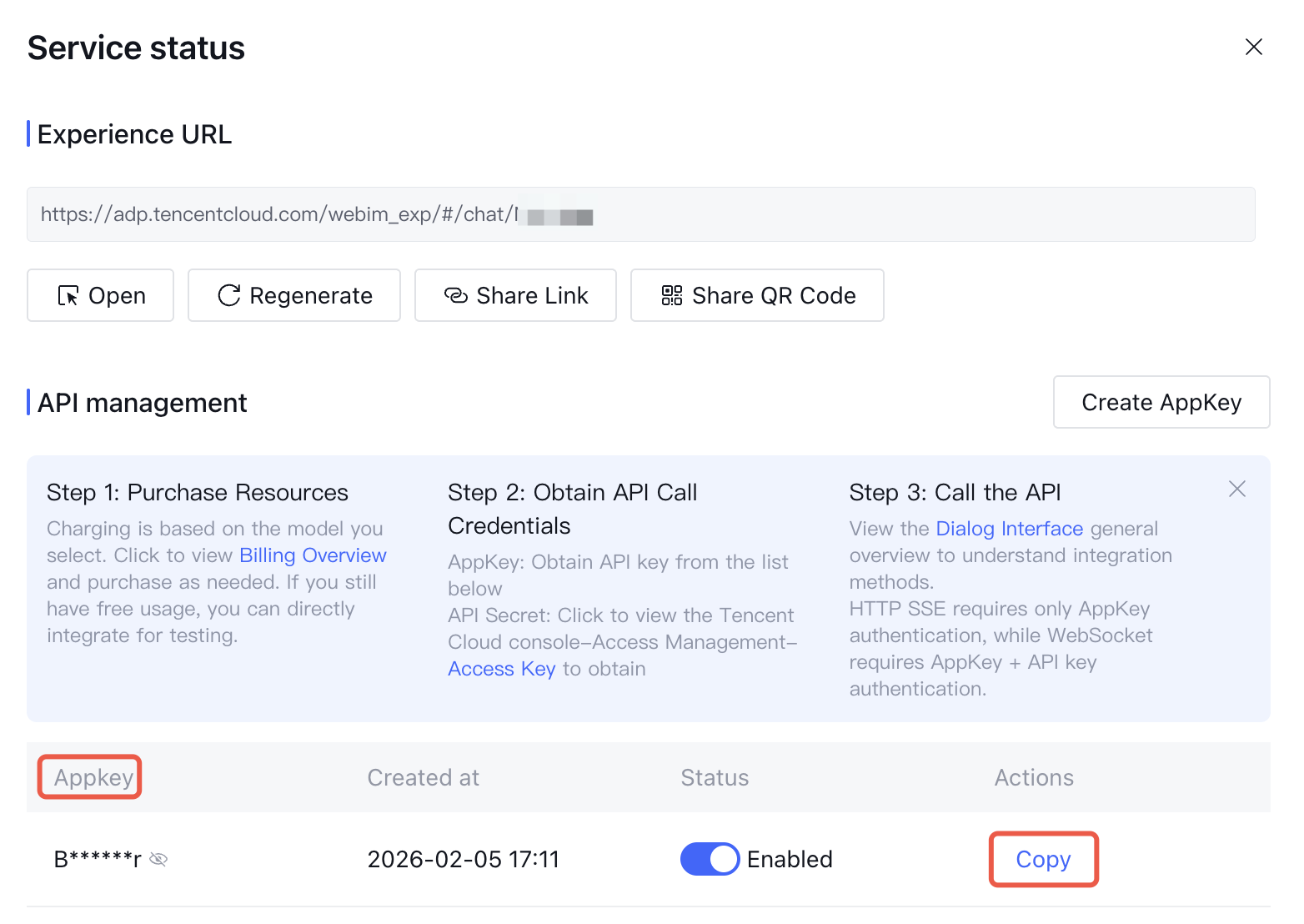
BotAppKey is a parameter used to get the access token when sharing or making an HTTP call via websocket or sse.
BotBizID: You can directly obtain the appid from the URL of the current page [appid].
BotAppKey: In the application list, click [call] to see the appkey.
Note:
The [call] button can only be used after the application is released, otherwise the button remains grayed out.
4. API call error: Application [Bot] does not exist
Call the general API, the passed-in BotBizId is incorrect, and the corresponding application cannot be found.
Call GetWsToken. When Type=5 [API visitor], BotAppKey is required.
5. How to Use sessionID and requestID
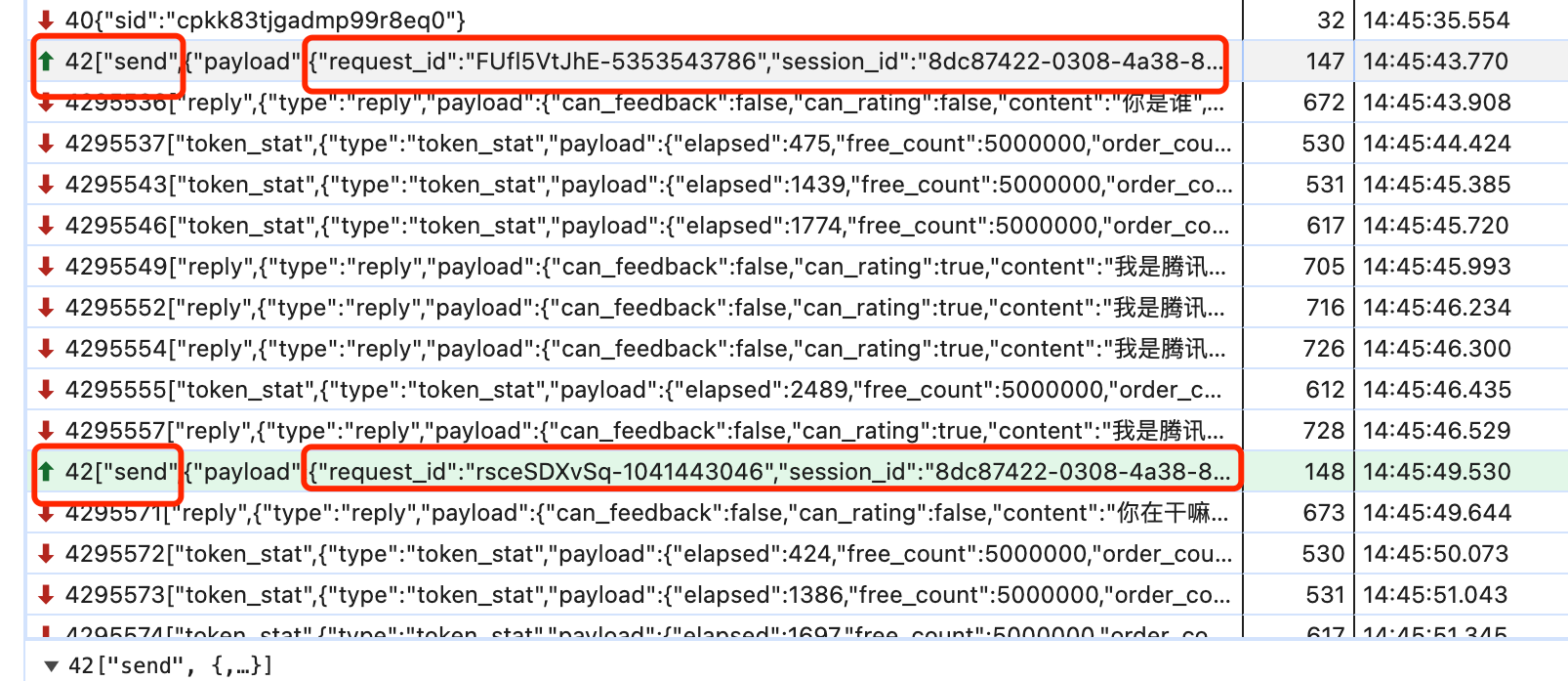
sessionID identifies a session. Different sessions (regardless of whether they are within the same application) require different sessionIDs, while the same session uses the same ID. The generation rule for sessionID is uuid.
requestID identifies a request. Different requests use different requestIDs.
6. Resetting the Session When Calling via websocket or HTTP sse
Users are advised to regenerate a sessionID.
7. Error After Real-Time Document Parsing: msg:http client codec StatusCode: Not Found
This issue is caused by the failure to find the relevant document in cos. Please check if the incorrect bucket was used when uploading the document, and pay special attention to the TypeKey when obtaining temporary credentials. Refer to the following document:
8. How to Determine If Parsing Is Complete and Publishing Is Possible After Uploading Offline Documents
After offline document upload, there will be parsing, review, and publishing status. When the prerequisite steps are processed, the document will be in pending status. At this time, you can call the release API to execute document release.
You can check whether the document can be published by polling the ListDoc interface.
Offline document status can refer to: Document List in Status.N document status.
9. Obtain User Historical Messages, GetMsgRecord
Interface logic: Obtain chat messages based on the session_id passed in the current session. When there are too many messages, use Count and LastRecord for pagination.
Example:
session_id: xxxxxxx contains 50 data entries, count is set to 20. Pagination parameters: Count = 20, LastRecordId = first record_id in the messages obtained.
Note:
1. If the session_id passed in is incorrect, the corresponding session cannot be found.
2. This interface can only obtain chat data under a specific sessionID and cannot obtain all chat data under the current application.
3. When a user obtains API visitor data [Type=5] via API, it is necessary to use ReplyMethod to distinguish IsFromSelf: 0 indicates a user request, and non-zero indicates a reply from Tencent Cloud Agent Development Platform (Tencent Cloud ADP).
4. This interface supports obtaining data from the last six months.
10. How to Add Knowledge Tags in websocket/HTTP sse Calls
websocket or HTTP sse method. Please include the tag value in the custom_variables field of the dialogue parameters.
Note:
If you need to specify a knowledge base for retrieval in a question, you can input relevant tag values through this field. For details, refer to Set Knowledge Base Search Scope.
11. User Session End Does Not Display Reference Sources
Tencent Cloud ADP's test preview page displays reference sources by default, even if the document does not open external reference links.
Reference sources are not displayed on the client-side or via api access methods. Please troubleshoot from the following directions:
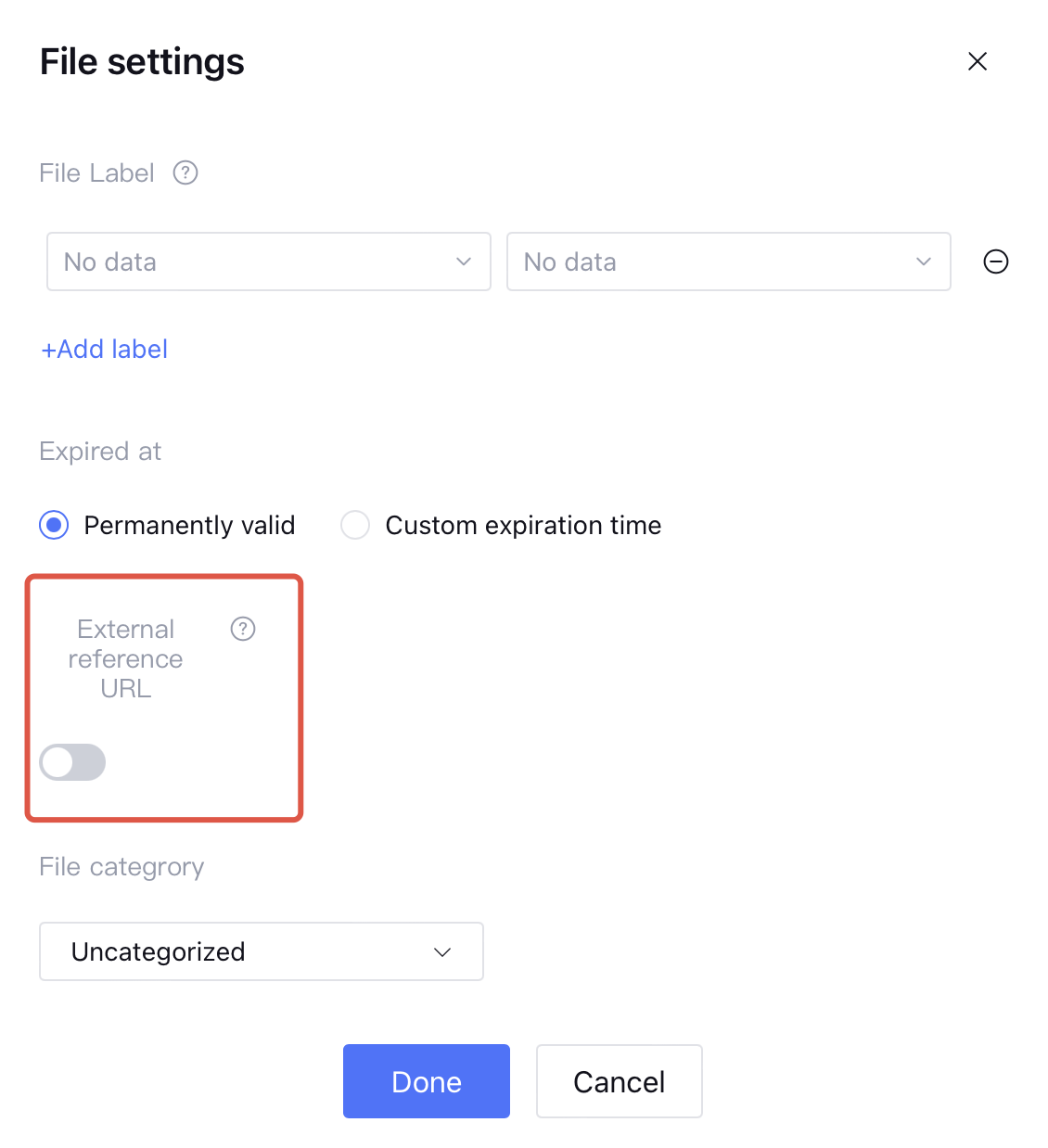
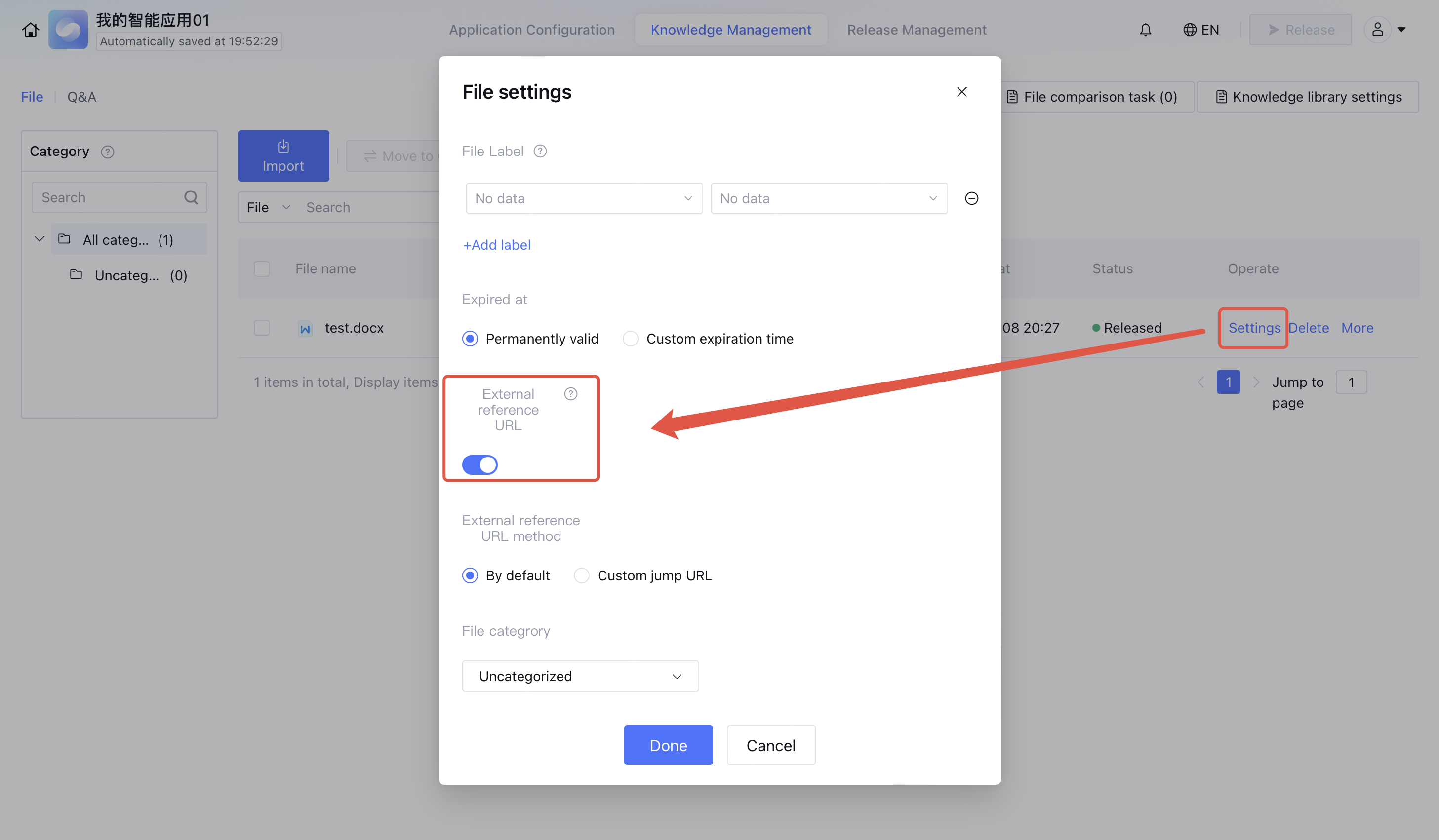
1. Reference sources are not enabled. You can enable them during document import. After importing a document, you can also choose to edit it and modify the externally referenced link to define the application link.
2. A dialogue does not always have a reference source. The reference source needs to be determined based on the content of the question, the documents in the knowledge base, and the degree of similarity of the QA. You can perform QA on the same question respectively on the test preview page and the user page of Tencent Cloud ADP. After opening the external reference link of the document, the answers in both places should be the same.
12. The Python example provided in the application document interface fails to run and cannot perform QA
The customer might not have the correct software version installed. Update by the following method:
pip3 install -r requirements.txt
Note:
Run the pip3 install requests command to install dependencies, but it cannot resolve the above issue.
13. Parameter Configuration for Image-Based Q&A via websocket or HTTP sse
2. In websocket and HTTP sse content: If sending a picture, transmit the image link in markdown format, such as , where the image link must be public read.
"content":"Describe the following image"
}
14. Token Validation Failure
1. Check whether the same token is validated multiple times. A token can only be validated once, and the second attempt will report an error.
2. Check if the token is within the valid period. The valid period is 60s.
15. Reference Source Event Description
After release, an application may not necessarily have a reference source event. The following two necessary conditions must be met:
1. Ensure the document has external reference links enabled. You can toggle them on via bulk setting. Enable as needed.
2. Current business rules perform threshold calculation on recalled content and responses processed by large model recall. Only if the set threshold is reached will the reference source be returned.
Note:
After the retrieved content is processed by large language models, the main reasons for the discrepancy between the retrieved content and the original retrieved content are as follows:
Large language models process the input content by merging, polishing, and other modifications.
User-defined prompts constrain the output content of large language models.
16. Chinese Garbled Characters in Message Replies
This issue is usually caused by different encoding methods and can be investigated from two aspects:
1. Specify UTF-8 encoding when data is serialized and transmitted in programs.
2. The system default encoding is GBK, while the server side returns UTF-8 encoding. Due to different encodings on both sides, Chinese characters appear garbled.