tencent cloud

Performance Testing Service

Overview
Purchase Guide
Billing Overview
Pay-as-You-Go (postpaid)
Purchasing Channels
Payment Overdue
Refund Instructions
Quick Start
Operation Guide
Performance Testing in Simple Mode
Performance Testing in Script Mode
Performance Testing in JMeter Mode
Project Management
Scenario Management
Traffic Recording
Environment Management
Scheduled Performance Testing
Performance Testing Report
Access Control
Alarm Management
Tag Management
Error Code Manual
Practice Tutorial
Using Prometheus To Monitor Performance Testing Metrics
Using PTS to Playback Requests Recorded by GoReplay
API Documentation
History
Introduction
API Category
Making API Requests
PTS-related APIs
Data Types
Error Codes
JavaScript API List
Overview of JavaScript API List
pts/global
pts/http
pts
pts/dataset
pts/grpc
pts/jsonpath
pts/protobuf
pts/redis
pts/sql
pts/url
pts/util
pts/ws
pts/socketio
pts/socket
FAQs
Related Agreements
Service Level Agreement
Use Limits
Privacy Policy
Data Processing And Security Agreement

Scenario Overview

PDF
Focus Mode
Font Size
Last updated: 2025-03-26 18:09:21

Concept Introduction

In PTS, a scenario is a simulation of the stress condition of a real business scenario. It is also the smallest unit for managing the configuration, resources, and lifecycle of a round of performance testing.
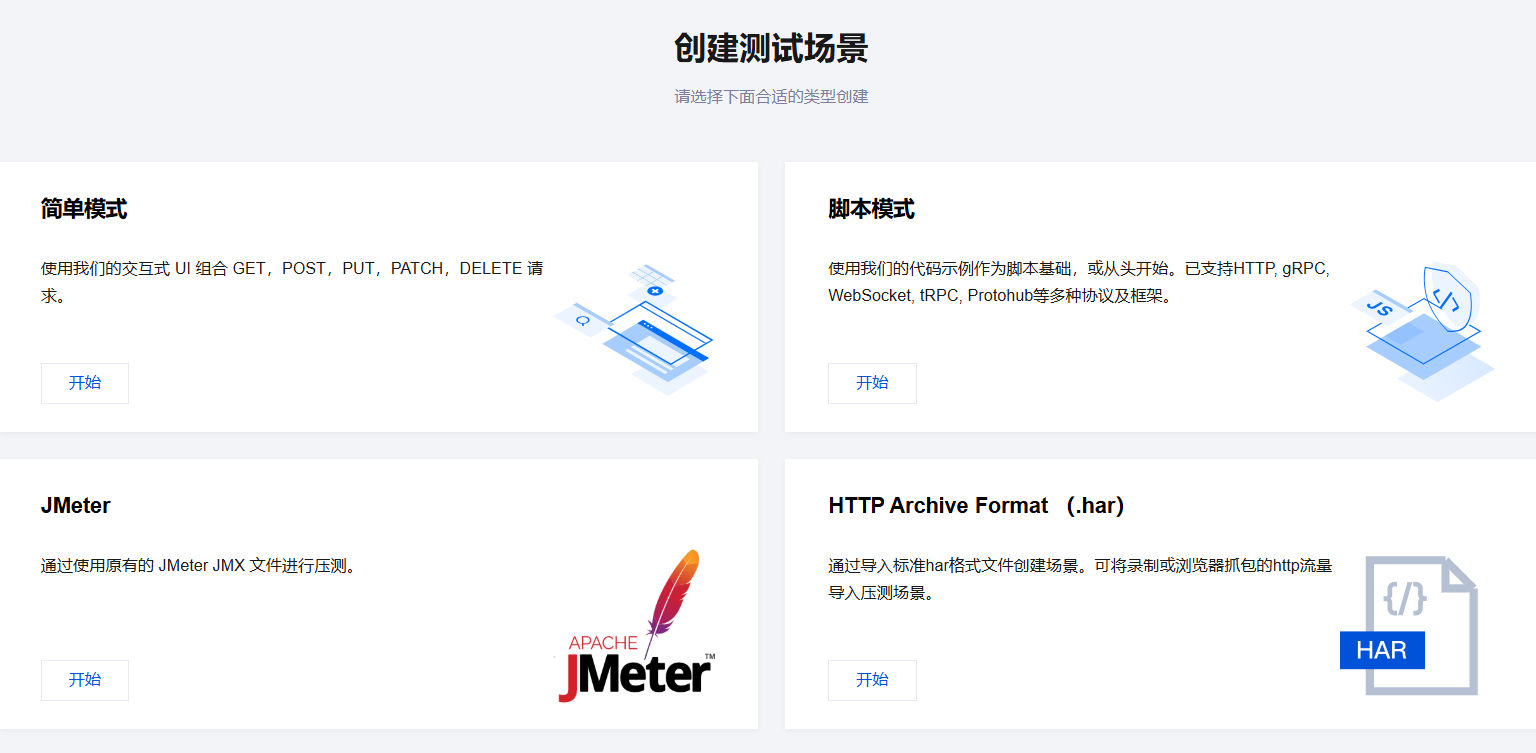
Based on the orchestration method, PTS provides the following scenario modes:
Simple mode: This mode is straightforward and intuitive, making it suitable for a quick start.
Through the console's graphical interface, you can visually orchestrate request linkages without writing any code.
It supports HTTP protocol requests such as GET, POST, PUT, PATCH, and DELETE.
Script mode: This mode provides flexible logic orchestration and protocol support with script templates available for reference.
You can write JavaScript scripts in the online code editor in the console to orchestrate request linkages in an as code mode.
It supports various network transmission protocols like HTTP, WebSocket, TRPC, and GOFree, as well as data serialization/deserialization protocols such as Protobuf and JCE.
PTS provides a variety of script template categories to help you write your scripts, easily meeting personalized needs.
JMeter mode: This mode natively supports JMeter performance testing.
You can upload JMX scripts for a seamless transition of your JMeter testing experience.
Additionally, it supports uploading files such as CSV and JAR to leverage JMeter's extended features.

Directions

1. Log in to the TCOP console.
2. In the left sidebar, click PTS > Test Scenarios.
3. On the testing scenarios page, click Create Scenario.
4. On the create a testing scenario page, choose the appropriate type and click Start to create.


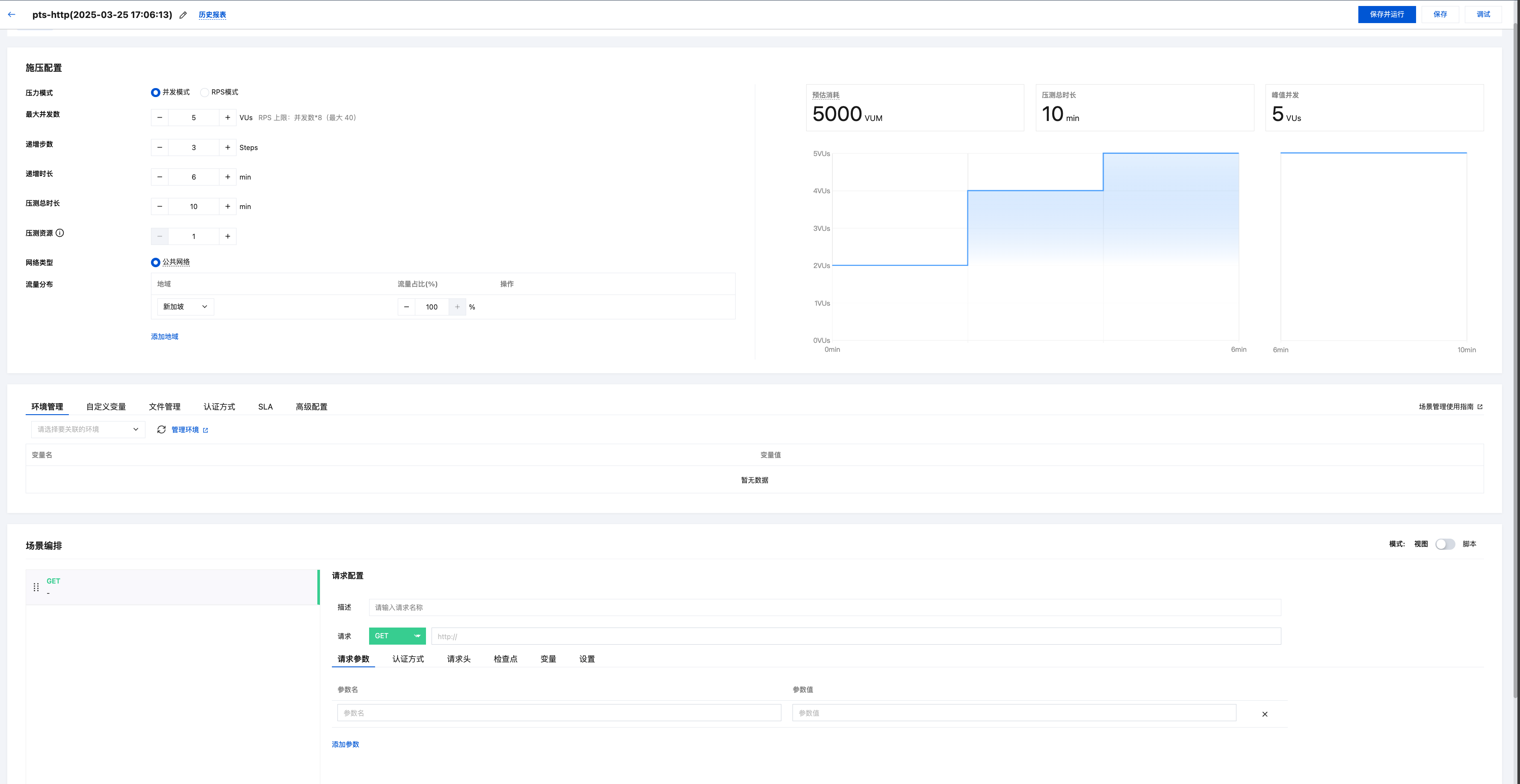
5. After completing the corresponding scenario configuration, click Save, or Debug , or Save and Run in the top right corner.


Help and Support

Was this page helpful?

Help us improve! Rate your documentation experience in 5 mins.

Feedback