In essence, Edge Zone is an availability zone within a public cloud. Edge Zone supports CVM, public network, VPC, and CLB.
The methods of creating and using the above products in Edge Zone are similar to those of the ordinary public cloud availability zones. Please refer to the official documentation of the corresponding products for specific operation methods.
The main differences between Edge Zone and ordinary public clouds in terms of usage are as follows:
Product
Feature
Description
CVM
Custom Image
Edge Zone supports the creation of custom images, supported for use in both ordinary public cloud availability zones and Edge Zone availability zones.
Custom images created in ordinary public cloud availability zones are not supported within the Edge Zone.
CVM
Cloud disk
Edge Zone currently only supports local disks and does not support the creation and use of Cloud Block Storage.
CVM
No charges when shut down
Edge Zone does not currently support the feature of no charges when shut down.
CVM
Upgrade or downgrade
Edge Zone does not currently support the feature of upgrade or downgrade.
Public Network
Public Network Type
Edge Zone does not support BGP, only supports IPs from CTCC, CUCC, and CMCC.
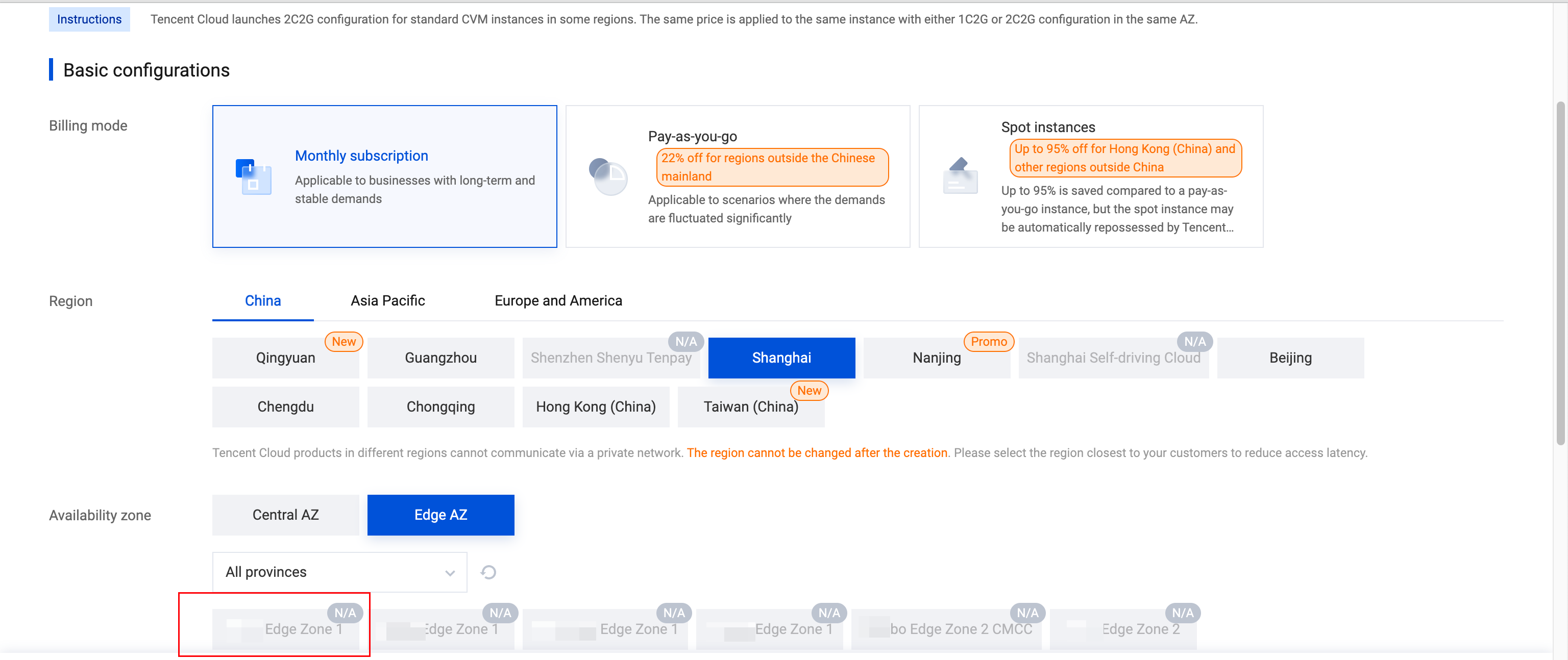
Edge Zone Purchase Page
1. To purchase Edge Zone resources, you need to apply for Edge Zone product permissions first. For detailed operation methods, see Apply to Activate Edge Zone.
2. After the application is approved, we will enable the Edge Zone product feature for your account.
3. You can sign in to the CVM Instances, click Create to access the purchase page. On the purchase page, you will see the Edge Zone availability zone option. After choosing the proper availability zone, you can refer to the prompts to configure specifications, images, disks, and other parameters. The overall purchasing experience is similar to CVM.