tencent cloud
Promotions
Products
Solutions
Pricing
Partner Network
Marketplace
Explore
Prev
Next
Control Center
Product Introduction
Overview
Strengths
Scenarios
Purchase Guide
Getting Started
Enabling Control Center
Configuring a Landing Zone
Operation Guide
Landing Zone
Control Center Overview
Baselines
Accounts
Login Permissions
Finance
Security Rules
Compliance Audit
Cloud Security Center
Use Cases
Centrally Managing Enterprise Accounts
Multi-Account Financial Management
Multi-Account Permissions Management
Multi-Account Log Collection and Auditing
API Documentation
History
Introduction
API Category
Making API Requests
Account Factory APIs
Data Types
Error Codes
Control Center Policy
Privacy Policy
Data Processing And Security Agreement
FAQs
ドキュメント
Control Center
Operation Guide
Accounts
Inviting Accounts
Inviting Accounts
Download
フォーカスモード
フォントサイズ
最終更新日: 2023-12-24 09:41:04
Overview
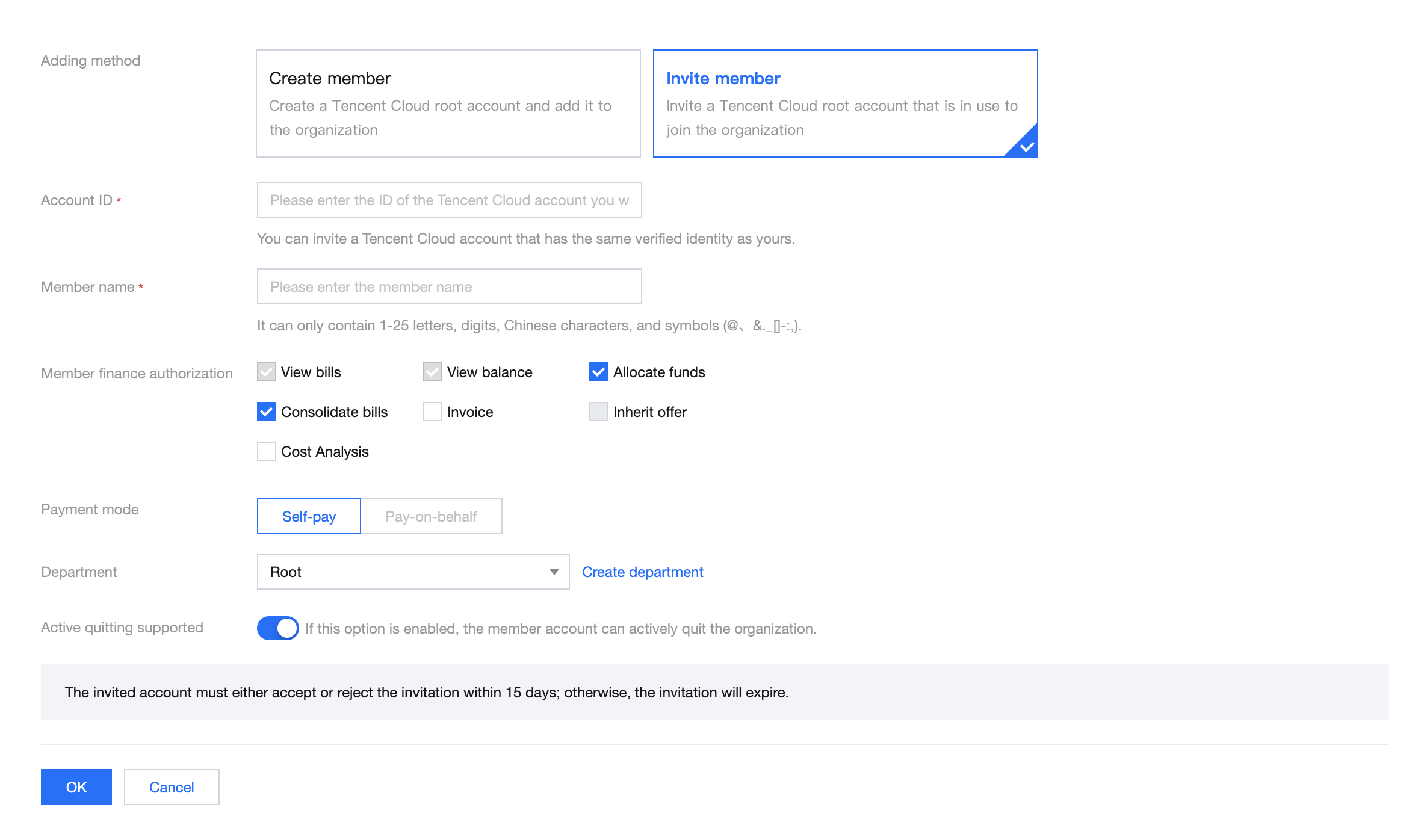
This document describes how to invite accounts.
Directions
1.
Log in to the Tencent Cloud console and go to the
Control Center >
Accounts
page. Click
Invite account
.
2.
On the
page that appears, select
Invite member
as the adding method. For more information about the configuration, see
Adding Members
.
前の記事へ: Adding Accounts
次の記事へ: Creating Permissions
ヘルプとサポート
この記事はお役に立ちましたか?
はい
いいえ
営業担当者に
お問い合わせ
いただくか
チケットを提出
してサポートを求めることができます。
フィードバック