Overview
Control Center allows you to enable and manage security rules to ensure a more secure multi-account environment. This document describes how to configure security rules in a landing zone.
Prerequisites
You have logged in to the Tencent Cloud console and gone to the Control Center > Landing zone page. Directions
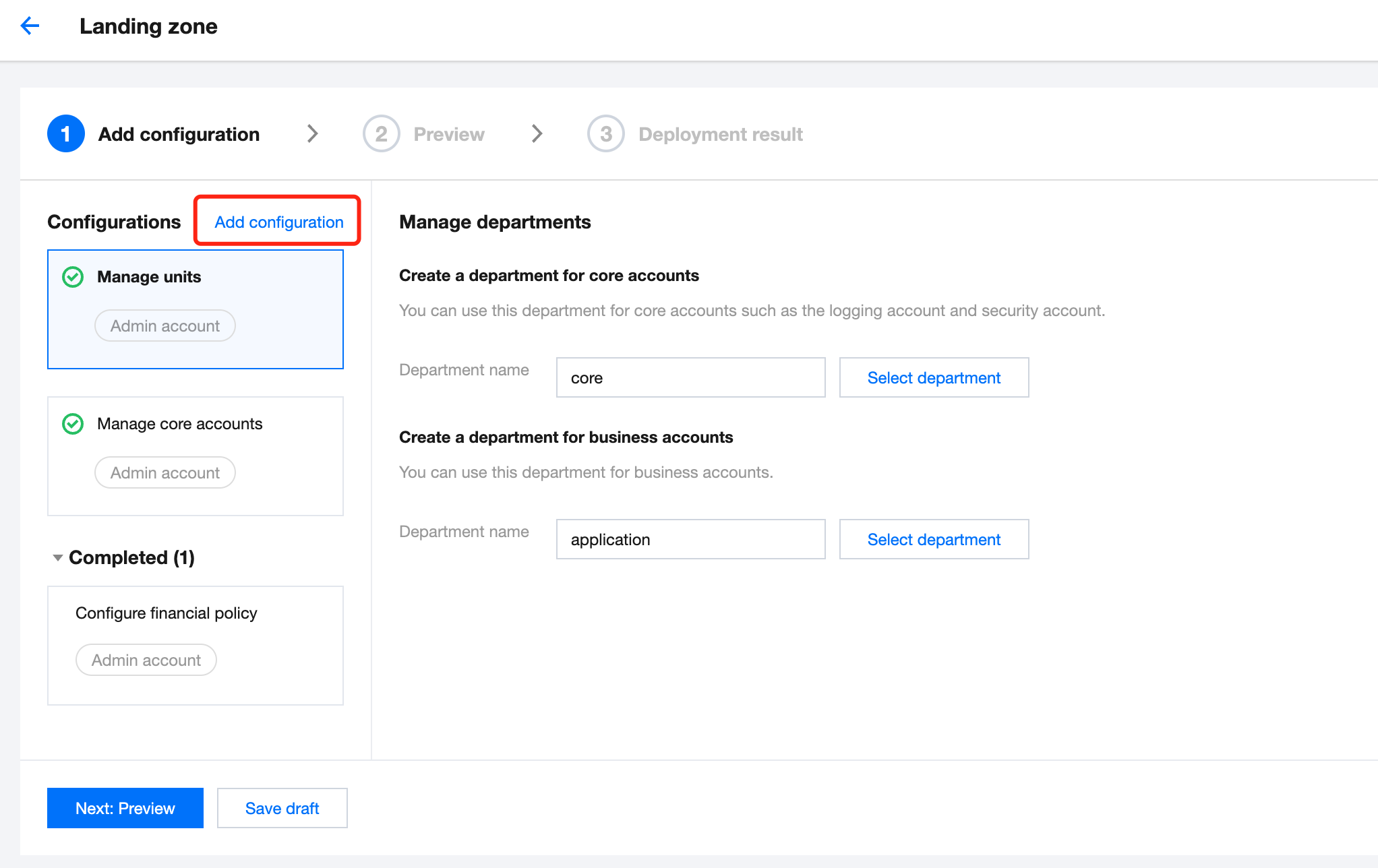
1. On the Landing zone page, click Add configuration.
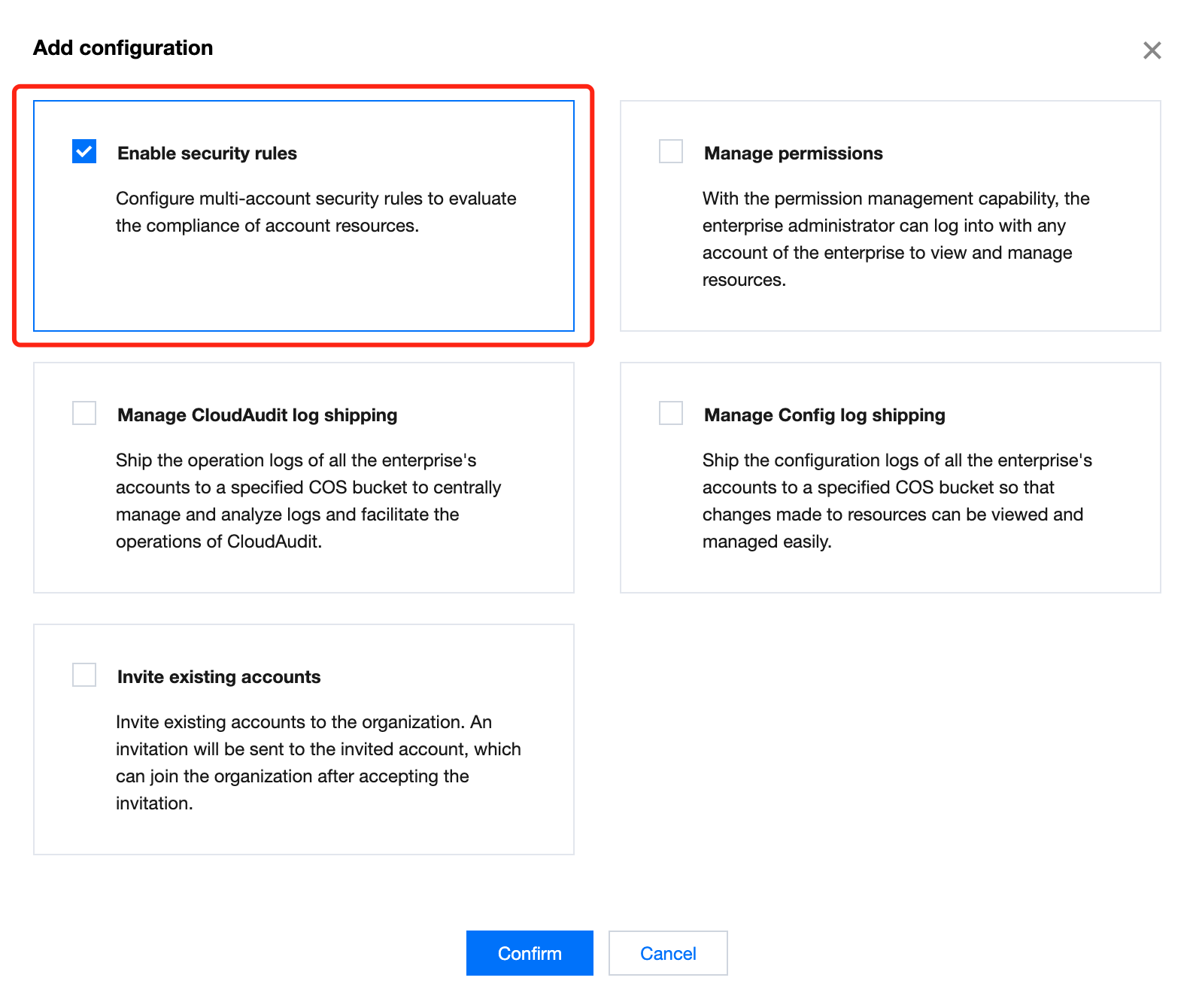
2. In the pop-up window, select Enable security rules and click Confirm.
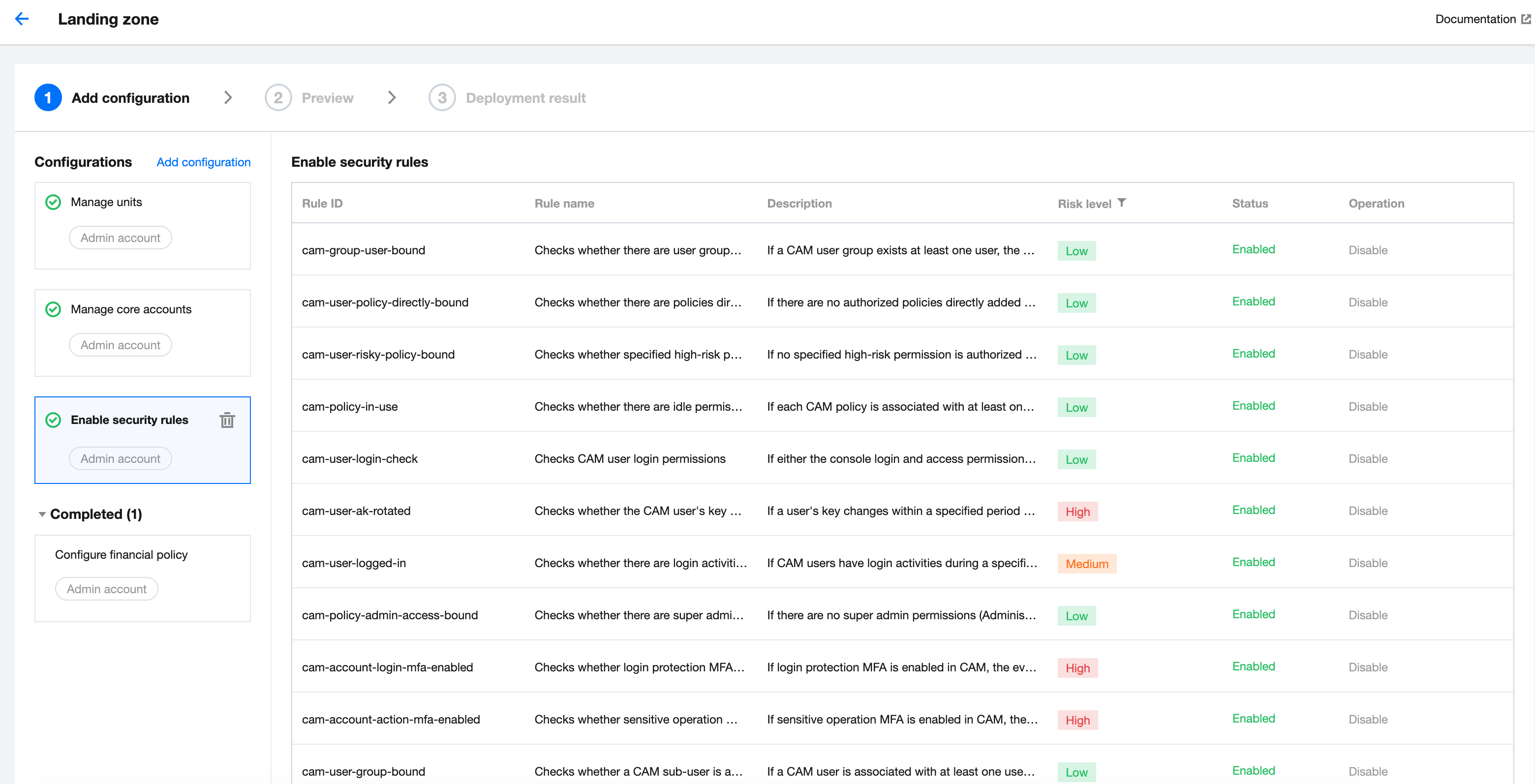
3. In the Enable security rules list:
Click Enable to enable a specific security rule. Then, the rule enters the Enabled state.
Click Disable to disable a specific security rule. Secondary confirmation is required for disabling high-risk rules. Then, the rule enters the Disabled state.
Note:
Following best practices, Tencent Cloud classifies security rules into low-risk, medium-risk, and high-risk rules based on their risk level. You can enable security rules based on your needs.
High: These are essential security rules and are enabled by default. Disabling them requires secondary confirmation.
Medium: These are compliance rules and are enabled by default. You can disable them as needed.
Low: These rules are optional and are enabled by default. You can disable them as needed.
4. Click Next: Preview. After confirming that the configured rules are correct, click Apply.
5. After the rules are applied, you can go to Control Center > Security rules and click Manage security rules to complete rule configuration under Tencent Cloud Config.