tencent cloud

Cloud Automated Testing

Product Introduction
Overview
Strengths
Use Cases
Purchase Guide
Billing Overview
Purchase Methods
Payment Overdue
Getting Started
Operation Guide
Creating Test Task
Pausing Task
Resuming Task
Instant Test
Testing Statistics
Task Comparison
Access Management
References
FAQs
General
Cloud Automated Testing Service Level Agreement
CAT Policy
Privacy Policy
Data Processing And Security Agreement

Task Comparison

PDF
Focus Mode
Font Size
Last updated: 2023-12-22 11:33:04
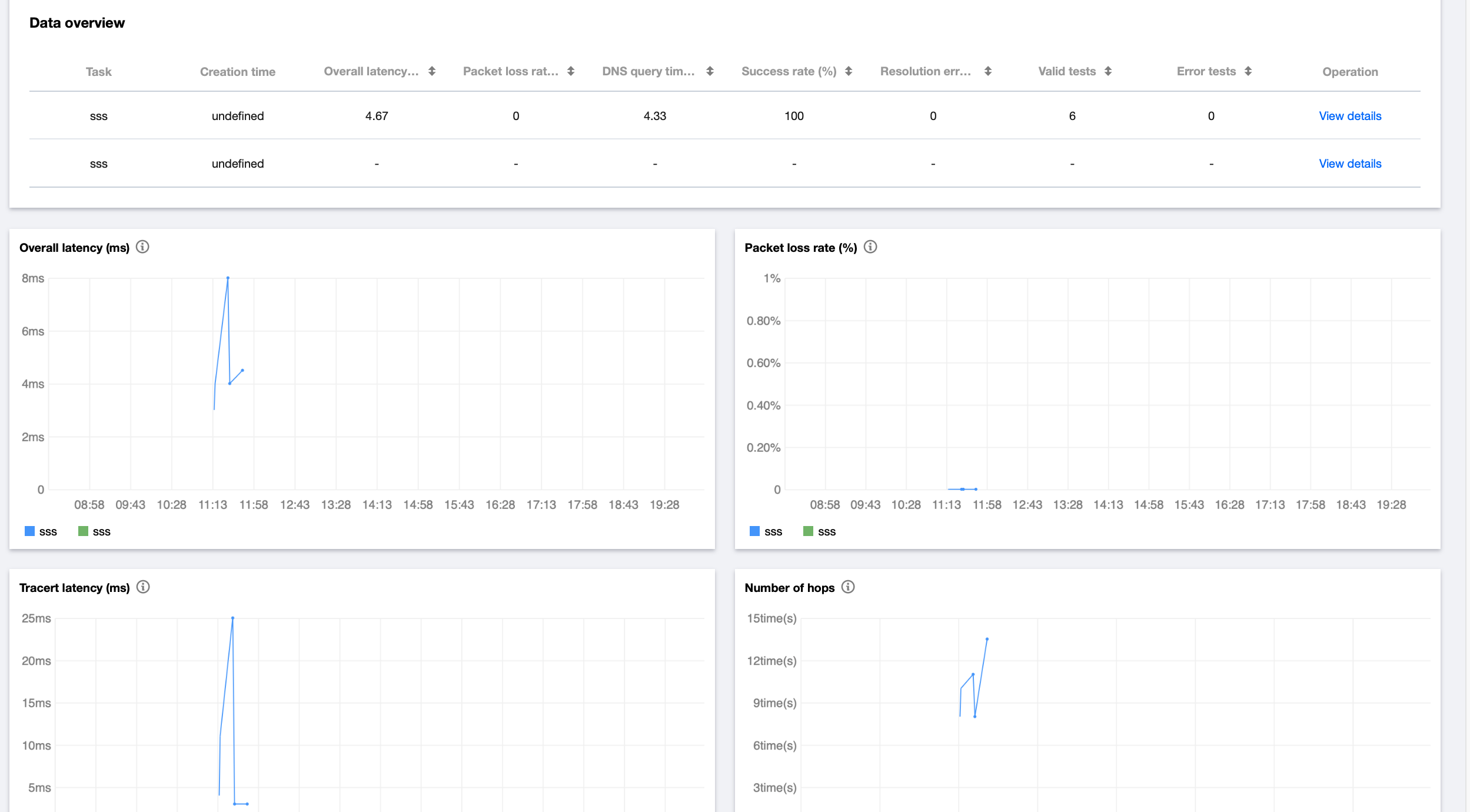
After creating multiple test tasks for the same scenario, you can leverage the task comparison feature to analyze their performance metrics. This feature applies to CDN quality comparison, horizontal comparison of website performance, etc.

Directions

Note:
You can compare up to three test tasks.
1. Go to Task Comparison in the CAT console.
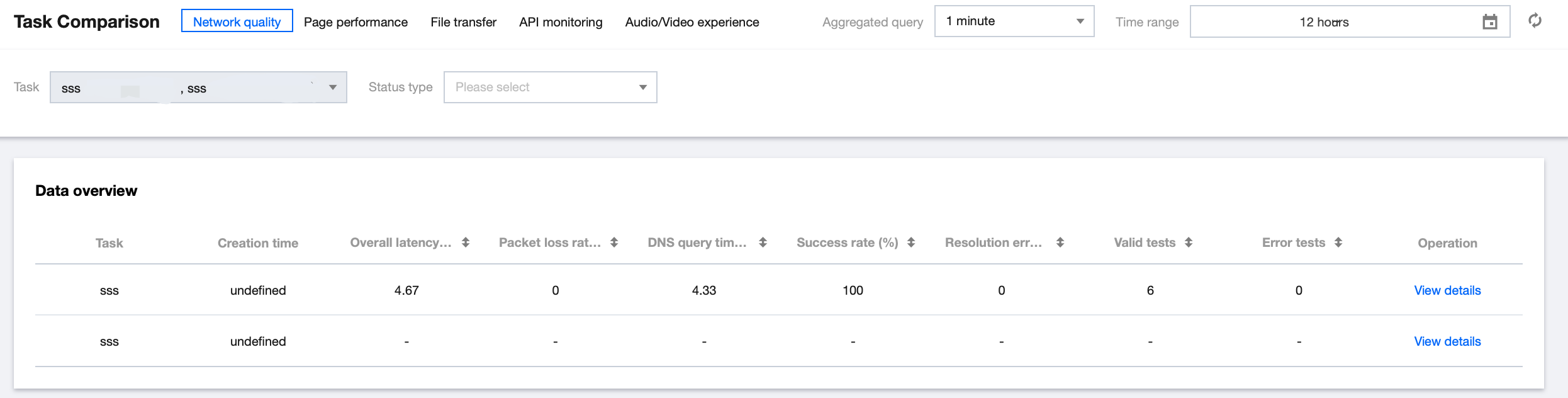
2. In the top-left corner of the Task Comparison page, select the target task scenario and task type.

3. Then, you can horizontally compare the data of different test tasks in multiple dimensions such as map, line chart, figure, and detailed data on the Task Comparison page.
Note:
For more information on metrics, see Test Statistics.

Help and Support

Was this page helpful?

Help us improve! Rate your documentation experience in 5 mins.

Feedback