Operation Process Overview
ダウンロード
フォーカスモード
フォントサイズ
This document introduces how administrators implement full lifecycle management of Cloud Virtual Desktop (CVD) instances in the console, helping you quickly understand the relevant process.
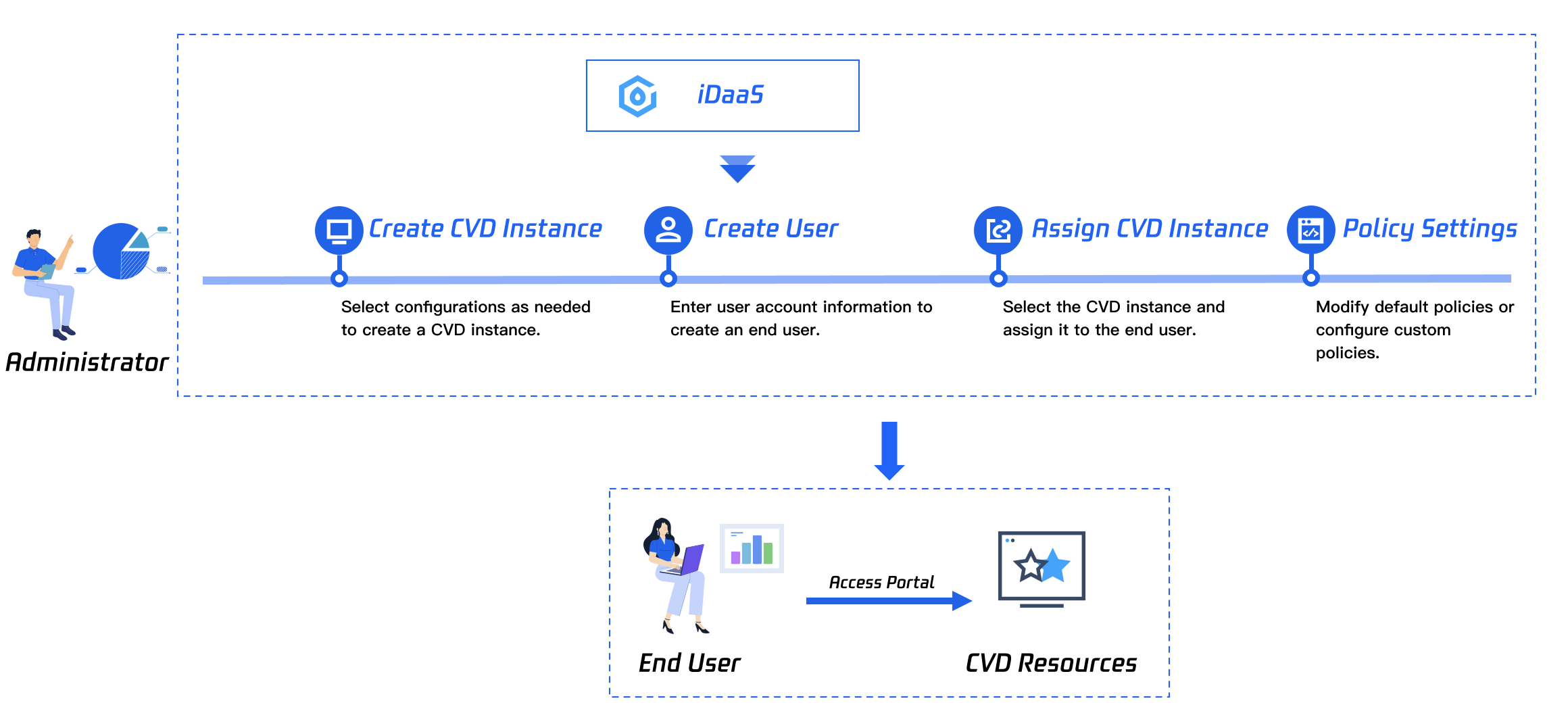
Process Description
1. Plan reasonably based on your business requirements and create CVD instances in the console. For specific operations, see Purchasing a CVD Instance.
2. Create users or import users in batches in Tencent Cloud IDaaS based on your user planning. For specific operations, see User Management.
3. Assign the created CVD resources to end users. For specific operations, see Binding Users.
4. Plan CVD policies based on your business requirements, and set default policies or create custom policies in Policy Management. For specific operations, see Policy Management.
フィードバック