Access Bastion Host O&M Page Via Intranet Domain
Baixar
Modo Foco
Tamanho da Fonte
Scenarios
Intranet operation and maintenance refers to accessing the bastion host through the private network to perform ops management on resources such as hosts, databases, and applications, avoiding access via the public network (Internet). The bastion host supports intranet operation and maintenance mode, suitable for scenarios with high security requirements, effectively reducing public network exposure risks.
Step 1: Enable Intranet Operation and Maintenance
1. Log in to the BH console.
2. In the left sidebar, select Activate Service > Service List.
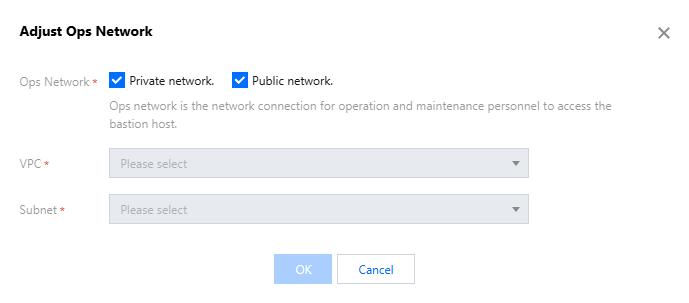
3. On the service list page, click More > Adjust Ops Network in the corresponding service operation bar.

4. In the Adjust Ops Network window, select private network as the Ops method, and then select VPC and subnet, click OK.
Note:
Ensure O&M personnel terminal network and the selected VPC/subnet have connectivity.
Step Two: Associate Intranet Domain Name
1. Log in to the Private DNS console.
2. In the left sidebar, select Private Network Resolution > Domain Name List.
3. In the domain name list, click Create Private Domain.
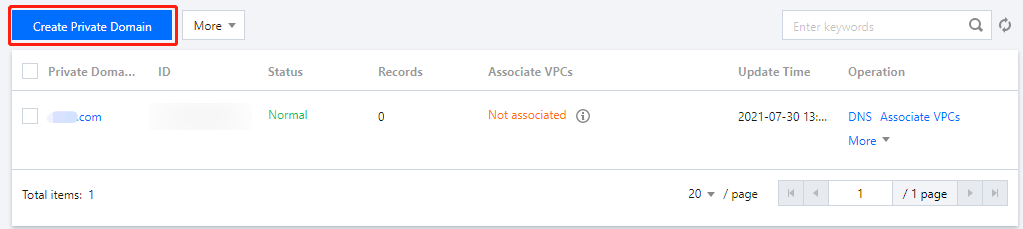
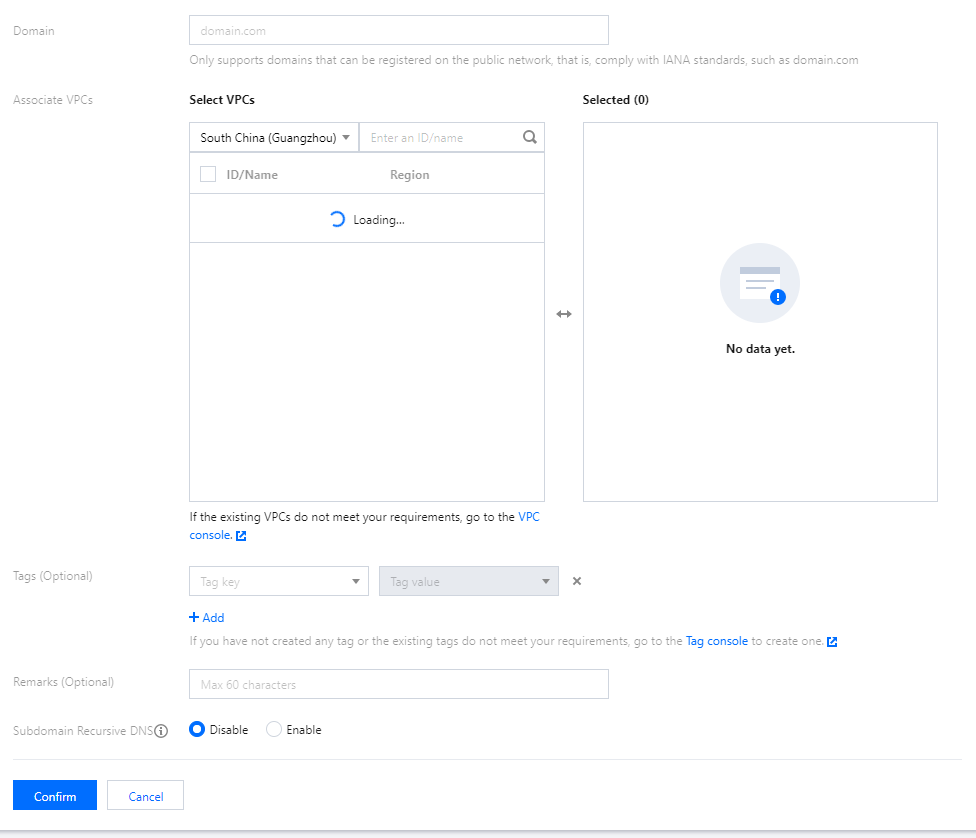
4. On the Create Private Domain webpage, fill in the relevant information for the private domain, then click Confirm.
Domain name: tencentbh.com.
Associate with VPC: Enable private network access for VPC.
Subdomain recursive resolution: Disabled.
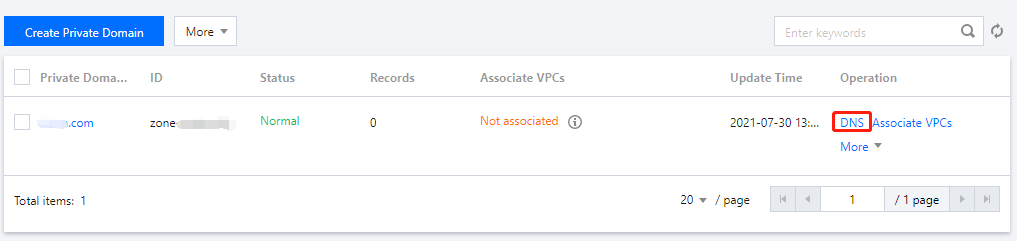
5. After creation, go back to the domain list page, select the private domain you just created, and click Resolve in the operation column.
6. On the resolution record page, click Add Record, add the host and record value, then click Save once completed.

Note:
Host: advisable format {resource-id}-{vpc-id}.
For example: resource-id="bh-saas-xxxxx", vpc-id="vpc-124debs9", the host record should be filled as xxxxx-124debs9.
Record value: Fill in the IP address for intranet access, which is the IP address displayed on the BH - Overview Intranet Operation and Maintenance Page.

Step Three: Use Private Network Domain Name to Access Ops Page
After successful association of the intranet domain name, you can access the ops page through the configured access domain.
Note:
Access domain: host record.tencentbh.com.
Ajuda e Suporte
Esta página foi útil?
Você também pode entrar em contato com a Equipe de vendas ou Enviar um tíquete em caso de ajuda.
comentários