Overview
The operation logs primarily record user activities, including operations, maintenance, and configuration behaviors on the BH. These logs help administrators understand the usage of the BH, identify potential security issues, and perform troubleshooting and accountability tracing in case of anomalies.
Directions
Viewing Operation Logs
2. In the left sidebar, choose Self-Audit > Operation logs.
3. On the Operation Logs page, detailed records include the operation time, username/name, source IP, specific operation, and operation result.
Querying Operation Logs
On the Operation Logs page, you can click Time to switch and view operation records for different time periods.
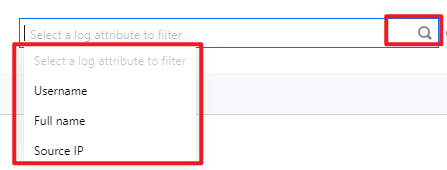
In the search box, filter logs by attributes such as username, name, or source IP. Click to quickly query operation logs. On the Operation logs page, search for specific operation logs using Operation and Result.