Deleting Custom Attribute
ダウンロード
フォーカスモード
フォントサイズ
Scenarios
After a custom attribute is added successfully, you can delete its information, such as the attribute field, regular expression, and error message.
Note:
Built-in attributes cannot be deleted, while preset and custom attributes can be deleted.
Operation Steps
1. Log in to the IDSEC console, choose User Management > Attribute Customization in the left sidebar, and go to the Attribute Customization page.
2. On the Attribute Customization page, click Delete.
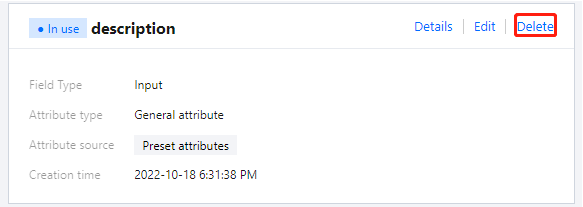
3. In the "Confirm Deletion" dialog box, click OK to delete the selected attribute(s).
Attention:
Once deleted, the data of this custom attribute cannot be recovered. Please perform this operation with caution while the attribute is disabled to avoid affecting online users.
フィードバック