After purchasing the EdgeOne prepaid plan (Personal/Basic/Standard version), if you use less than 10 MB of package flow within 5 days with the number of requests less than 1000 times, you can be refunded part of the fee according to the remaining days within 5 days, and refund is not supported in other cases.
For orders meeting the refund criteria where usage within 5 days is less than 10MB of data and fewer than 1000 requests, the refund amount will be pro-rated based on the remaining validity period of the package. The total refundable amount includes funds from cash accounts, revenue transfer accounts, and credit accounts.
If a user account is suspended due to content violations, all packages under the account are not eligible for refunds.
Tencent Cloud reserves the right to deny refund requests suspected of being fraudulent or abusive.
Vouchers (discount or otherwise) used during purchase cannot be refunded. Other payments (cash, gifted balances, cash coupons) will be refunded to your Tencent Cloud account according to the original payment method and proportion.
Note
If you have purchased the Enterprise Edition, which is not covered by the 5-day refund policy mentioned above, please contact the Tencent Cloud sales team for any refund-related inquiries by contacting us.
Refund Method
1. Log in to the Tencent Cloud EdgeOne console, and choose Billing Management > Package Management on the left sidebar.
2. Select the package that meets the refund policy for Self-service refund.
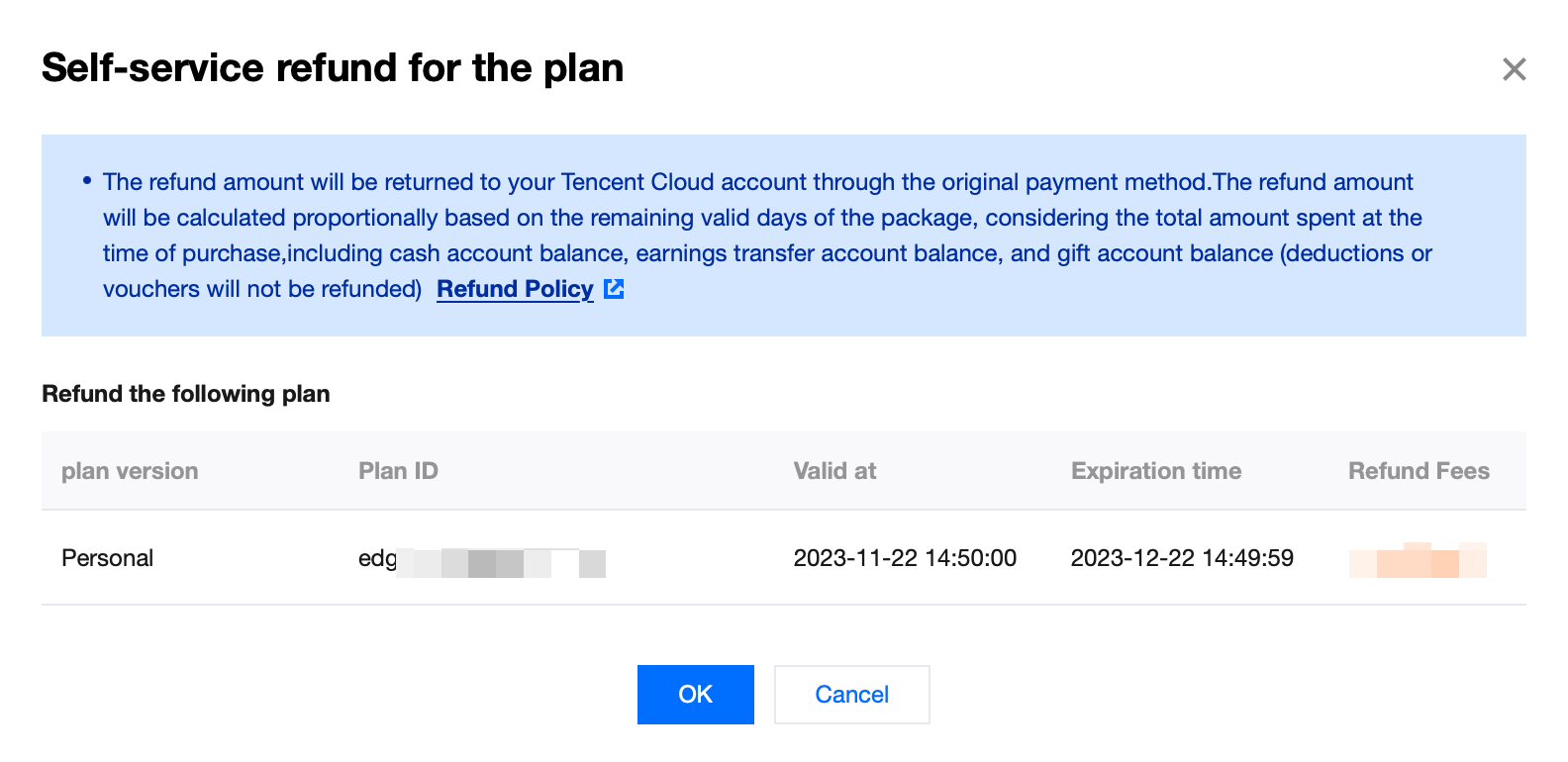
3. After double-checking the refund amount, click OK to start the refund application process.
4. Go to the refund page and click Confirm Unsubscription to complete the refund process.
Note:
1. The self-service refund of EdgeOne Prepaid Plan (Personal/Basic/Standard version) must meet the following conditions:
Refunds must be requested within 5 days from the effective time of the plan purchase. For example, if it is purchased on November 9, 2023 at 19:00:00, the latest refund time is November 14, 2023 at 18:59:59.
The data usage included in the plan does not exceed 10 MB.
The number of requests included in the plan cannot exceed 1000 times.
2. Billing settlement may be delayed. Before initiating a self-service refund, you need to disable the service and wait for all billing usage to be settled. Ensure that the traffic usage does not exceed 10 MB and the number of requests does not exceed 1000 times. Then you can proceed with the self-service refund.
Refund Example
User A purchased the Personal Edition Plan (1.4 USD) on November 9, -2023, at 19:00:00, using a coupon for 0.4 USD payment and the remaining 1 USD from the balance. The deadline for a refund within 5 days should be November 14, 2023, at 18:59:59, and a refund application can only be made if the traffic usage in the package is less than 10 MB and the number of requests is less than 1000. If the user applies for a refund on November 10, 2023, at 18:00:00, the actual refundable amount would be 1 * (30-1) / 30 = 0.97 USD.
Refund Instructions for EO Prepaid Plan Renewal Orders
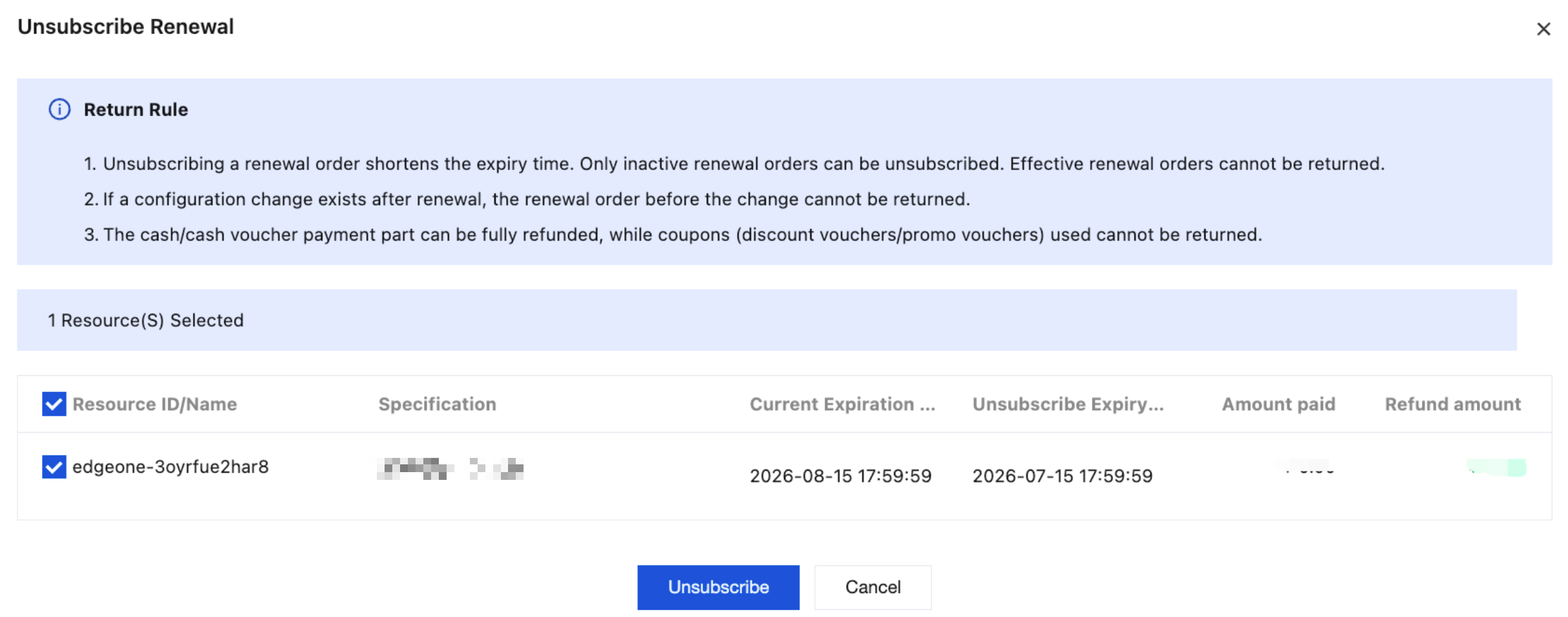
After renewing the EdgeOne Prepaid Plan (Personal/Basic/Standard version), if the renewed order has not yet taken effect, you can go to Billing Center - Renewal Management to request a refund for the renewal order.
Refund Method
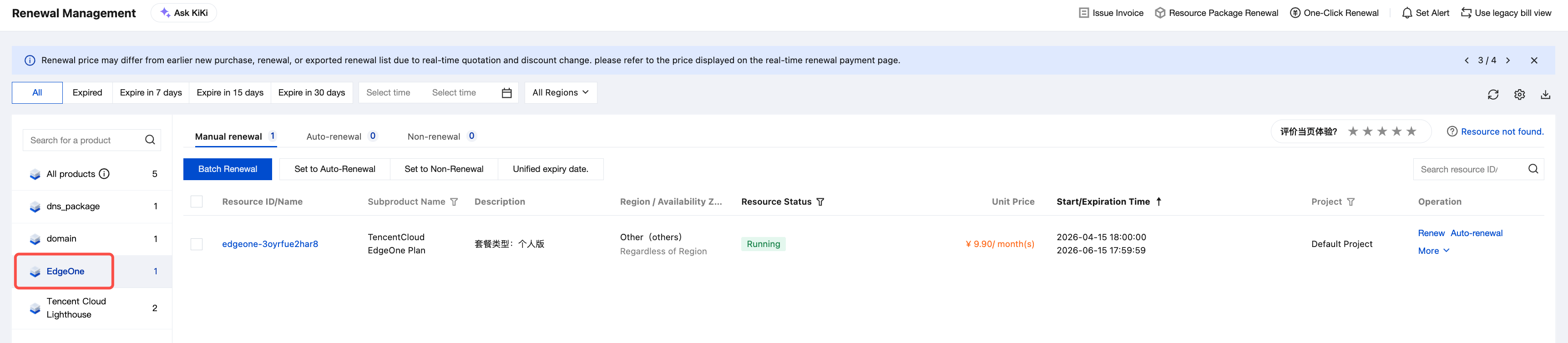
1. Log in to the Billing Center console, in the left sidebar, choose Billing Center > Renewal Management.
2. Select Product Category as Edge Security Acceleration Platform.
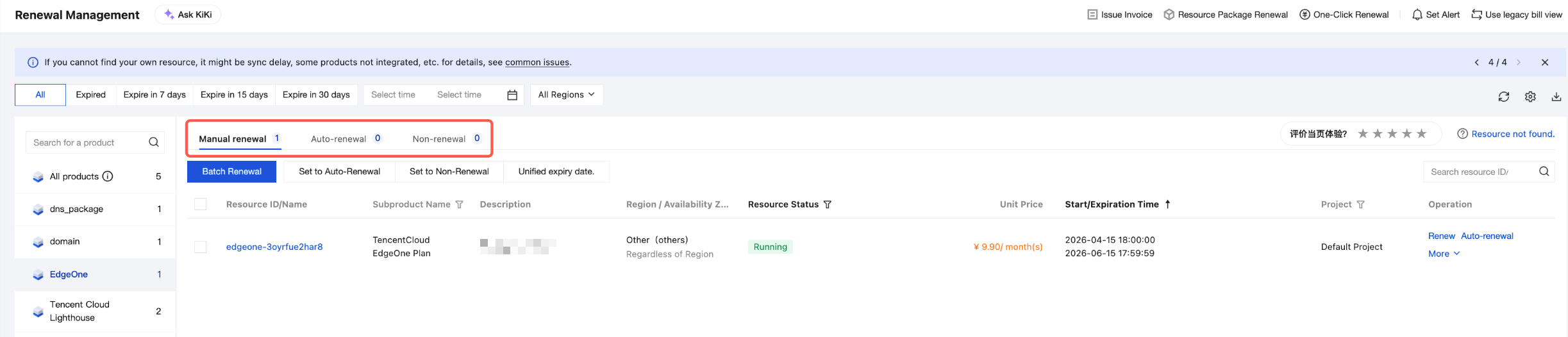
3. Based on the actual situation of the plan, select renewal type, taking the manual renewal item as an example:
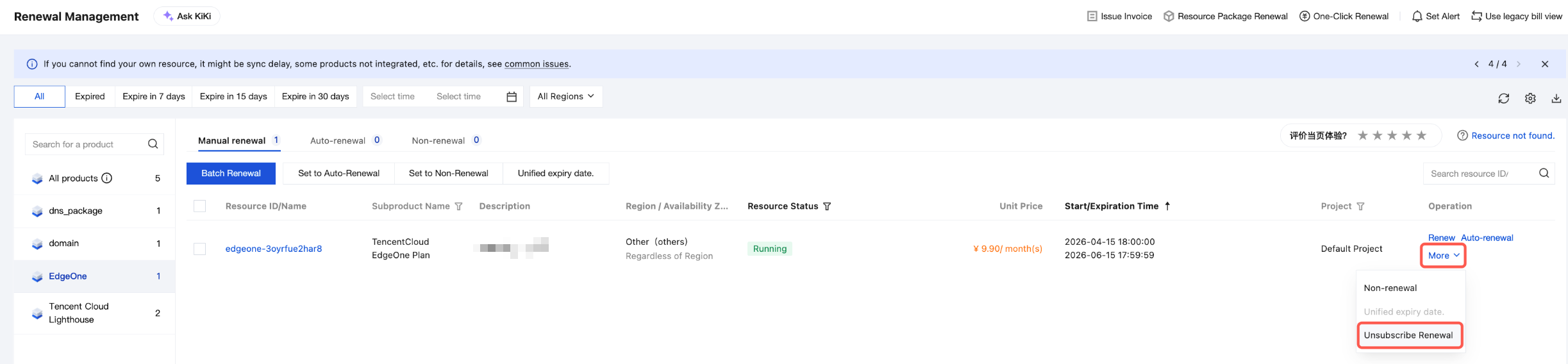
4. Choose More > Unsubscribe Renewal to request a refund for the renewal order.
5. Select the expiration time after unsubscription, then click Unsubscribe Now to initiate the renewal order unsubscription process.
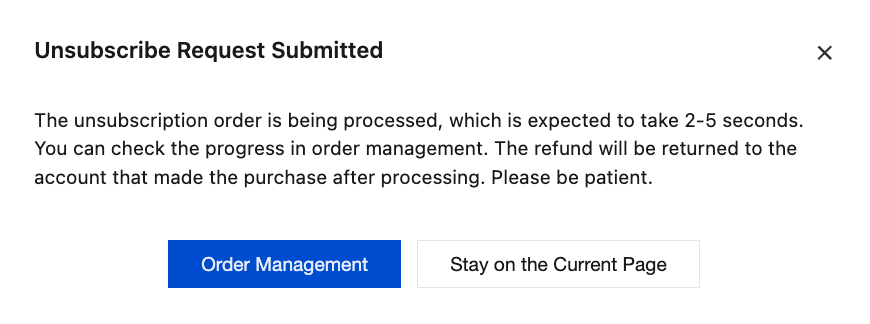
6. After an immediate unsubscription is initiated, the billing center will automatically enter the unsubscription process, and the renewal order fee will be refunded through the original payment channel.
Note:
Unsubscribing from renewal orders will shorten the plan expiration period. Only renewal orders that have not taken effect are eligible for unsubscription. Renewal orders that have already taken effect are non-refundable.
If a specification upgrade is involved after renewal, the renewal order for the upgrade will not be refundable.
The payment portion in cash/cash voucher can be fully refunded. Used coupons (discount coupons/vouchers) are not refundable.
If multiple renewal orders have not taken effect, unsubscription must be processed separately for each order, starting from the most recent one. For example, if two renewal orders exist, you need to initiate two unsubscription processes to complete the unsubscription for all renewal orders.
Refund Example
User A purchased a one-month Personal Edition plan (USD 1.4) on May 24, 2024, at 19:00:00, with an expiration time of June 24, 2024, at 18:59:59. On June 20, 2024, User A renewed the plan for one month. After successful renewal, the plan expiration time became July 24, 2024, at 18:59:59. The renewal order was paid using a voucher for USD 1 and the remaining USD 0.4 was paid via balance. On June 23, 2024, at 19:00:00, User A decided to discontinue usage and requested a refund for the renewed order.
The renewal order refund request was submitted at 19:00:00 on June 23, 2024. The renewal order is scheduled to take effect at 19:00:00 on June 24, 2024. As the order has not yet taken effect, the renewal order is eligible for refund.
The refund amount includes USD 1 paid by voucher and USD 0.4 paid via balance. The final refundable amount is USD 0.4.
EO Extra Package Refund Instructions
Refund Rule
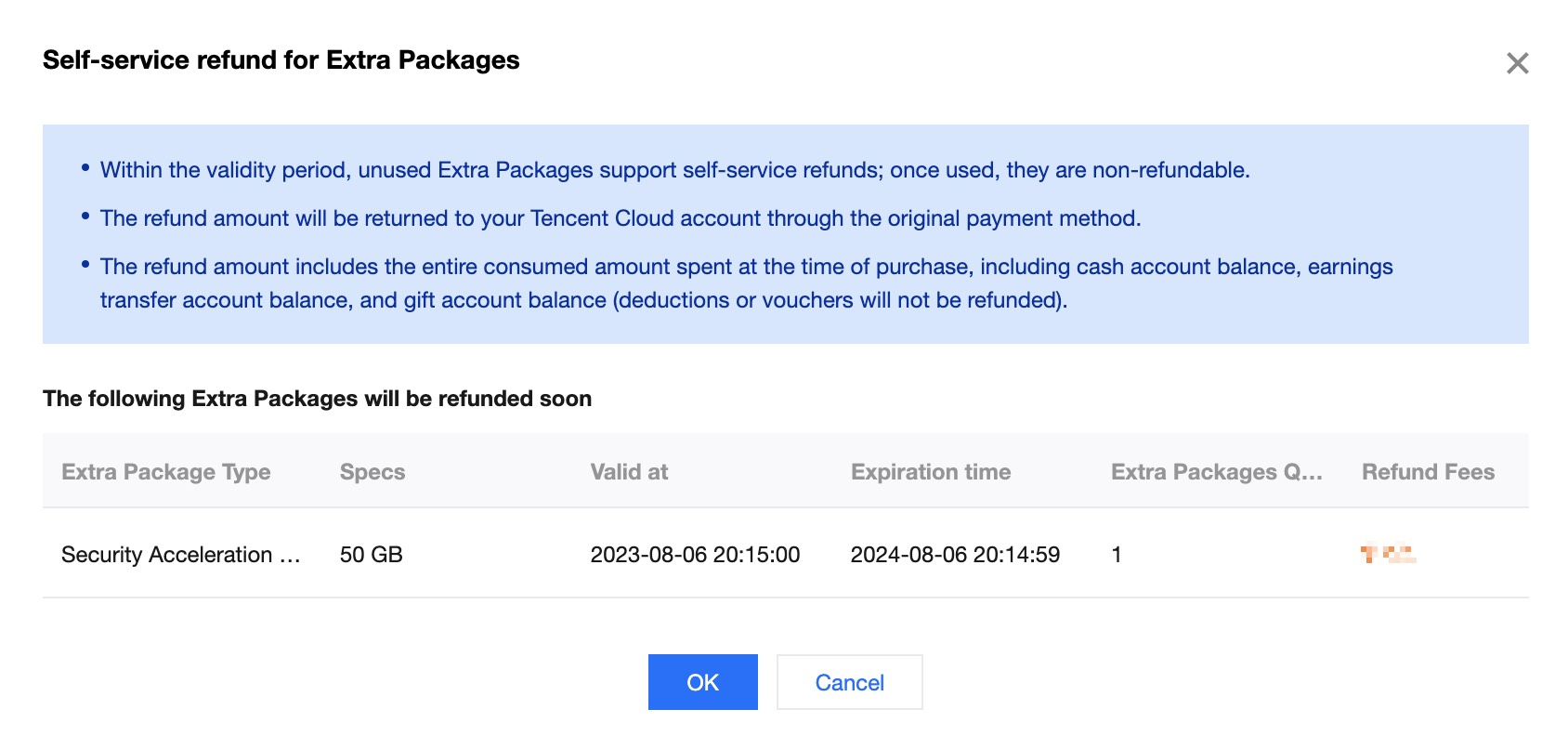
For a single account, unexpired and unused extra packages are refundable.
Once used, refunds and extensions are not supported.
Tencent Cloud reserves the right to deny refund requests suspected of being fraudulent or abusive.
For orders that match the refund scenario, the refund amount is the full amount of consumption spent at the time of purchase, including the cash account amount, the income transfer account amount and the gift account amount.
Note:
1. Deductions or cash coupons are not refundable.
2. The refund amount will be returned to your Tencent Cloud account in full.
Refund Method
1. Log in to the Tencent Cloud EdgeOne console, and click Extra Package Management in the left navigation bar.
2. Click Refund at the refundable extra package that meets the conditions.
3. In the Self-service Refund Window, confirm the refund notice and click OK.
4. Go to the refund confirmation page, confirm the information is correct, and click Confirm Refund.
5. In the Reconfirm Refund Popup, click Confirm Refund.
Add-on Refund Instructions
For purchases of the EdgeOne Free Plan add-on suite, a no-questions-asked pro-rated refund based on the suite's remaining validity days is supported:
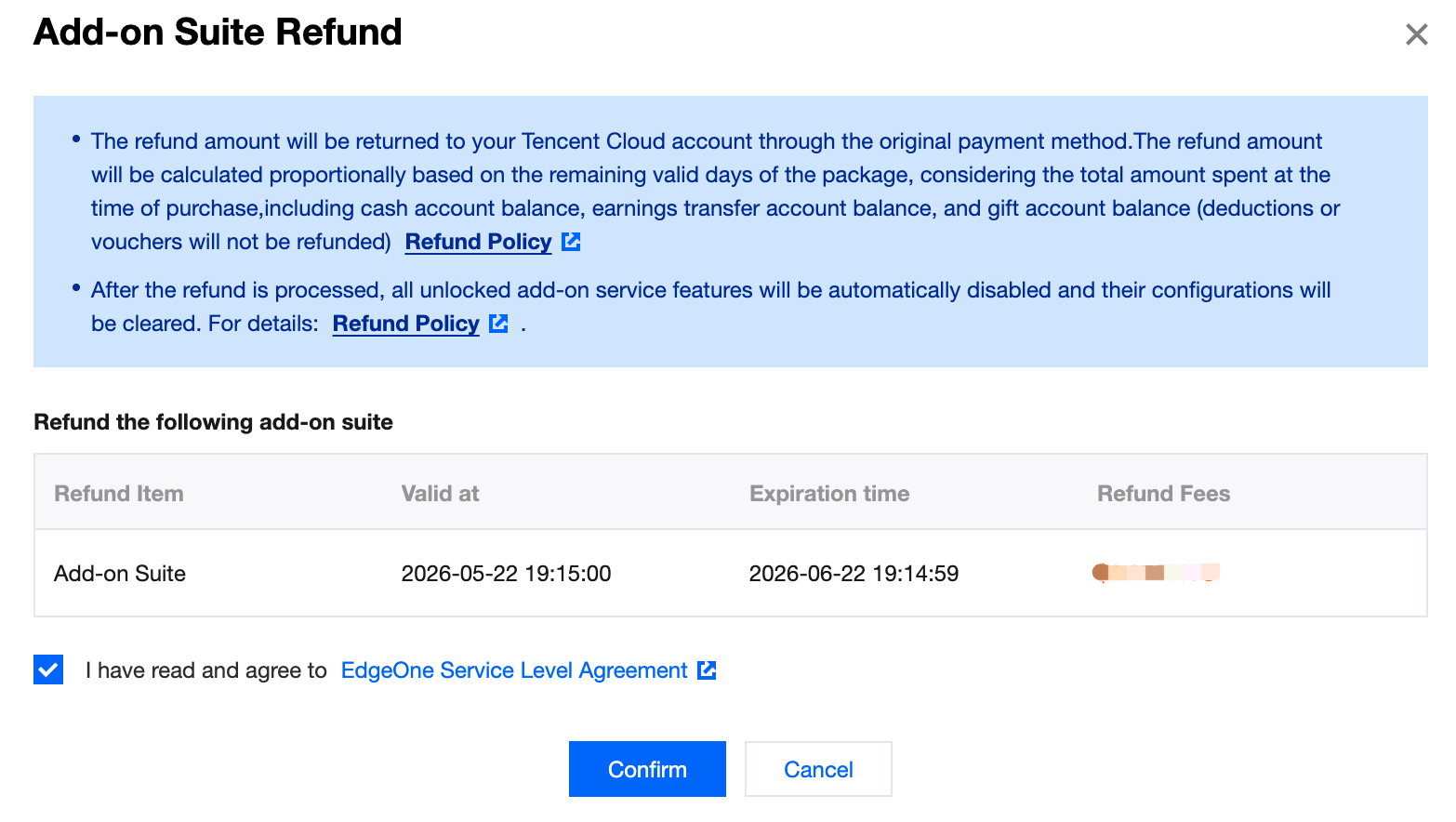
The refund amount is calculated as a pro-rated portion of the total amount spent at the time of purchase, based on the remaining validity days of the package. The total amount includes funds from the cash account, the revenue transfer account, and the credit account.
If a user account is suspended due to content violations, all packages under the account are not eligible for refunds.
Tencent Cloud reserves the right to deny refund requests suspected of being fraudulent or abusive.
Vouchers (discount or otherwise) used during purchase cannot be refunded. Other payments (cash, gifted balances, cash coupons) will be refunded to your Tencent Cloud account according to the original payment method and proportion.
Refund Method
1. Log in to the EdgeOne console, and in the left sidebar, choose Billing Management > Plan Management > choose the corresponding free plan > Add-on Suite > Self-service Refund.
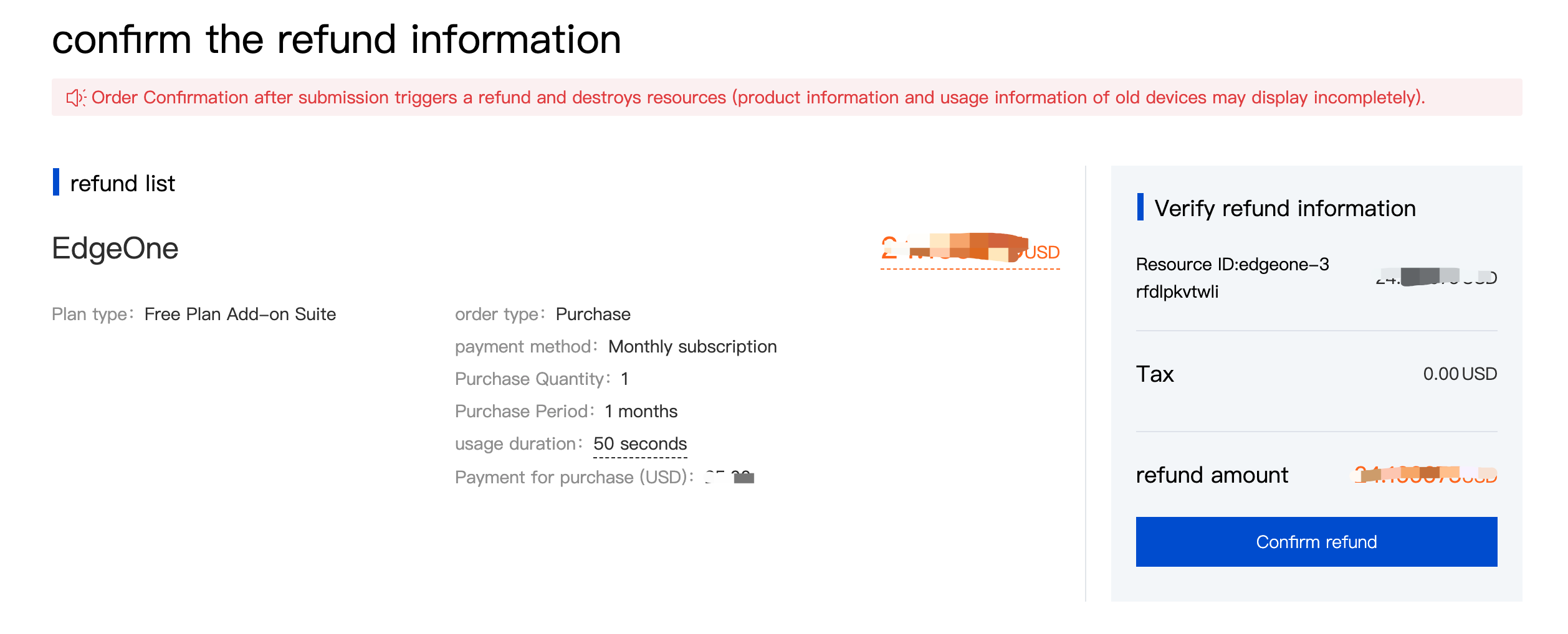
2. On the refund confirmation page, after double-checking the refund amount, select "I have read and agree to EdgeOne Service Level Agreement", then click Confirm to initiate the refund request process.
3. Go to the refund page, click Confirm Unsubscription, then in the pop-up confirmation window, verify the details and click Confirm Unsubscription to complete the refund request.
Note:
After a refund is issued, the unlocked value-added service features are automatically disabled, and their configurations are cleared. For details about the features corresponding to the add-on suite, see Free Plan Add-on Suite Introduction.
DDoS Defender Refund Instructions
Note:
Customers onboarded after January 12, 2026 are subject to the following terms.
Refund Rule
After purchasing a DDoS Defender plan, if you meet the following criteria at the same time:
If your account is suspended due to violations (e.g., illegal content), no refunds will be issued for any plans under the account.
Tencent Cloud reserves the right to deny refund requests suspected of being fraudulent or abusive.
Vouchers (discount or otherwise) used during purchase cannot be refunded. Other payments (cash, gifted balances, cash coupons) will be refunded to your Tencent Cloud account according to the original payment method and proportion.
Refund Method
Self-service refunds are not currently supported. Contact us for a refund.
Refund of Other Fees
Other EdgeOne fees, excluding plan fees and extra package fees, are postpaid and do not support refunds within 5 days.