The rule engine is designed to meet more flexible and fine-grained business requirements through a rich rule language. You can customize the match type as needed and apply it to the corresponding operations. Compared to the configuration of site acceleration, the priority of the rule engine is higher, meaning that the custom policies created by the rule engine will override the configurations of site acceleration.
Use Cases
Provide custom configurations based on different conditions (subdomain name, path and file extension) when site-level configuration in Site Acceleration cannot meet your needs.
Provide basic features (caching and HTTPS) and acceleration features (custom cache key, URL rewrite and HTTP header modification).
Key Terms
Term
Description
Rule
It defines specific types of requests and the applicable operations.
Conditional Expression
It defines the logics that identify the requests. The followings are supported.
It defines the criteria that identifies the requests. The followings are included.
Matching type
Operator
Value
And/Or
Logical AND/OR, which can link multiple conditions.
Action
A wide range of feature configurations that can be applied to hit requests.
Note:
Note 1:
An IF statement can be nested inside another IF statement, indicating that the nested one will be executed only after the other is met.
Rule Priorities
Range
Description
Site Acceleration vs Rule Engine
If the same operation is configured for both site acceleration and the rule engine, the rule engine has a higher priority and is the final effective configuration.
Single rule in the rule engine
If there exist nested IF conditions within an IF statement, the execution of the embedded IF statement necessitates the fulfillment of the outermost IF condition.
In the event of multiple coequal IF conditions, they are executed in relative order from top to bottom. That is, if multiple rules are matched simultaneously, the operations of the lower rules will supersede those of the upper rules.
In the event that IF, Else IF, and Else coexist, upon satisfying any one of the IF or Else IF conditions, the corresponding operation will be executed and concluded, precluding further matching of other rules under the current IF condition. If none are met, operations will be executed in accordance with the Else rule.
Multiple rules in the rule engine
The rules are executed in relative order, from top to bottom.
Note: You can place general or coarse-grained rules at the top as the default configuration and request-specific or finer-grained rules at the bottom.
Note:
There are two scenarios with special execution:
Token authentication will be executed first no matter where it is placed. If a request hits two rules, token authentication will be executed first, as other operations will be performed only after authentication is passed.
For operations with redirect logic, such as URL redirection and forced HTTPS, their execution method is Break. This means that if the same request encounters both a redirect operation and other operations, the other operations below will not be executed after the redirect operation is executed.
Example of Rule Priorities
Example One: Nested IF Conditions within IF Matches
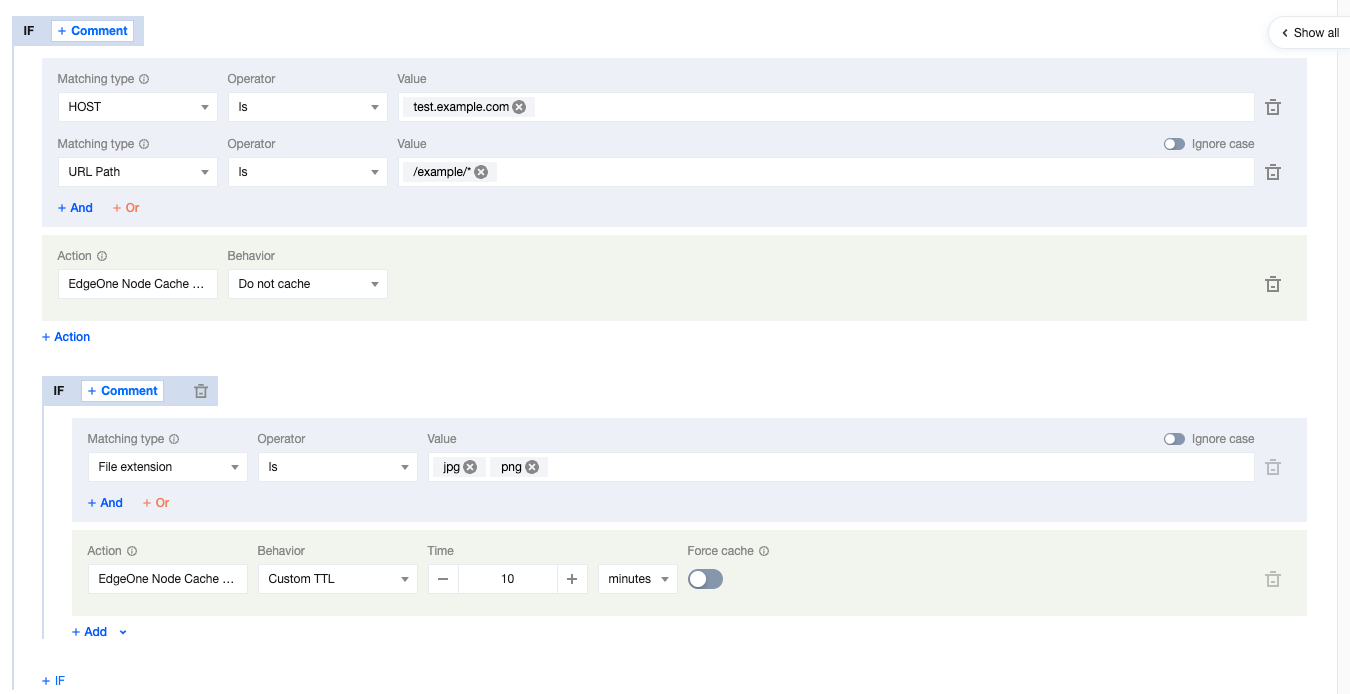
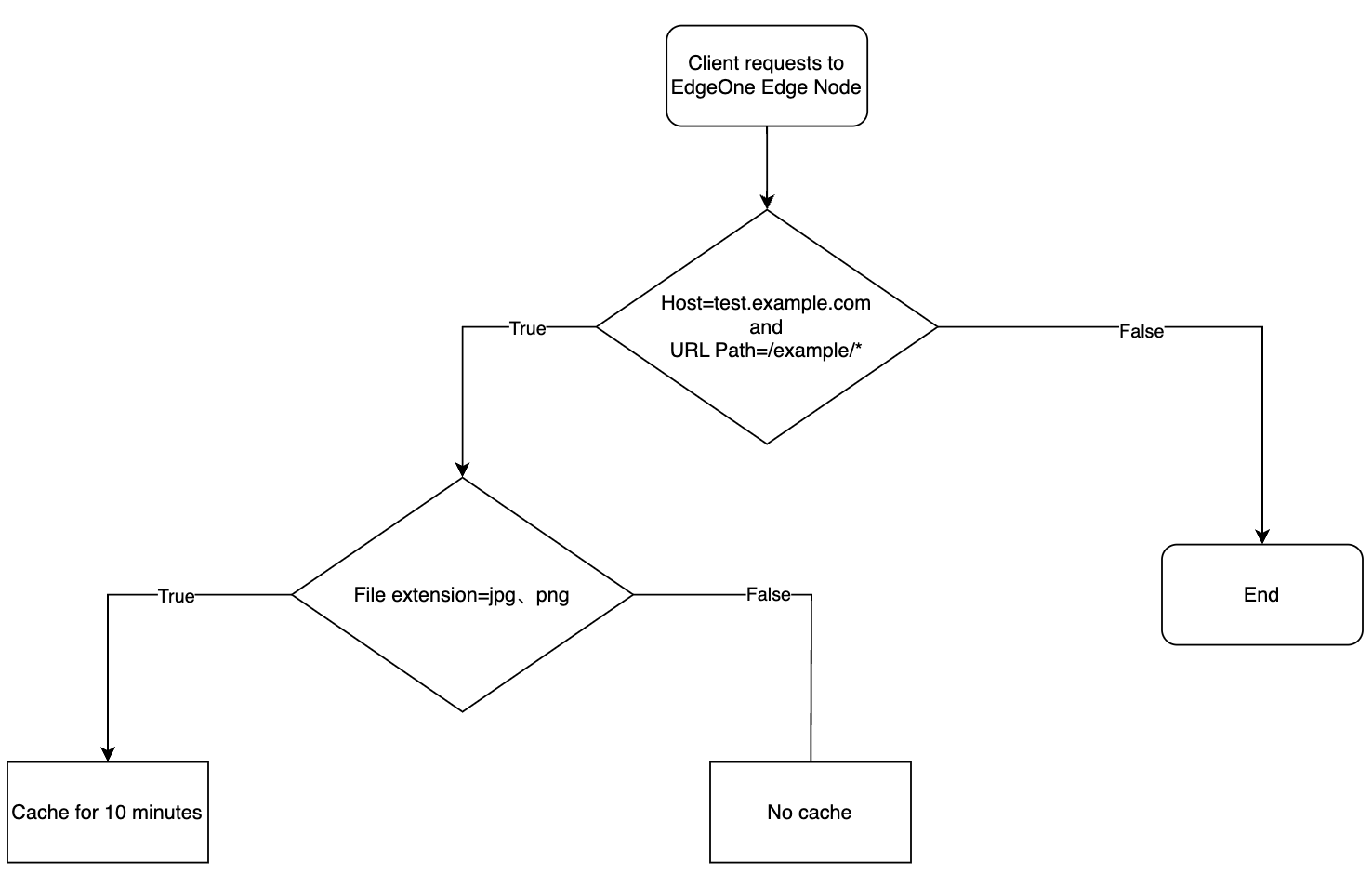
The current user's node cache TTL rule configuration is as follows, with multiple nested IF conditions present.
The caching behavior of the user-requested URL is activated as follows:
When the request URL is: https://test.example.com/example/1.jpg, the file is cached for a duration of 10 minutes.
When the request URL is: https://test.example.com/example/1.mp4, the file is not subjected to caching.
When the request URL is: https://test.example.com/video/1.jpg, it does not conform to the stipulated rule.
Example Two: IF Condition Contains Multiple Parallel Else IF Matches
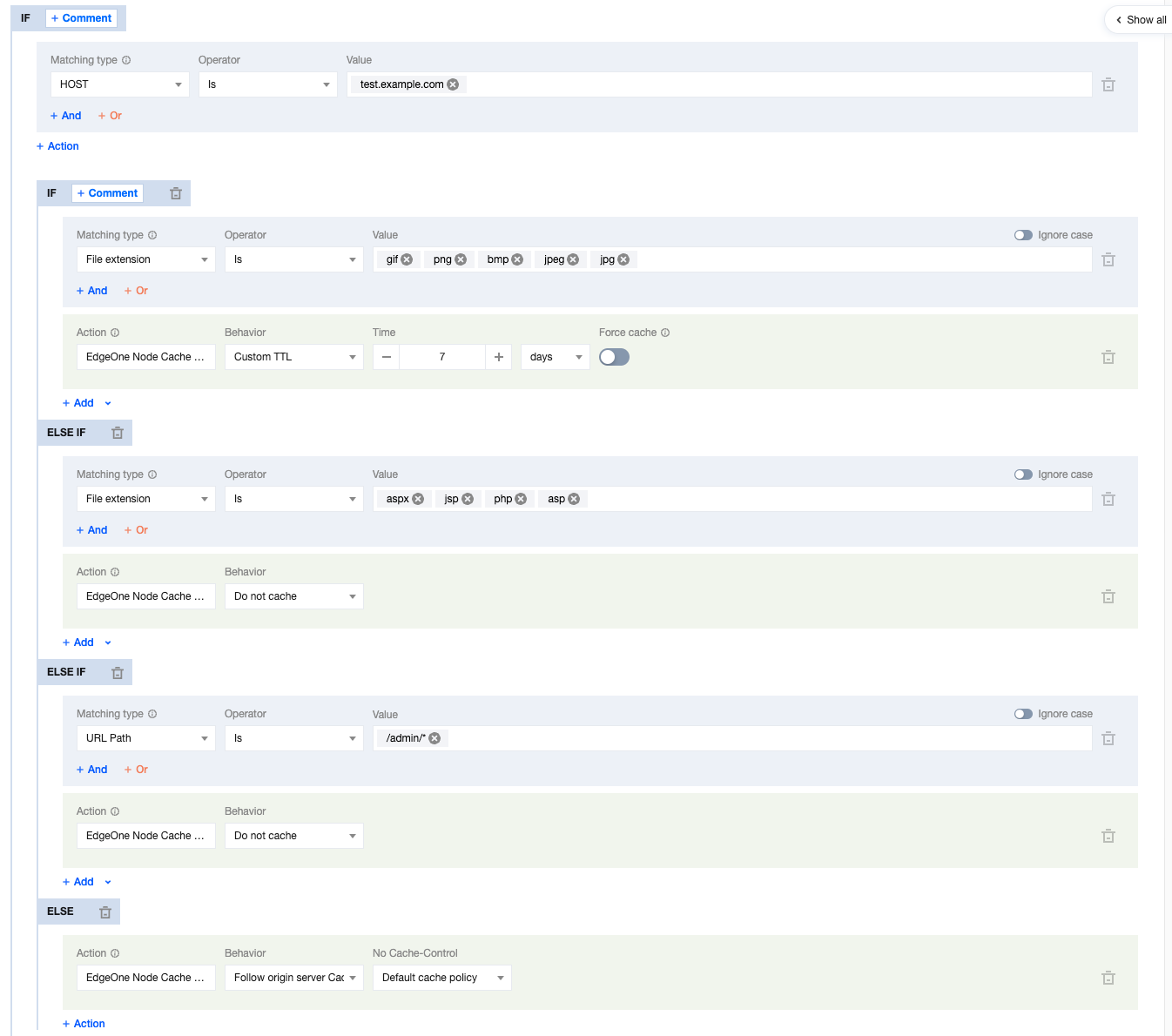
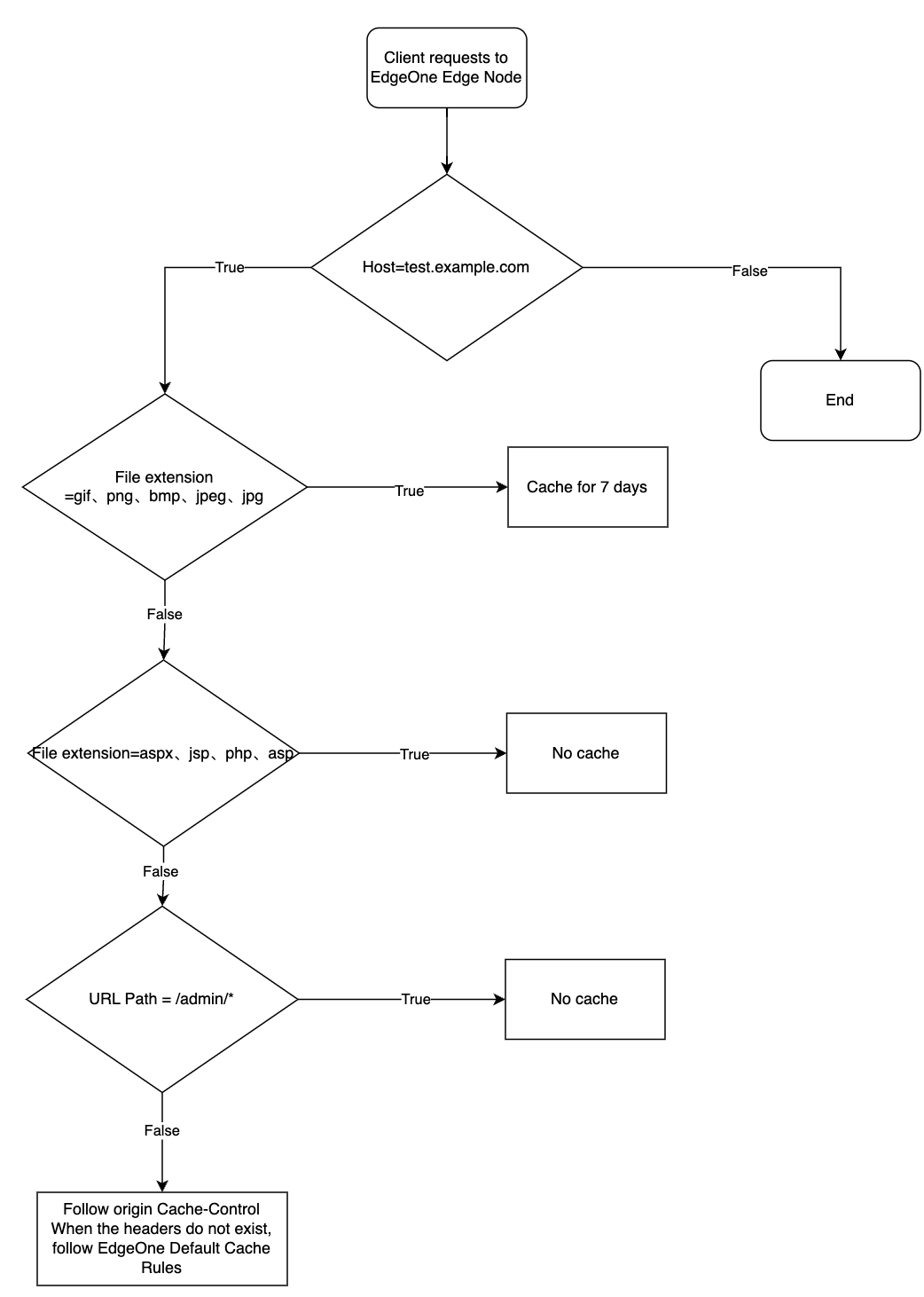
The current user's node cache TTL rule configuration is depicted below, with multiple coequal Else IF conditions present.
The caching behavior of the user's requested URL will take effect as follows:
When the request URL is: https://test.example.com/image/1.jpg, the file is cached for a duration of 7 days.
When the request URL is: https://test.example.com/index/1.jsp, the file is not subjected to caching.
When the request URL is: https://test.example.com/admin/1.php, caching is not implemented.
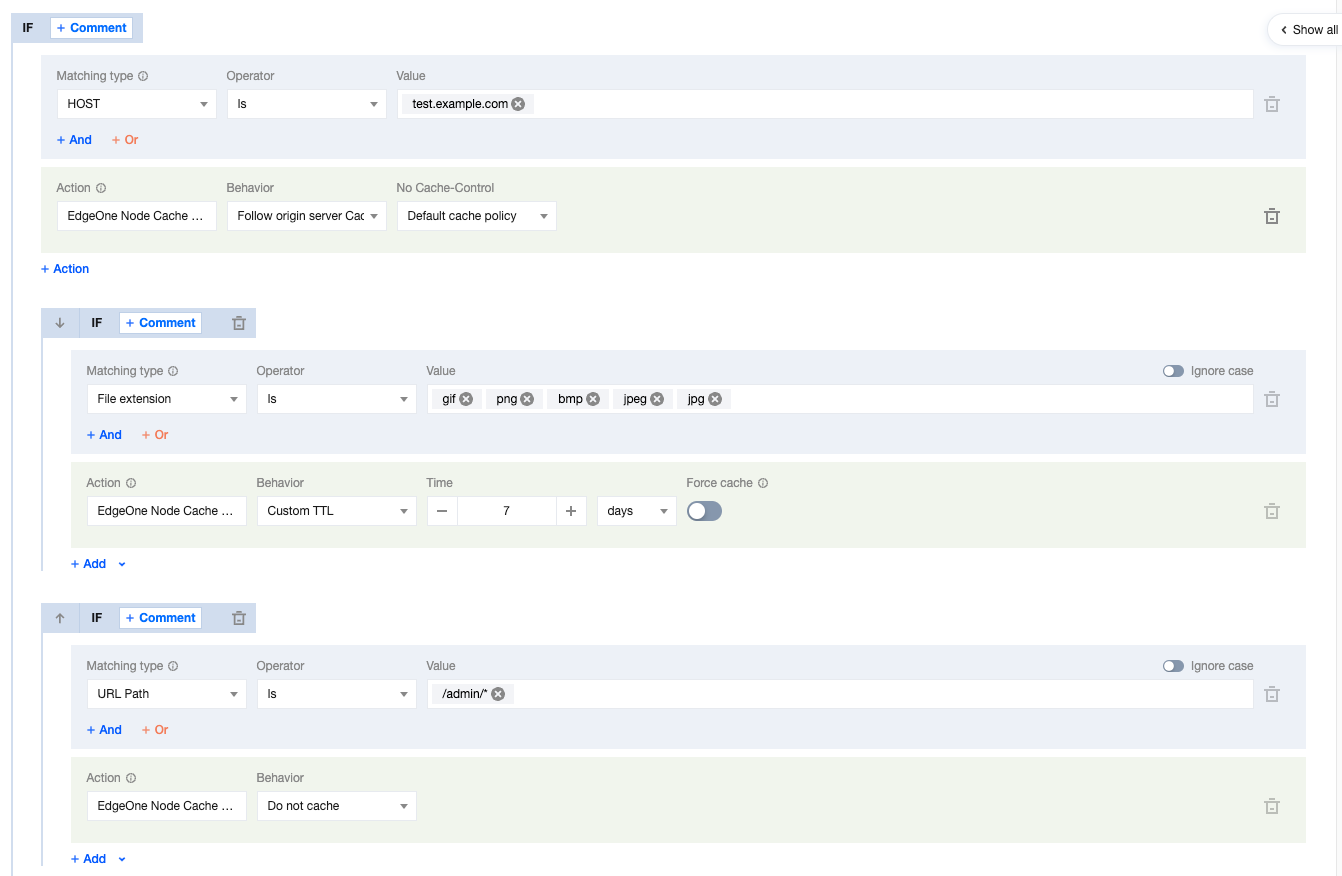
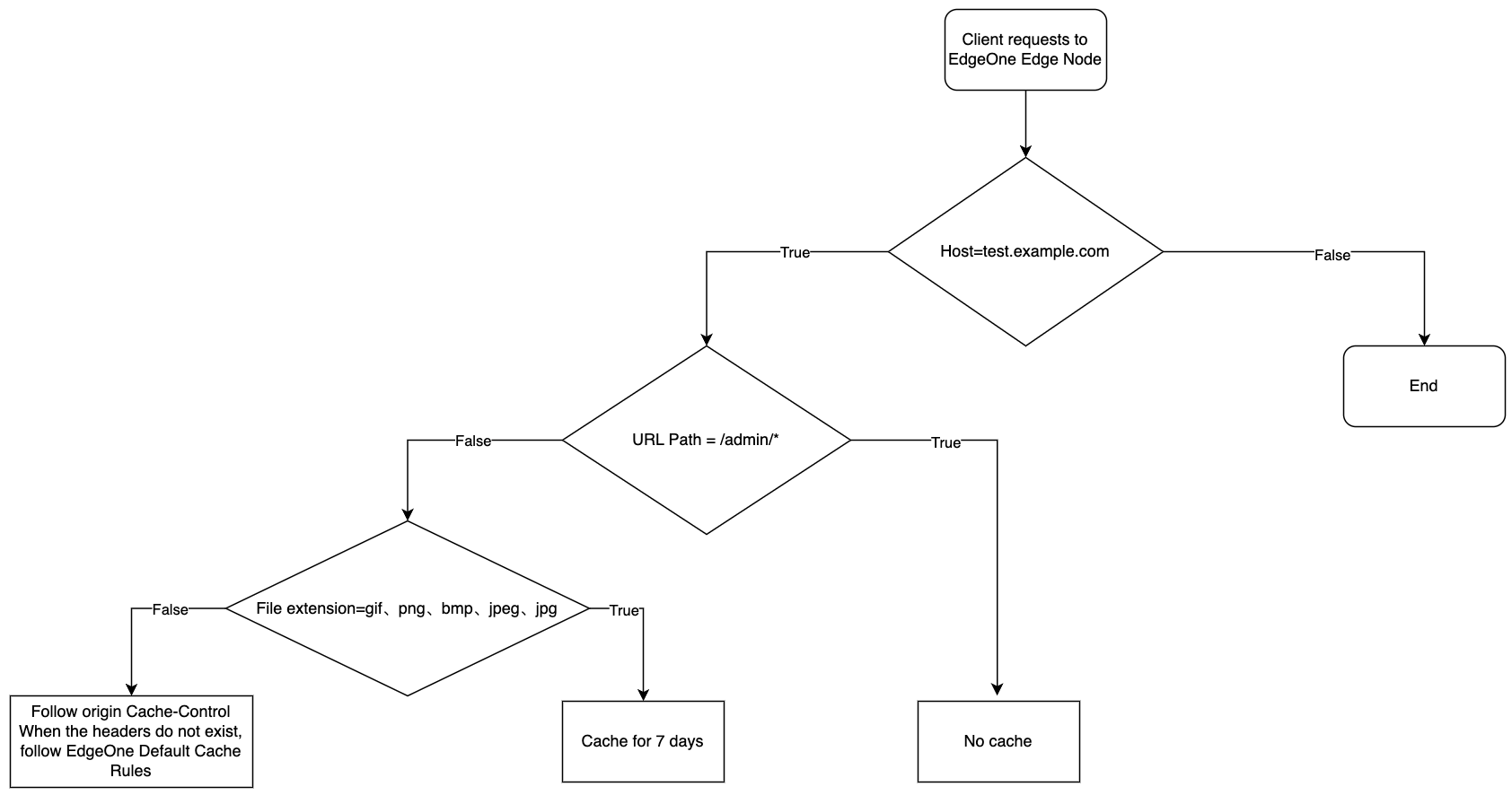
Example Three: Multiple Peer-Level IF Condition Matching
The current user's node cache TTL rule configuration is as follows. In the presence of multiple peer IF conditions, the effectiveness priority sequence of the subsequent conditions is the highest.
The caching behavior of the user's requested URL is activated as follows:
When the request URL is: https://test.example.com/image/1.jpg, the file is cached for a duration of 7 days.
When the request URL is: https://test.example.com/admin/1.php, the file is not subjected to caching.
When the request URL is: https://test.exampel.com/admin/1.jpg, the file is not subjected to caching.
When the request URL is: https://test.exampel.com/index/1.txt, the file adheres to the source site's Cache-Control header settings. In the absence of such a header, it complies with the default caching policy of EdgeOne.