Model Hub
다운로드
포커스 모드
폰트 크기
Overview
Model Hub is a built-in large model library of the Tencent Cloud TI-ONE. It is pre-configured with a variety of pre-trained large models and instruction fine-tuned large models, covering various downstream tasks, including multi-turn conversation, logical inference, and content creation.
With a single click, users can deploy a built-in large model as an online service, quickly and intuitively experiencing the effect of the large model through web-based Q&A. They can also initiate a fine-tuning task with one click, based on the built-in large model, and optimize the model into a production-level model that meets the requirements of vertical scenarios.
Built-in Large Model
The following large models have been built into the Model Hub. The latest list of supported models is subject to that displayed on the Model Hub page.
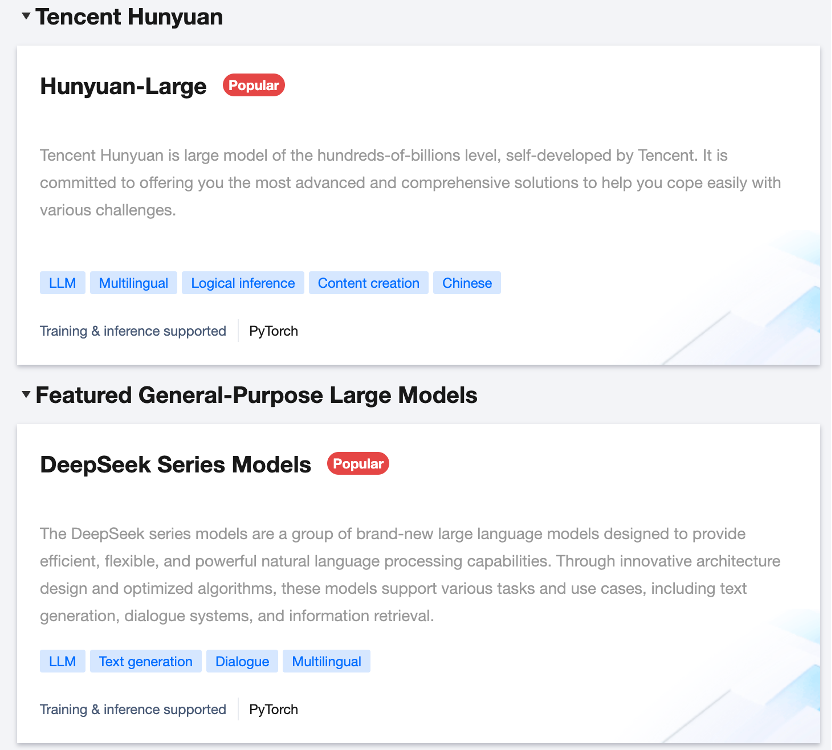
Self-developed Tencent Hunyuan Large Model: including the open-source Hunyuan-Large series, and the closed-source versions.
Selection of General Large Models: Includes mainstream open-source large models, such as DeepSeek series.
For the closed-source version of Tencent Hunyuan and the industry large model, contact Tencent Cloud's industry sales team to enable the service.
Features
The Model Hub provides the following main features:
Viewing Built-In Large Models
On the Model Hub page, model lists are presented in the form of cards.
Model Tags: Classify models by task type (including text classification, translation, and Q&A), language (including Chinese and English), framework (including PyTorch), and other dimensions, and display them in the form of tags for quick classification and search.
Model Search: Search is supported based on keywords to allow users to perform fuzzy searches by model name.
Initiating Deployment and Fine-Tuning
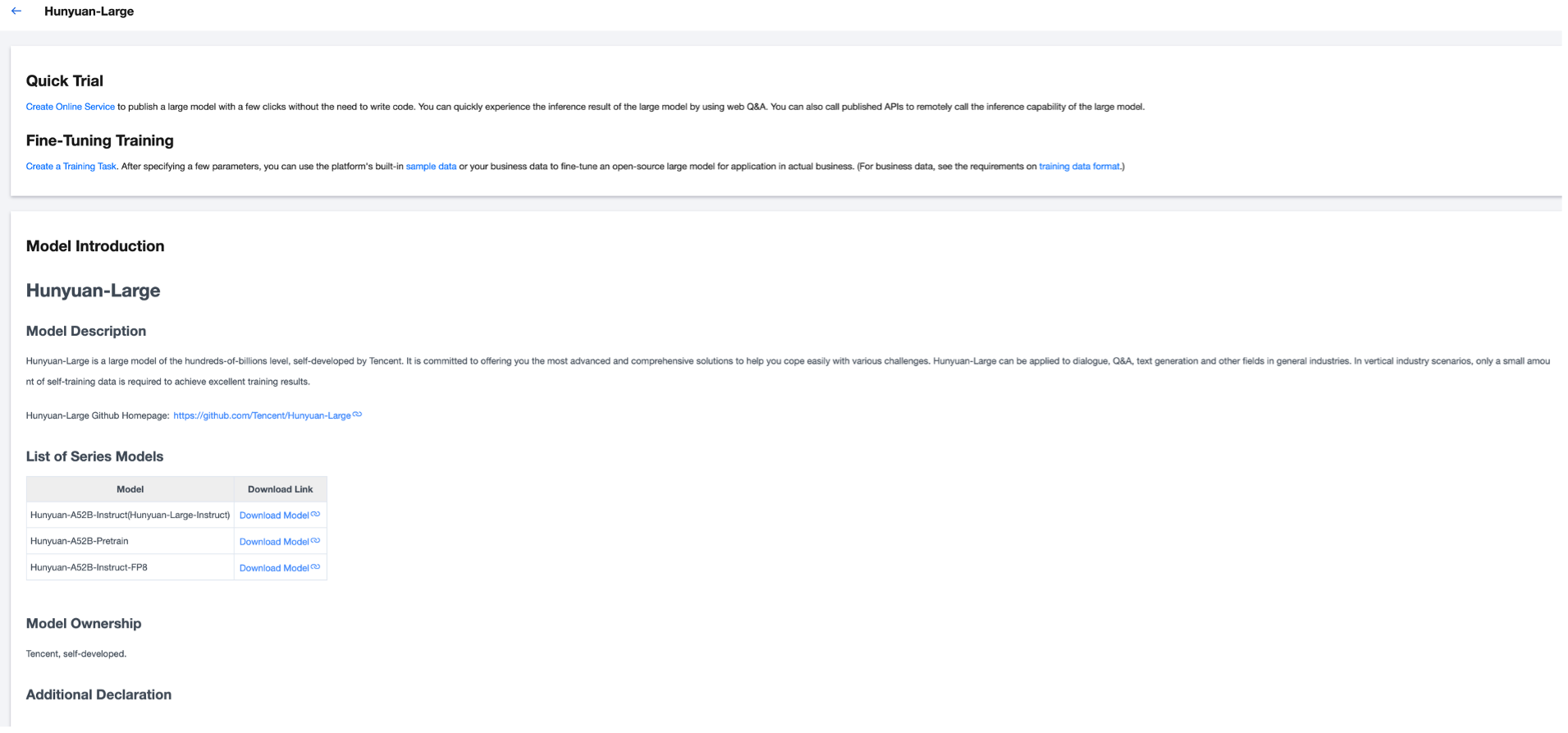
Click a card in the Model Hub to access the model details page, which shows the details of models and supports features, including quick tryout and fine-tuning training.
Model Introduction: This includes model description, list of series models, and model ownership.
Quick Tryout: Click Create Online Service to navigate to the Online Service module and initiate model deployment with one click.
Fine-Tuning Training: Click Create Training Task to navigate to the Task-Based Modeling module and launch fine-tuning training with one click. Model fine-tuning can significantly improve the performance of models in specific scenarios and tasks, further meeting production-level requirements.
피드백