This document describes how to use the business system feature. You can use business systems to manage your connected applications by group.
Directions
Creating business system
2. On the left sidebar, click Application Management > Business System.
3. On the business system page, click Create Business System.
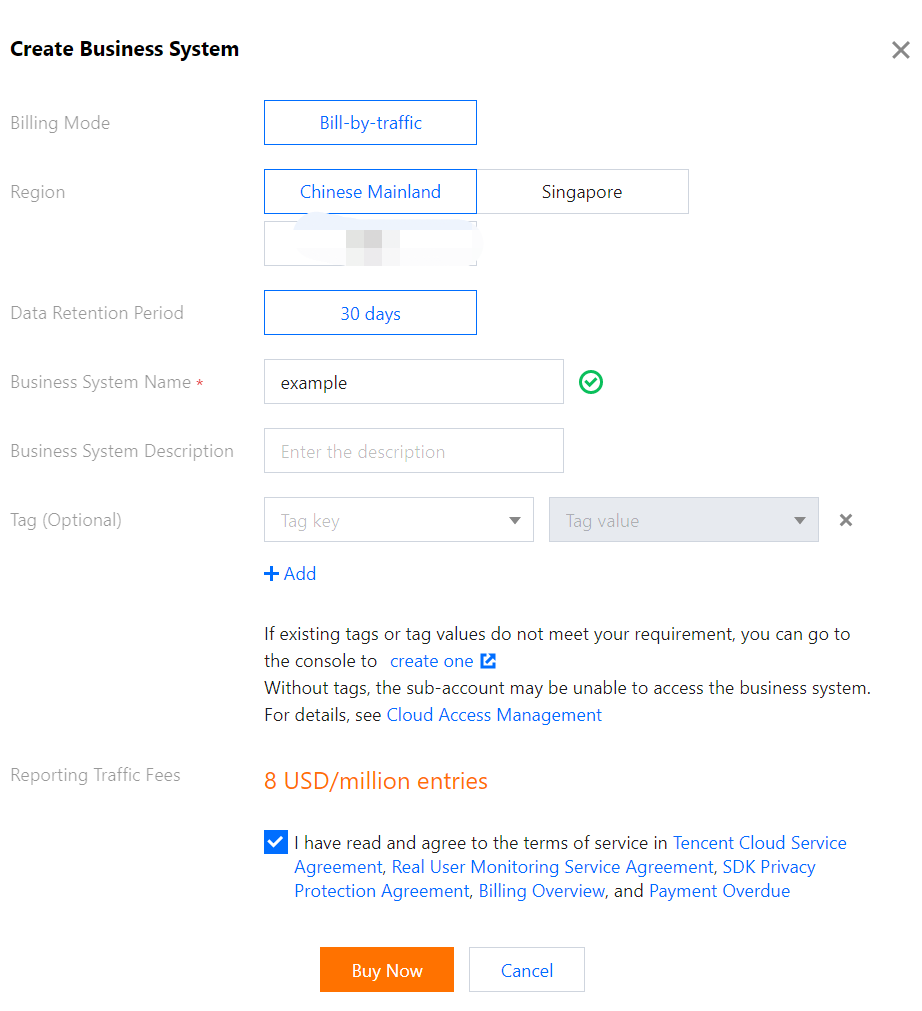
4. In the pop-up window, enter the business name and indicate your consent to the agreement.
Editing business system
You can click Edit in the Operation column to edit the business system name and description.
Tag
A tag is used to manage and control whether a sub-account user can access a business system connected to RUM. For detailed directions, see Resource Tag.