Adding DMC IP Allowlist (MySQL Public Network Self-Built Database Instance)
Download
フォーカスモード
フォントサイズ
最終更新日: 2026-05-15 11:53:05
To ensure that your MySQL public network self-built database instance can be accessed when adding quick login and data sources, you need to add the Database Management Center (DMC) IP to the database instance allowlist. Otherwise, the connectivity test may fail.
Comparison of Allowance Methods
The differences between batch allowing IPs and individually allowing IPs are compared below. Choose based on your actual needs.
Method
Description
Method 1: Individually allowing DMC access IPs
First, perform a connectivity test. If it fails, allow the specified IP based on the pop-up prompt.
Advantage: High security, ensuring that only DMC access IPs are allowed, preventing access from other IPs.
Disadvantage: Requires performing a connectivity test first and then adding the corresponding IP. Future database usage may require reconfiguring DMC IPs, making the process relatively cumbersome.
Method 2: Batch allowing DMC access IP range
Allow the IP range associated with DMC.
Advantage: Requires adding the IP address only once, making the process more convenient.
Disadvantage: The allowed IP range is relatively large. In addition to DMC access IPs, other IPs within the range can also access the database. This may pose a data exposure risk, so choose carefully.
Individually Allowing DMC Access IPs
1. When adding a data source or creating a quick login, complete the parameter input first, then perform a connectivity test.
If the connectivity test passes, it indicates that the database has no network restrictions. You can proceed with the next steps without needing to allow any IPs.
If your database and associated network have security access rules, such as security groups, firewalls (iptables rules), or database account IP restrictions, you need to allow DMC access IPs accordingly based on the specific scenario.
2. Allow the IPs.
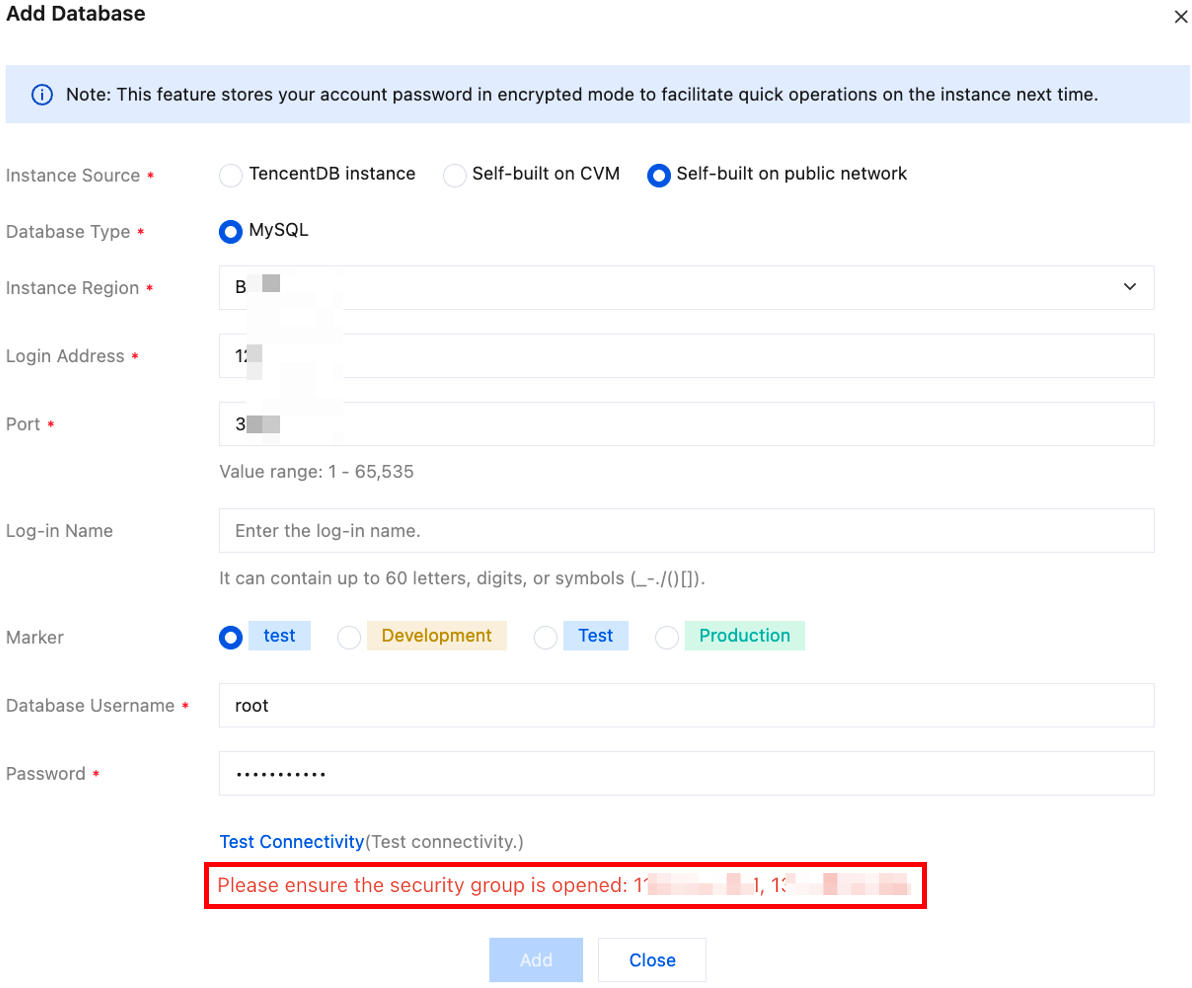
Scenario 1: The network where the database is located has security group settings or the server hosting the self-built database has a firewall (such as iptables) configured. An example of a connectivity test failure is shown below:
Check the database-related security settings. If the following configurations exist, you need to allow the prompted DMC service IPs in the corresponding rules.
2.1.1 Check whether a security group is configured at the database network level.
If a security group is configured, you should add the DMC service IP to the security group rules of the database network.
2.1.2 Check whether a firewall (such as iptables) is configured on the server hosting the self-built database.
If a firewall is configured, allow the DMC service IP in the firewall rules.
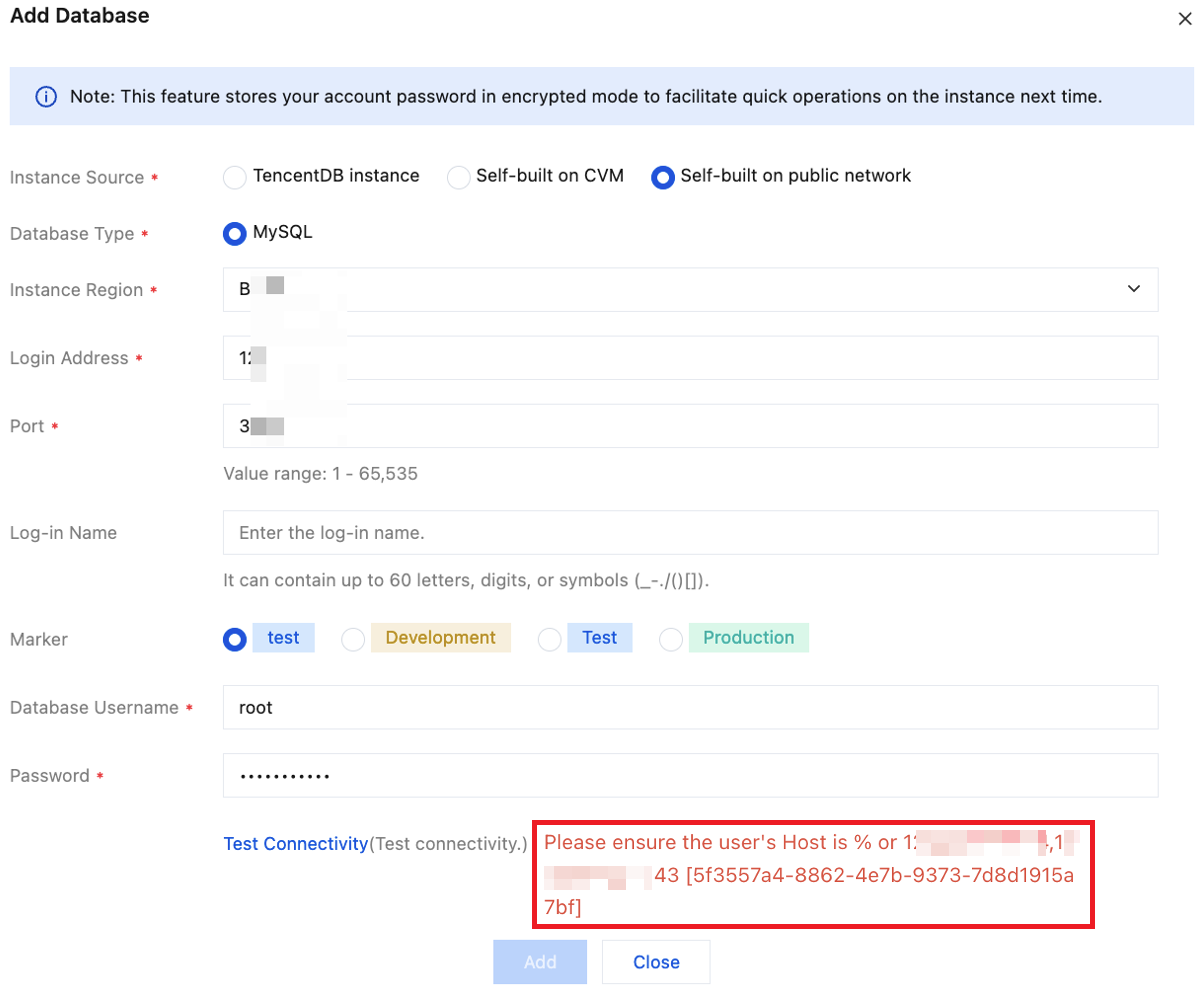
Scenario 2: At the database level, an IP access restriction is configured (such as allowing access only from authorized host addresses).
Allow the prompted DMC service IP in the access restriction settings.
An example of a connectivity test failure is shown below:
Batch Allowing DMC Access IP Range
Note:
The allowed IP range is relatively large. In addition to DMC access IPs, other IPs within the range can also access the database. This may pose a data exposure risk, so choose carefully.
1. Obtain the IP range that needs to be allowed.
Find the corresponding DMC service IP based on your access region.
For example, if your region is Guangzhou, select the DMC Guangzhou region for access. You need to allow the Guangzhou region DMC service IP in the database network settings.
The detailed DMC regions and service IP addresses are consistent with those of DTS. For details, see Network Segments to be Allowed.
2. Check the database-related security settings. If the following configurations exist, you need to allow DMC service IPs in the corresponding rules.
2.1 Check whether a security group is configured at the database network level.
If a security group is configured, you should add the DMC service IP to the security group rules of the database network.
2.2 Check whether a firewall (such as iptables) is configured on the server hosting the self-built database.
If a firewall is configured, allow the DMC service IP in the firewall rules.
2.3 At the database level, check whether IP access restrictions are configured (such as allowing access only from authorized host addresses).
If IP access restrictions are configured, allow the DMC service IP in the access control settings.