After you authorize your Grafana instance with a service role, it can access corresponding APIs with the temporary key of the service role. Do not enter sensitive SecretID/SecretKey; otherwise, the data security may be compromised.
2. In the instance list, find the target instance and click Instance ID.
3. On the instance details page, click Tencent Cloud Service Integration in the list on the left.
Directions
Click the service role editing icon in the top-right corner of the Tencent Cloud Service Integration page to configure a service role for the current instance.
Selecting service role
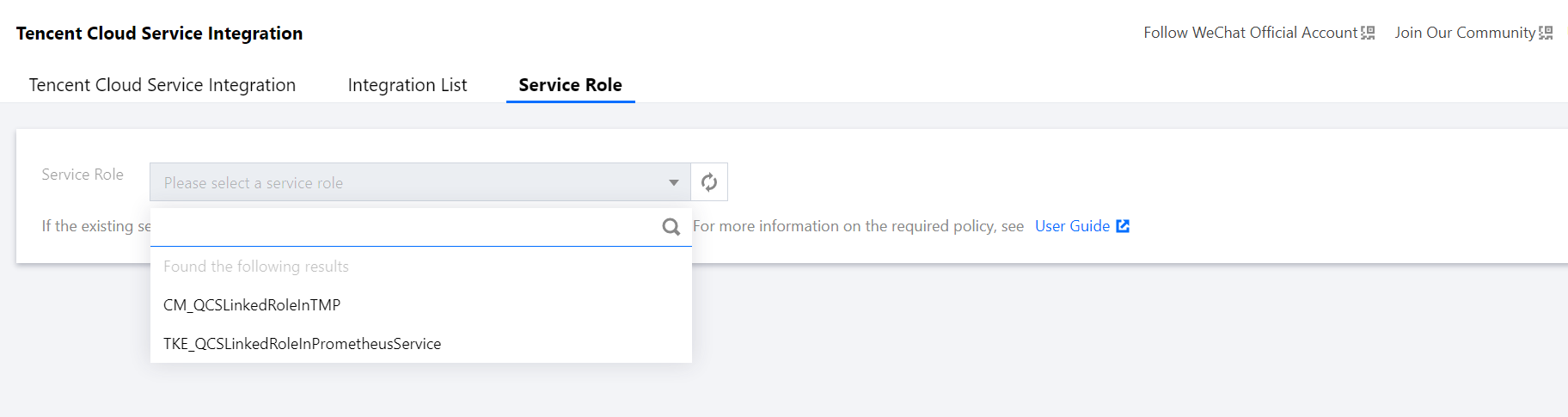
1. Click the Service Role drop-down list, and eligible service roles will be automatically loaded.
2. Select a preconfigured or self-created service role. Different Tencent Cloud services have different requirements for service role permissions, and you can create service roles as needed.
3. Click Save, and the instance will be rebooted.
Creating service role
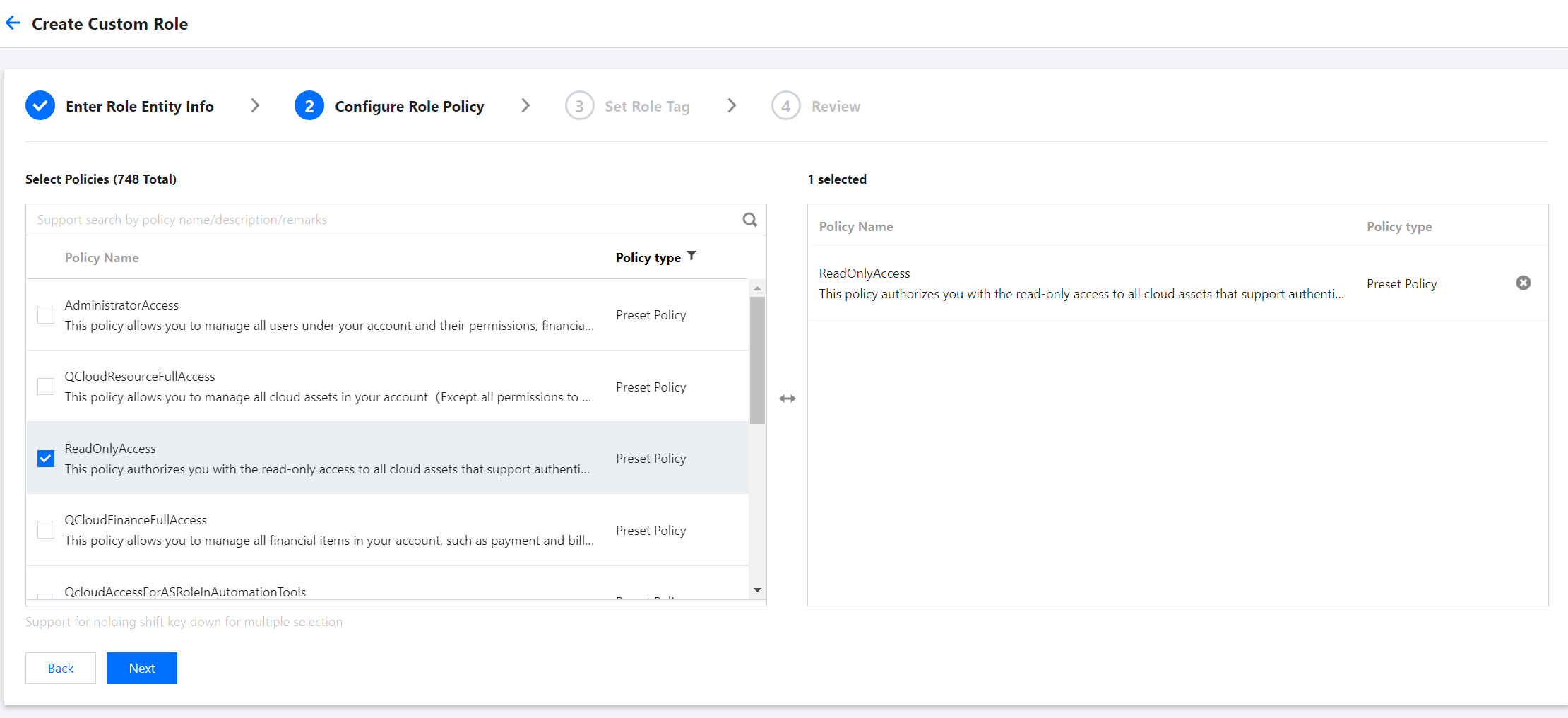
For demonstration purposes, this section uses the preconfigured ReadOnlyAccess policy as an example. You can view the policies required by Tencent Cloud services at the end of this document and configure read-only access as needed.