tencent cloud

문서TDSQL-C for MySQL

Viewing Rule Template Lists

다운로드
포커스 모드
폰트 크기
마지막 업데이트 시간: 2026-09-17 21:52:47
AI 번역 및 품질 검수 완료
This document describes how to view the rule template list through the console.

Viewing Rule Template Lists and Template Details

1. Log in to the TDSQL-C for MySQL console.
2. In the left sidebar, select SQL Insight (Database Audit).
3. After selecting a region, click Rule Template.

4. In the Rule Template list, locate the target rule template (you can also quickly find it by filtering with resource attributes in the search box), and then click Details in its Operation column.
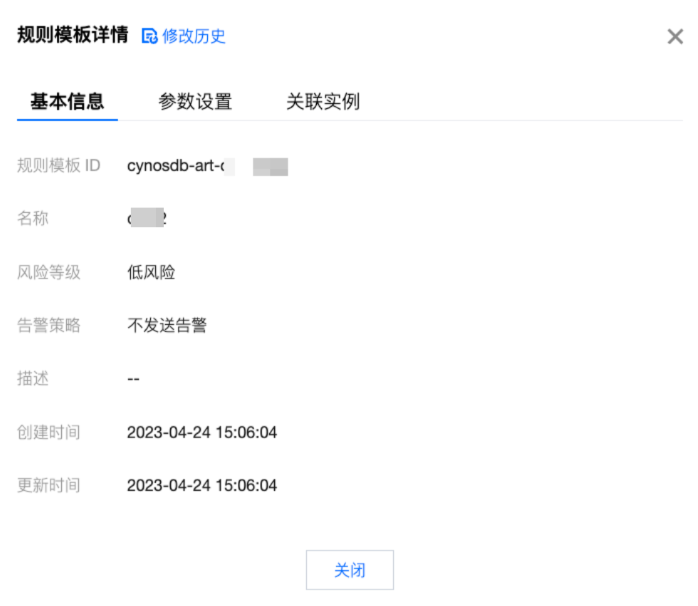
5. In the pop-up window, you can switch to view the Basic Info, Parameters Settings, and Associated Instances as well as the Modification Record of the rule template.


Tool List

Tool
Description
Search box
Click

to filter. Supports filtering by resource attributes (rule template ID, name). Separate multiple keywords with a vertical bar (|). Separate multiple filter tags with the Enter key.
Modification history
Click

to jump to the modification history page, where you can globally view the modification history records of rule templates in a specific region.
Refreshing
Click

to refresh the list.

Template List Fields

Field
Description
Rule Template ID
Displays the IDs of created rule templates.
Name
Displays the names of created rule templates.
Risk Level
Displays the risk level (Low, Medium, High) of the corresponding rule template and supports filtering.
Alarm Policy
Displays the alarm policy (Do Not Send Alarm, Send Alarm) of the corresponding rule template and supports filtering.
Associated Instance
Displays the number of instances bound to the corresponding rule template. Click the number to view the details of associated instances, including instance ID, audit type, and more.
Description
Displays the description remarks of created rule templates.
Creation Time
Displays the creation time of the corresponding rule template. The statistical format is YYYY-MM-DD HH:MM:SS.
Update time
Displays the latest update time of the corresponding rule template.
Operation
For details, you can view the rule template details, including Basic Info, Parameters Settings, Associated Instances, and Modification Record.
Edit to modify the content of a rule template.
Delete to remove a rule template.

Related Documentation


도움말 및 지원

문제 해결에 도움이 되었나요?

피드백