After you register a Tencent Cloud account, the system will create a root account for you by default, which is used to quickly access Tencent Cloud resources.
Directions
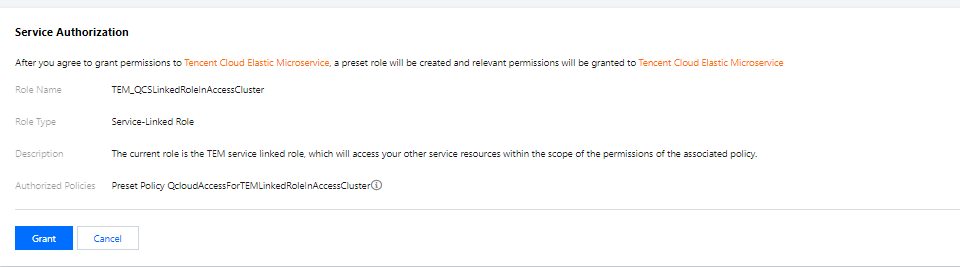
If you use TEM for the first time, you need to create the TEM_QCSLinkedRoleInAccessCluster and TEM_QCSLinkedRoleInTEMLog service roles as follows to grant you the permissions to access resources of other Tencent Cloud products.
1. Log in to the TEM console with the root account.
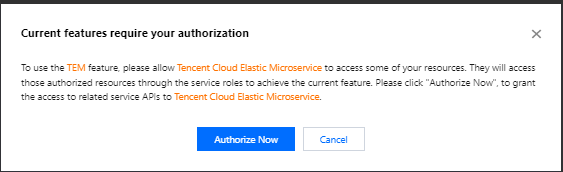
2. Click Authorize Now to enter the CAM console, click Grant, and the TEM_QCSLinkedRoleInAccessCluster service role will be created to grant you the permissions to access resources of Tencent Cloud products other than CLS.
3. Return to the TEM console and click Authorized.
4. On the left sidebar, click Application management. In the pop-up window, click Authorize Now to enter the CAM console, click Grant, and the TEM_QCSLinkedRoleInTEMLog service role will be created to grant you the permission to access CLS resources.