Specifying Projects for Instances
Download
Focus Mode
Font Size
This document describes how to assign instances to different projects in the console for easier management.
Overview
TencentDB for Tendis supports assigning instances to different projects for easier management. Assigned instances can be reassigned to other projects.
Note:
Assigning and reassigning TencentDB instances will not affect the services provided by the instances.
Directions
1. Log in to the TencentDB for Tendis console, select a region, select the desired instance in the instance list, and click More > Assign to Project at the top.
Note:
Alternatively, you can click the instance name/ID, and on the displayed instance details page, click Assign to Project in the Project section.
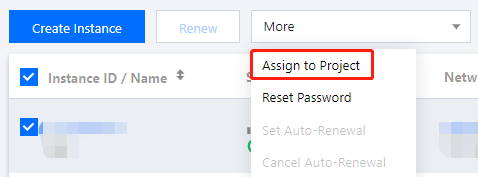
2. In the pop-up dialog box, select a project and click OK.
Help and Support
Was this page helpful?
You can also Contact sales or Submit a Ticket for help.
Help us improve! Rate your documentation experience in 5 mins.
Feedback