tencent cloud

Media Processing Service

Release Notes and Announcements
Release Notes
Announcements
Product Introduction
Overview
Features
Strengths
Use Cases
Purchase Guide
Billing Overview
Purchase Instructions
Top Up and Purchase
Overdue Payments
Refund
Getting Started
Console Guide
Overview
Creating Tasks
Tasks
Orchestrations
Templates
Resource Packs
Video Evaluation
AIGC Content Generation
Terminal SDK
Subtitle Editing Tool
Usage Statistics
Cloud Access Management Sample
Integration Tutorials
Audio/Video Transcoding Integration
Audio/Video Enhancement Integration
Audio Separation Integration
Integration of Digital and Visible Watermarks
Media AI Integration Tutorial
Media Quality Inspection Integration
Terminal SDK integration
MPS Live Stream Recording integration
DRM integration
Other tutorials
Application Scenario and Practical Tutorial
Image Quality Improvement Scenario
Audio/Video Cost Optimization Scenario
Short Drama Translation Scenario
AI-Generated Content Scenario
Online Education Scenarios
API Documentation
History
Introduction
API Category
Making API Requests
Processing Task Initiation APIs
Task Management APIs
Transcoding and Enhancement Template APIs
Watermark Template APIs
Screenshot Template APIs
Media AI Template APIs
Media AI—Hotword Lexicon APIs
Media AI—Sample Management APIs
Media Quality Inspection Template APIs
Live Streaming Recording Template APIs
Orchestration Management APIs
Data Statistics APIs
StreamLink—Security Group Management APIs
Other APIs
Image Processing Template APIs
AI Generation APIs
Other APIs
Data Types
Error Codes
Other Documents
WebSocket Protocol for Recognition
FAQs
Basics
Account Authorization
Task Configuration
Task Initiation
Task Result Viewing
Related Agreement
Service Level Agreement
Privacy Policy
Data Processing And Security Agreement
Contact Us
Glossary

Online Education Scenarios

PDF
Focus Mode
Font Size
Last updated: 2025-04-08 11:04:21

Overview

The online education industry is transforming due to technology. With a growing user base and new tech, the focus is on maintaining teaching quality with limited bandwidth, cutting costs, and integrating new technologies. This document covers Tencent Cloud's Media Processing for education, helping users apply tech solutions to save costs and boost efficiency.


Scenarios

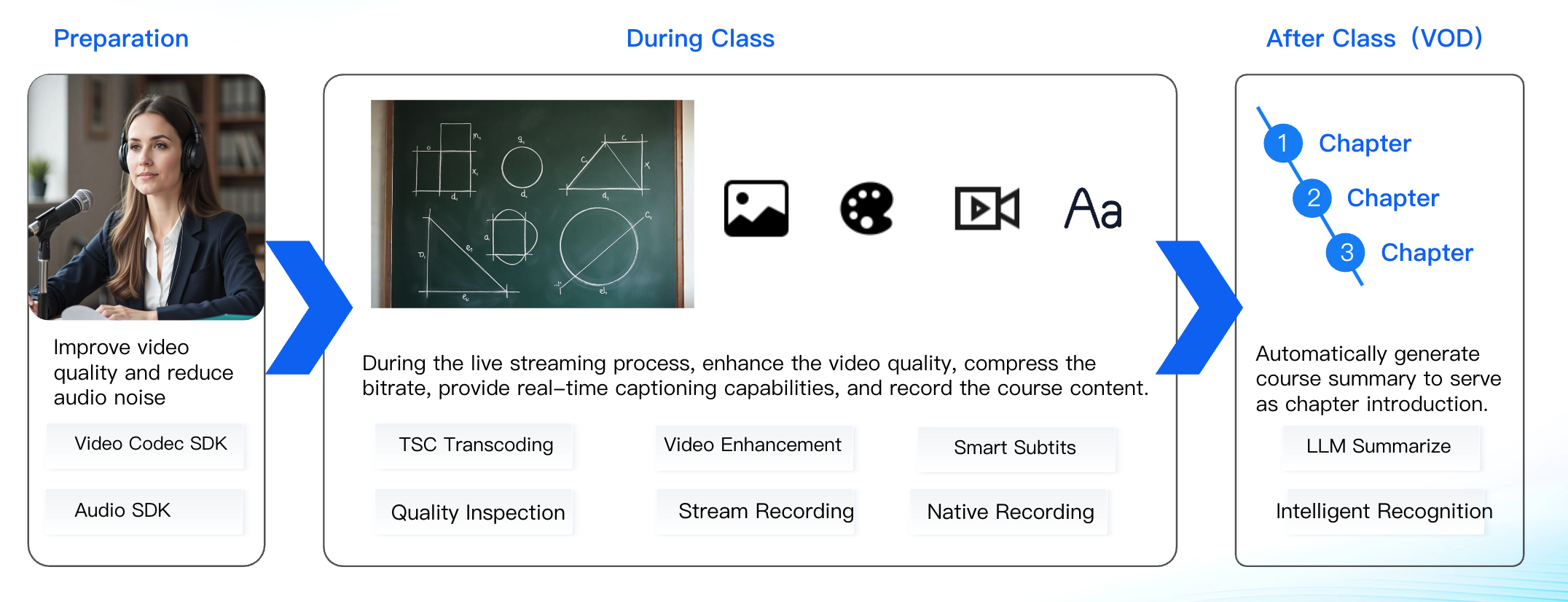
Clear and Stable Live Streaming Performance

​Requirement Description: A clearer visual and stable audio quality are crucial for students to see blackboard content and understand courseware information without hindrance.
​Solution: By leveraging terminal video encoding and audio noise reduction capabilities, we enhance the audio and video quality for teachers in online classes, ensuring clear visuals and stable sound. Utilizing ultra-fast transcoding and fast live streaming capabilities, we deliver low-latency, high-definition live streaming experiences.

AI Enhances Educational Quality

Requirement Description: AI should be used in and after class to improve education quality.
​Solution: Employ the intelligent subtitle feature to display the instructor's lecture content as real-time captions, with the large model summary function, to generate a course summary and key points overview at the conclusion of the session, thereby enhancing the teaching outcome.

Enhancing the Broadcasting Experience for Instructors

By enhancing the encoding performance on the teacher's end and improving the audio noise reduction capabilities, the quality of audio and video streaming from the teacher's broadcasting interface can be optimized.
Feature
Description
How to use
Terminal Video Codec SDK
Tencent's Top Speed Codec (TSC) terminal video encoder is designed for scenarios requiring low computational power, low latency, and high-quality image on the terminal side. Compared with hardware encoding, its advantages include:
1. Stable, reliable, and quick to start.
2. At the same quality level, it saves bitrate, enhances transmission stability, reduces downlink distribution bandwidth, and saves on storage costs.
3. At the same bitrate, it improves image quality and enhances user experience.
4. A rich set of features meets diverse business needs, such as using Regions of Interest (ROI) encoding to improve the image quality in the face region and dynamically adjusting encoding configuration to adapt to network fluctuations.
Step One: It is requisite to activate a trial License via the console Activate Test License or Procure an Official SDK License;
Step Two: For technical integration, please refer to the Ultra HD Terminal Encoding SDK Integration process.
Terminal Audio SDK
The Terminal Audio SDK, integrated on the client side, significantly enhances audio quality, eliminating echo and noise. The technology employed includes:
1. Adaptive Noise Suppression, Eliminate background noise components in the audio signal and reduce interference to enhance the perceptual quality of the voice.
2. Acoustic Echo Cancellation mainly addresses the echo problem in audio communication.
3. Automatic Gain Control responsible for adjusting the volume during the transmission of audio signals.
4. The terminal audio quality inspection capability enables the scoring of audio input quality, promptly identifying audio issues and providing alerts.
Step One: It is requisite to activate a trial License via the console Activate Test License or Procure an Official SDK License;
Step Two: For technical integration, please refer to the Ultra HD Terminal Encoding SDK Integration process.

Enhancing the Viewing Experience for Students

Feature
Description
How to use
Top Speed Codec(TSC) Transcoding
TSC transcoding is an "Upgrade" version of standard video transcoding, capable of adaptively optimizing various videos to deliver a higher definition viewing experience with lower bandwidth. While ensuring or enhancing image quality, it saves more than 50% in bandwidth costs.。
Refer to the ProcessMedia documentation.
Quality Inspection
Media Quality Inspection Supports:
Format Quality Inspection
Video & Audio Content Quality Inspection
No-Reference quality assessment
This feature detects live stream issues, alerting operators for quick anomaly identification. For video-on-demand scenarios, it detects and scores content, integrating transcoding and enhancement features for problem resolution.
Refer to the Media Quality Inspection Integration documentation.
Video Enhancement
Leveraging the industry-leading AI processing models within MPS, alongside a plethora of applications in various business scenarios, the enhancement feature significantly elevates audio and video quality. Supports distributed real-time image quality enhancement, artifacts removal, noise reduction, color enhancement, detail enhancement, and face enhancement.

In educational settings, it is possible to enhance video imagery by optimizing color representation, refining facial details, and improving the clarity of written content on boards.

Refer to the ProcessMedia documentation.
Cloud-based Stream
Record
Traditional recording only captures visual effects, not audio and video content on the client side. To record exactly what is seen, it's necessary to use cloud-based Windows or Android to stream via Tencent Cloud Live Broadcasting, integrating with the recording module to create files.

This feature can be utilized to generate course replays and teacher's presentations.
Please contact the business team to have Beta test.
Smart Captions and Subtitles
The Smart Captions and Subtitles feature recognizes voices from videos or live streams in real-time, converts speech to subtitles, and translates them into various languages like Chinese, English, and Japanese-Korean. It's useful for live subtitles, video transcription for global distribution, and extracting subtitles from old films for restoration. The feature supports configuring HotWord for more accurate translations.
In educational settings, the subtitle feature can be utilized to generate subtitles in real-time during live classroom sessions conducted by teachers; it can also be employed to add subtitles to on-demand videos, thereby enhancing the viewing experience for users.
Refer to the Subtitle Generation and Translation documentation.

LLM Summarize Tutorial
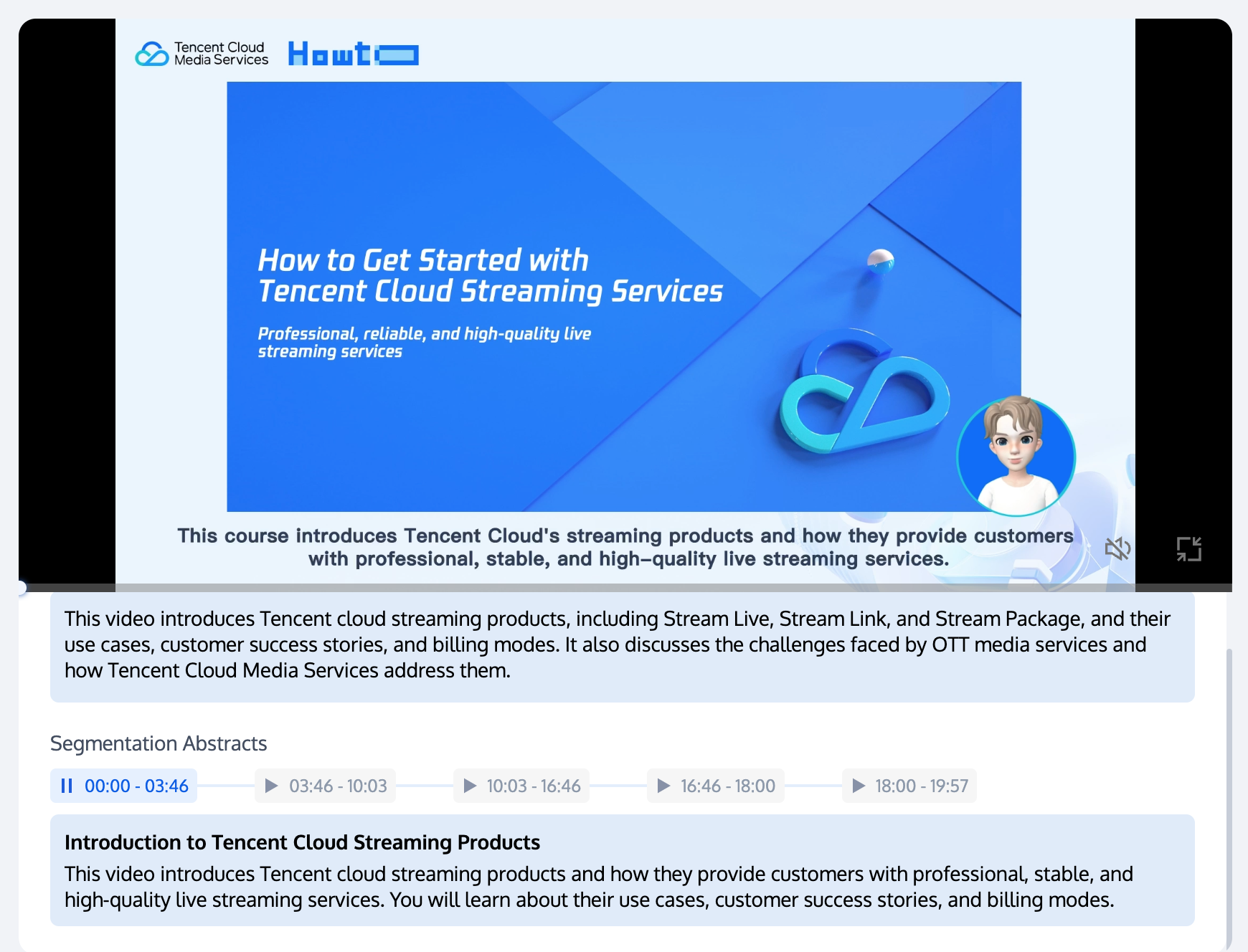
Leveraging the foundation of intelligent recognition, the large model summary is capable of generating concise summaries for video content. It automates the creation of key points and comprehensive summaries of course content.

Refer to mps.live for free trial.
Refer to the LLM Summarize Tutorial documentation.


Help and Support

Was this page helpful?

Help us improve! Rate your documentation experience in 5 mins.

Feedback