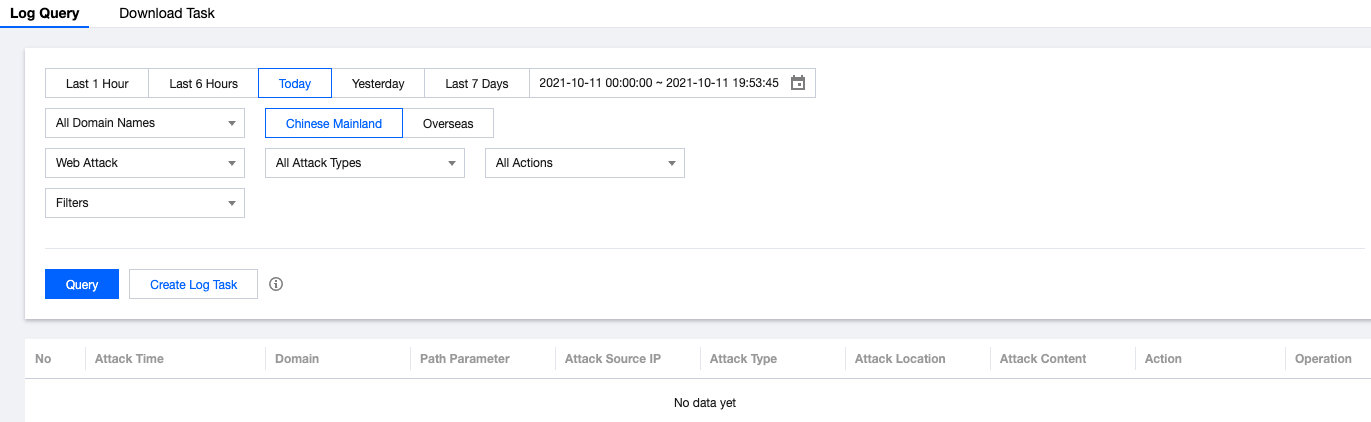
SCDN supports logging web attack information, including the time that SCDN received the attack request, attacker IP address, attack type, and content at which the attack targeted. It also allows you to output logs you need by setting download filters and creating log tasks.
Downloading Logs
Log in to the SCDN console, select Event Logs on the left sidebar, and then create log tasks as follows:
Click Create Log Task. Select the domain name you want, attack type (which can be set to all attack types or a specific one), action (which can be set to all actions or a specific one), and time period.
Attack logs for the last seven days can be downloaded.
A maximum of 100 log tasks can be created per day and each log task can contain up to 1,000 logs.
After the log task is created, log files will be generated in about one minute. Click Download.
Downloaded log files can be retained for seven days.