tencent cloud
最新优惠
产品
解决方案
价格中心
合作伙伴网络
云市场
探索更多
Prev
Next
弹性 MapReduce
动态与公告
产品动态
产品公告
安全公告
产品简介
产品概述
产品优势
产品架构
产品功能
应用场景
约束与限制
技术支持范围
产品发行版
购买指南
EMR on CVM 计费说明
EMR on TKE 计费说明
EMR Serverless HBase 计费说明
EMR Serverless TCBase 计费说明
快速入门
EMR on CVM 快速入门
EMR on TKE 快速入门
EMR on CVM 操作指南
规划集群
管理权限
配置集群
管理集群
管理服务
监控告警
智能管家
EMR on TKE 操作指南
EMR on TKE 简介
配置集群
管理集群
管理服务
监控运维
应用分析
EMR Serverless HBase 操作指南
EMR Serverless HBase 产品简介
配额与限制
规划实例
管理实例
监控告警
开发指南
EMR Serverless TCBase 操作指南
EMR Serverless TCBase 产品简介
管理实例
管理服务
监控告警
EMR 开发指南
Hadoop开发指南
Spark 开发指南
HBase 开发指南
Phoenix on Hbase 开发指南
Hive 开发指南
Presto开发指南
Sqoop 开发指南
Hue 开发指南
Oozie 开发指南
Flume 开发指南
Kerberos 开发指南
Knox 开发指南
Alluxio 开发指南
Kylin 开发指南
Livy 开发指南
Kyuubi 开发指南
Zeppelin 开发指南
Hudi 开发指南
Superset 开发指南
Impala 开发指南
Druid 开发指南
TensorFlow 开发指南
Kudu 开发指南
Ranger 开发指南
Kafka 开发指南
StarRocks 开发指南
Flink 开发指南
JupyterLab 开发指南
MLflow 开发指南
实践教程
EMR on CVM 运维实践
数据迁移实践
自定义伸缩实践教程
API 文档
History
Introduction
API Category
Making API Requests
Cluster Resource Management APIs
Cluster Services APIs
User Management APIs
Information Query APIs
Scaling APIs
Configuration APIs
Other APIs
Cluster Lifecycle APIs
Serverless HBase APIs
YARN Resource Scheduling APIs
Data Types
Error Codes
常见问题
EMR on CVM常见问题
服务等级协议
联系我们
文档
弹性 MapReduce
EMR on CVM 操作指南
管理集群
任务中心
任务中心
Download
聚焦模式
字号
最后更新时间: 2023-12-27 11:08:56
腾讯云弹性 MapReduce(EMR)控制台提供
任务中心
功能,可查看集群全部任务执行状态;支持对部分任务进行重试、取消、展示错误信息等功能。
任务列表
登录
EMR 控制台
,单击左侧菜单栏
任务中心
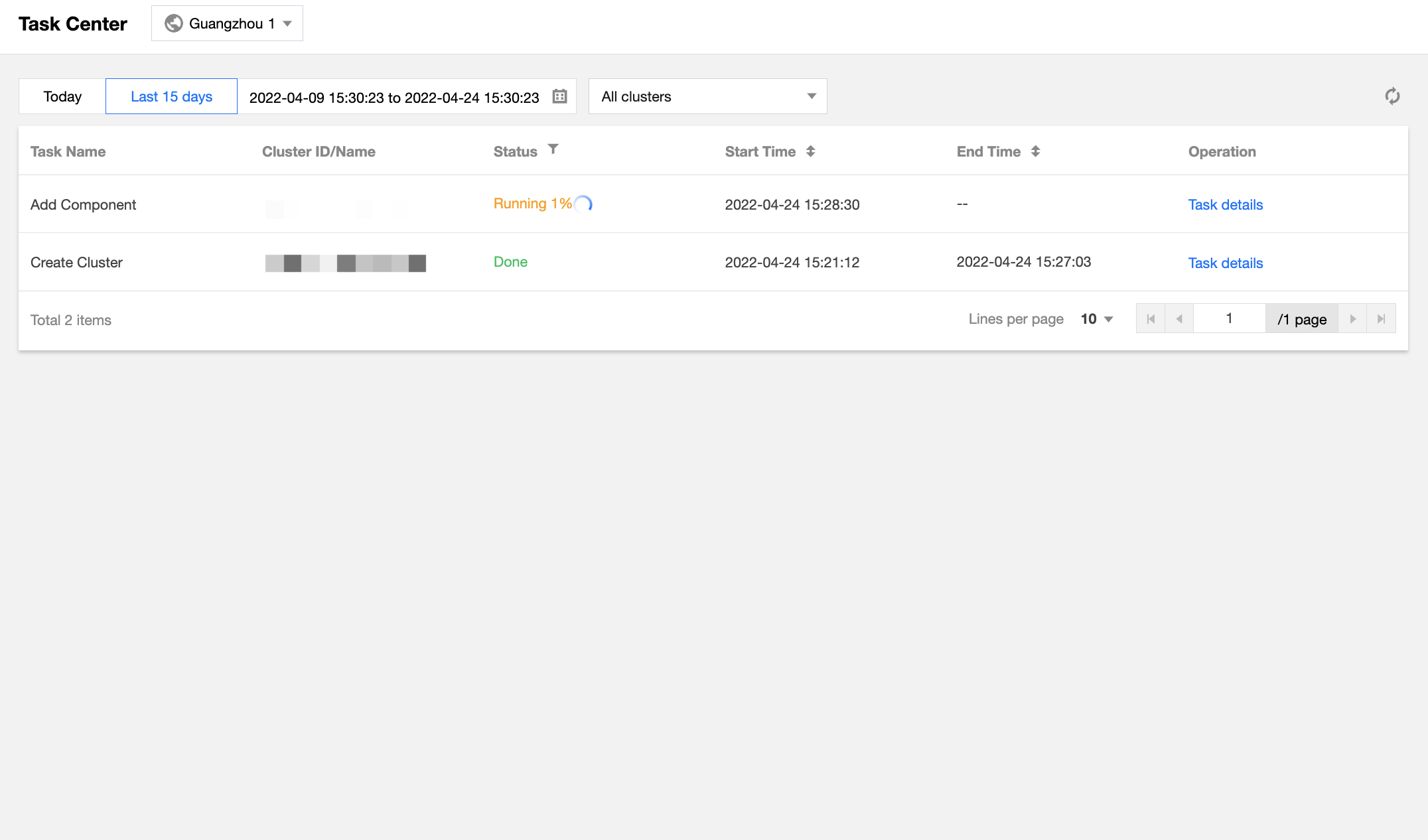
,可查看该地域下全部集群或单个集群所有任务状态、开始时间、结束时间以及操作信息。
登录
EMR 控制台
,单击左侧菜单栏
集群列表
,进入单个集群单击
右上角任务
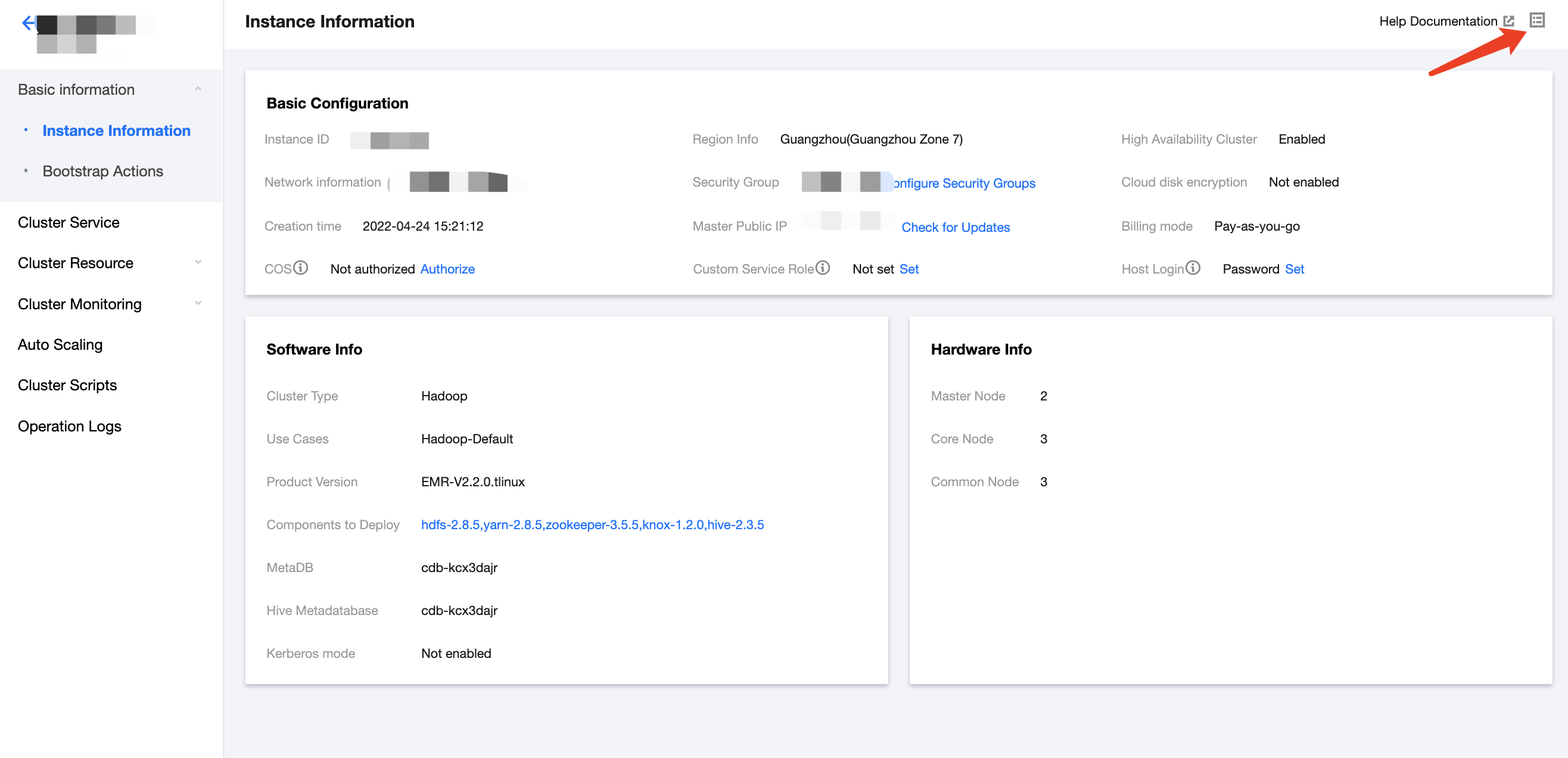
,可查看单个集群所有任务状态、开始时间、结束时间以及操作信息。
任务详情
单击
任务详情
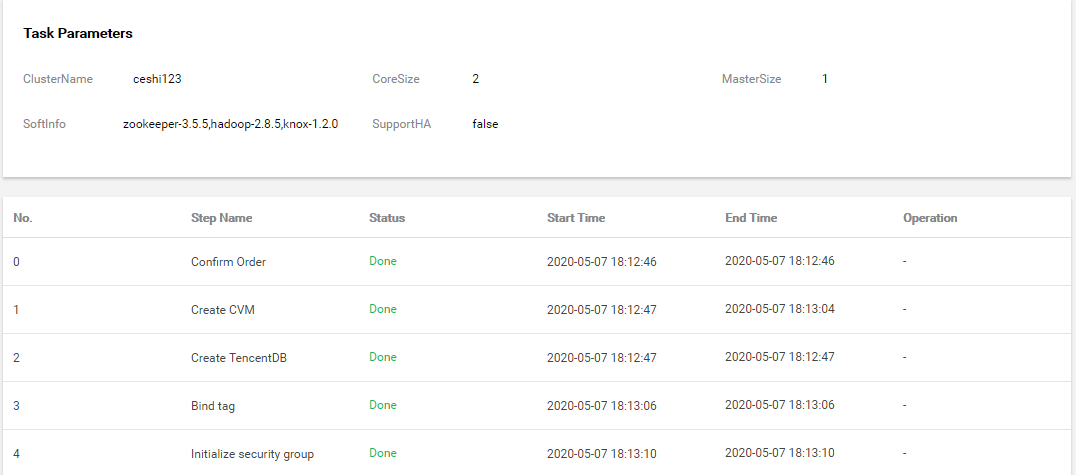
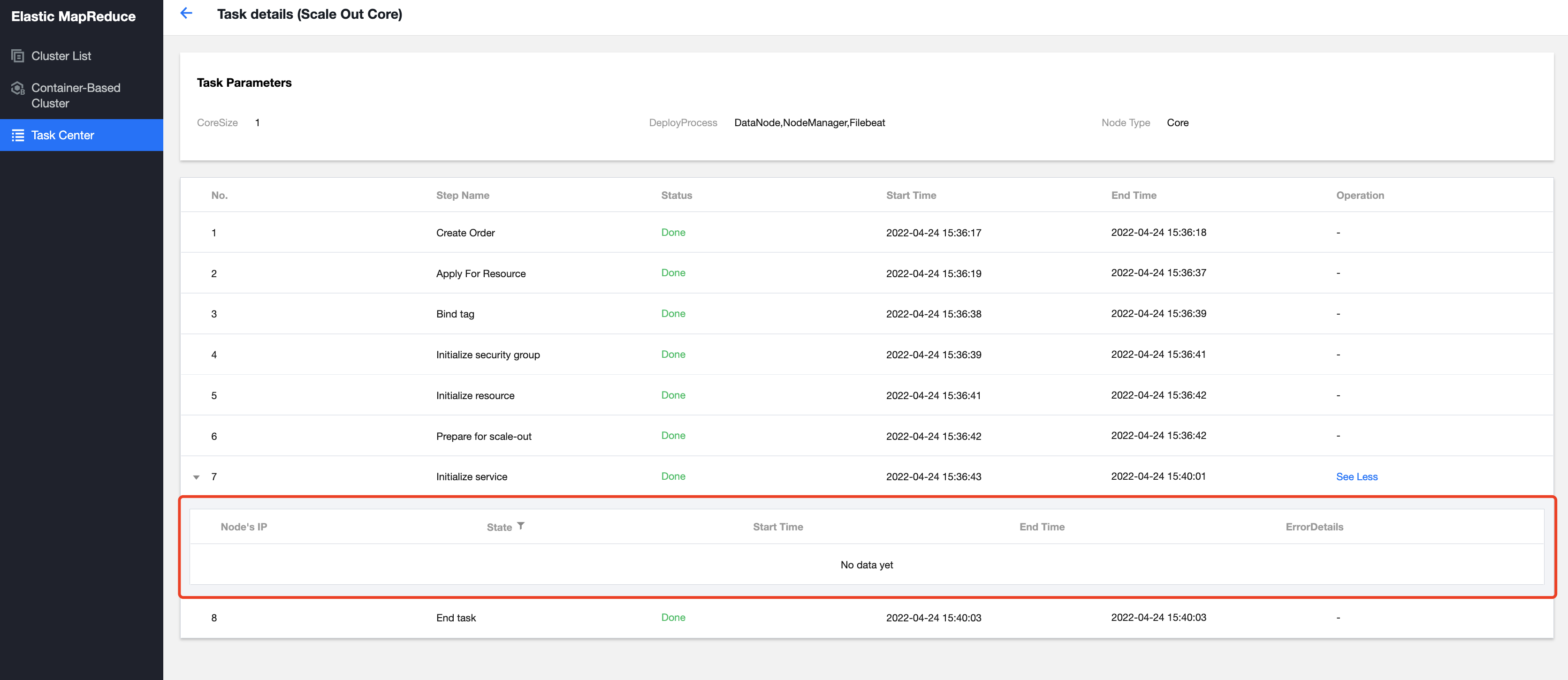
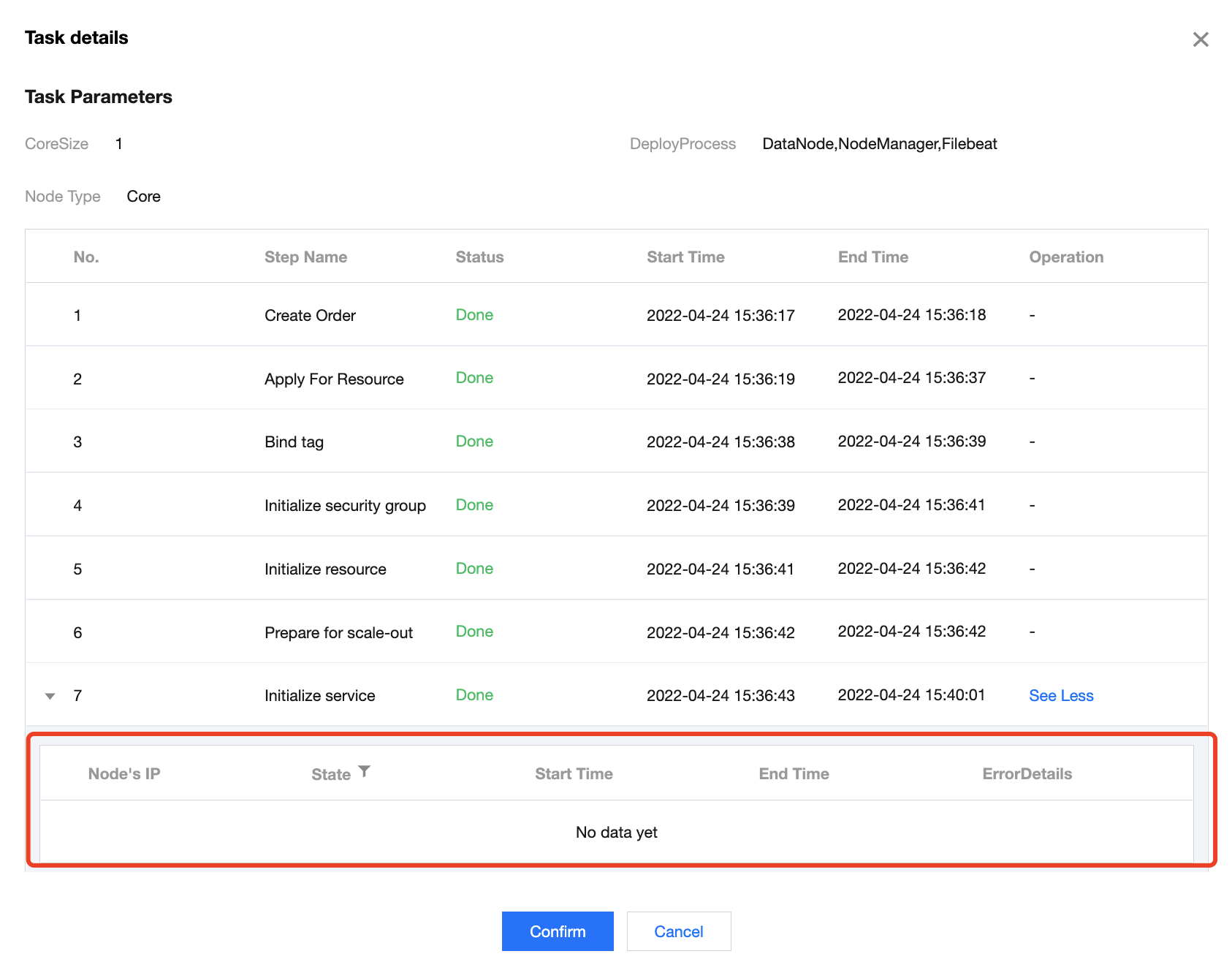
查看任务相关参数以及执行步骤完成状态情况。
运行详情
在
任务详情
部分操作步骤中可单击
运行详情
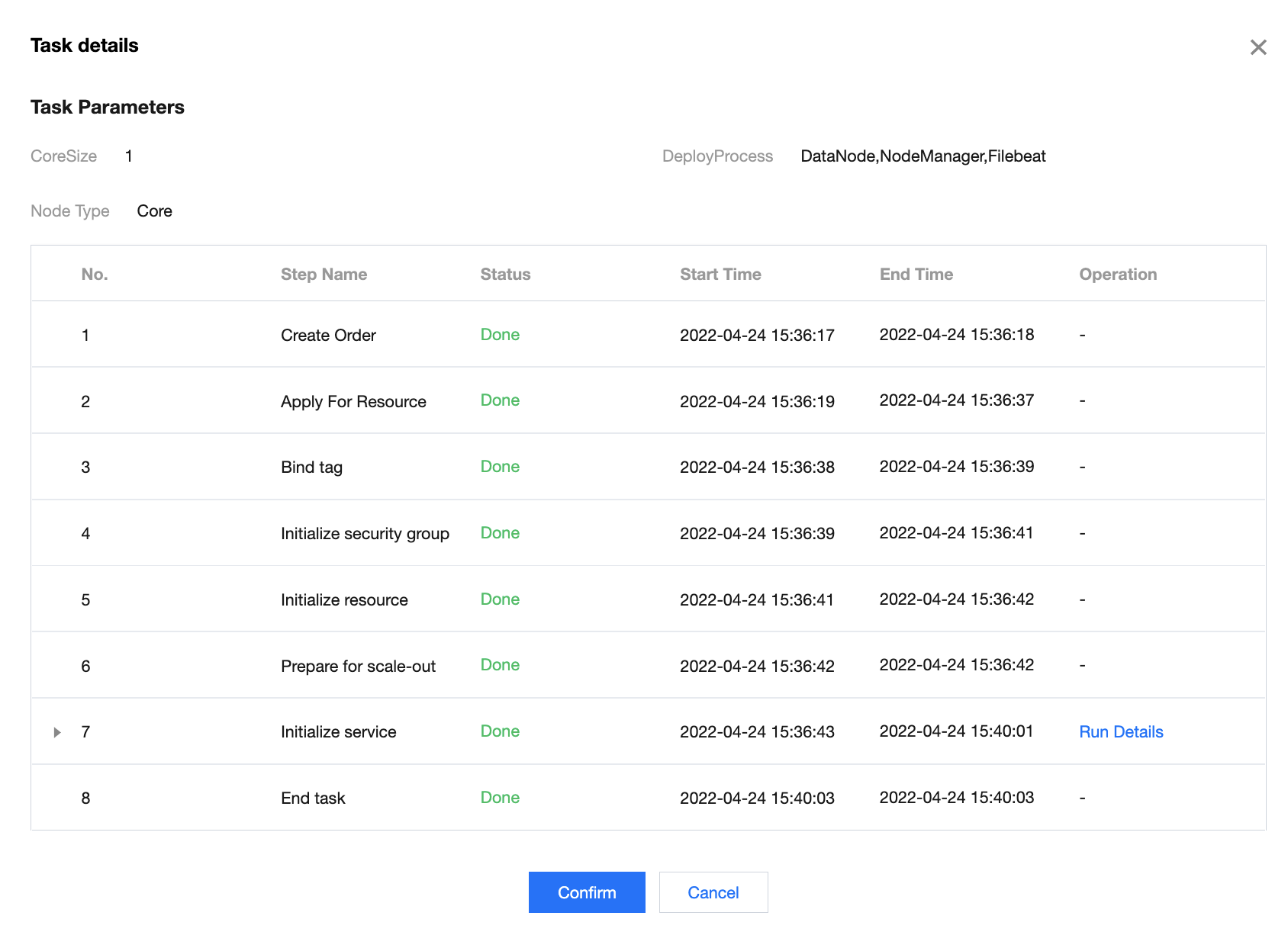
查看相应节点完成情况。
上一篇: 操作日志
下一篇: 用户管理说明
帮助和支持
本页内容是否解决了您的问题?
是
否
您也可以
联系销售
或
提交工单
以寻求帮助。
填写满意度调查问卷,共创更好文档体验。
点击前往
文档反馈